How Technology Can Improve Chronic Care Management
Technology can transform Chronic Care Management by connecting patient identification, enrollment, care plans, monthly activities, documentation, time tracking, provider review, and billing workflows. Learn how CCM software can reduce repetitive administrative work, improve care-team coordination, strengthen workflow visibility, and help practices manage chronic care more efficiently.
Table of contents
- Introduction
- What Is Chronic Care Management?
- Why Traditional CCM Workflows Can Be Difficult
- 1. Patient information is scattered
- 2. Care-plan updates can become difficult
- 3. Monthly activities require organization
- 4. Documentation can take too much time
- 5. Providers have limited visibility
- How Technology Can Improve CCM
- 1. Centralize CCM Information
- 2. Create Structured Care Plans
- Why structured care plans matter
- 3. Organize Monthly CCM Activities
- 4. Track Care-Management Time
- 5. Reduce Duplicate Documentation
- 6. Improve Care-Team Coordination
- 7. Keep CCM on the Same Patient Record
- 8. Automate Routine Workflow Tasks
- 9. Improve Provider Review and Oversight
- 10. Connect CCM With Billing Workflows
- 11. Improve Workflow Visibility
- 12. Support Patient Communication
- Technology Features to Look for in CCM Software
- Patient Management
- Care Planning
- Monthly Management
- Provider Oversight
- Billing Workflow
- Integration
- How AI Can Support CCM
- Manual CCM vs. Technology-Enabled CCM
- Benefits of Technology-Enabled CCM
- Reduce administrative workload
- Improve documentation consistency
- Improve care-team coordination
- Increase workflow visibility
- Reduce duplicate data entry
- Connect care and administrative operations
- How to Implement CCM Technology Successfully
- Step 1: Map the Current Workflow
- Step 2: Define Responsibilities
- Step 3: Standardize Documentation
- Step 4: Train the Care Team
- Step 5: Monitor the Workflow
- Step 6: Review Compliance
- The Future of Chronic Care Management
- Conclusion
Introduction
Managing patients with multiple chronic conditions requires more than occasional office visits. Chronic Care Management (CCM) depends on consistent communication, care-plan management, medication coordination, follow-up, documentation, and ongoing monitoring.
For healthcare practices, managing these activities manually can create administrative burden and make it harder to maintain a consistent workflow.
Technology can help practices organize CCM activities in one connected workflow—from patient identification and enrollment to care planning, monthly follow-up, documentation, provider review, and billing workflows.
In this article, we'll explore how technology can improve Chronic Care Management and help medical practices build more efficient CCM operations.
What Is Chronic Care Management?
Chronic Care Management is an ongoing approach to coordinating care for eligible patients with chronic conditions.
A CCM workflow may involve:
- Identifying eligible patients
- Patient outreach and enrollment
- Developing a comprehensive care plan
- Coordinating care
- Managing medications and treatments
- Communicating with patients and caregivers
- Documenting monthly activities
- Tracking care-management time
- Reviewing and updating the care plan
- Provider oversight
- Preparing information for billing
The exact requirements for CCM services depend on applicable Medicare rules, payer policies, and the patient's circumstances.
Technology can help organize these activities so care teams have a clearer view of what needs to happen and when.
Why Traditional CCM Workflows Can Be Difficult
Many practices still manage CCM activities using spreadsheets, phone calls, email, paper documents, or multiple disconnected applications.
This can create several challenges.
1. Patient information is scattered
When patient information is stored across different systems, care teams may have to switch between applications to find the information they need.
2. Care-plan updates can become difficult
A care plan should reflect the patient's current needs, goals, interventions, and care coordination activities. Manually maintaining these updates can become time-consuming.
3. Monthly activities require organization
CCM involves recurring activities. Without a structured workflow, staff may have difficulty tracking outreach, follow-ups, documentation, and time.
4. Documentation can take too much time
Care-management activities need appropriate documentation. Repetitive manual entry can increase administrative workload.
5. Providers have limited visibility
When CCM information is separated from the rest of the patient's record, providers may have less visibility into ongoing care-management activities.
How Technology Can Improve CCM
Technology does not replace clinical judgment or the care team. Instead, it can organize repetitive administrative and documentation workflows so staff can spend more time on patient care.
Here are several ways technology can improve CCM.
1. Centralize CCM Information
A connected CCM platform can keep important care-management information together.
Instead of searching through multiple systems, the care team can access information such as:
- Patient demographics
- Chronic conditions
- Care plan
- Goals
- Interventions
- Outreach history
- Care coordination
- Monthly reviews
- Time tracking
- Provider approvals
A centralized workflow can make it easier for care teams to understand the patient's current CCM status.
2. Create Structured Care Plans
A structured digital care plan can help the care team organize important information consistently.
A CCM care plan may include:
- Patient problems
- Goals
- Interventions
- Medications
- Treatment plans
- Care coordination
- Self-management goals
- Providers involved in care
- Community resources
- Follow-up plans
Technology can make it easier to update these sections as the patient's needs change.
Why structured care plans matter
A structured care plan provides a consistent framework for documenting ongoing care rather than relying entirely on unstructured notes.
3. Organize Monthly CCM Activities
CCM is an ongoing process rather than a one-time service.
Technology can help care teams organize recurring activities such as:
Patient → Outreach → Care Activity → Documentation → Time Tracking → Review
A digital worklist can help staff see which patients require attention and which activities have already been completed.
This can reduce the risk of important workflow steps being overlooked.
4. Track Care-Management Time
Time tracking is an important component of many CCM workflows.
Instead of relying entirely on manual calculations, technology can provide tools for recording time associated with eligible care-management activities.
For example, a system may allow authorized users to record time spent on:
- Patient communication
- Care coordination
- Medication-related activities
- Reviewing information
- Updating the care plan
- Follow-up activities
Practices should configure and use time-tracking workflows according to applicable CMS requirements and payer rules.
5. Reduce Duplicate Documentation
One of the biggest opportunities for healthcare technology is reducing repetitive data entry.
Consider a traditional workflow:
Patient Record → Spreadsheet → Care Plan → Monthly Note → Billing Workflow
Information may need to be copied from one location to another.
A connected system can allow information captured during one workflow step to support subsequent steps.
For example:
Patient Record → Care Plan → Monthly Activity → Review → Billing Workflow
This can reduce unnecessary duplication and make the workflow easier to manage.
6. Improve Care-Team Coordination
CCM often involves multiple members of a care team.
Technology can provide a shared workspace where authorized team members can see relevant information and document their activities.
This can support coordination between:
- Physicians
- Nurses
- Care managers
- Medical assistants
- Practice managers
- Other authorized healthcare team members
A shared workflow can make it easier to understand who has completed an activity and what needs to happen next.
7. Keep CCM on the Same Patient Record
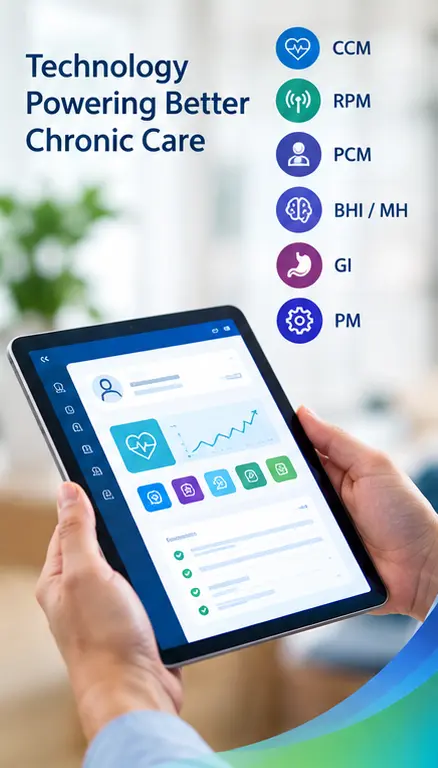
One of the most useful capabilities of an integrated healthcare platform is keeping CCM information connected to the broader patient record.
For example, a patient may have:
- EHR encounters
- CCM
- RPM
- PCM
- BHI
- GI services
- Practice-management information
When these workflows operate around the same patient record, the practice can have a more connected view of the patient's care.
Instead of creating separate records for each service, the practice can organize different workflows around the same patient.
8. Automate Routine Workflow Tasks
Automation can reduce the amount of repetitive administrative work performed by care teams.
Depending on the platform, automation may support:
- Task creation
- Patient outreach reminders
- Follow-up reminders
- Worklists
- Care-plan workflows
- Documentation templates
- Time tracking
- Review queues
- Approval workflows
Automation should be designed to support healthcare staff—not make unsupervised clinical decisions.
9. Improve Provider Review and Oversight
Technology can create a clear review process for CCM documentation.
For example:
Care Activity → Documentation → Review → Provider Approval → Final Record
This gives practices a structured workflow for reviewing completed activities before they are finalized.
Clear approval workflows can also help practices identify items that still require attention.
10. Connect CCM With Billing Workflows
CCM involves both clinical and administrative processes.
A connected platform can help move information from completed care-management activities toward the appropriate billing workflow.
The overall process may look like:
Patient Identification → Enrollment → Care Plan → Monthly Activities → Documentation → Time Review → Provider Oversight → Billing
This can reduce manual handoffs between care-management and billing teams.
Billing should still follow applicable coding, documentation, Medicare, and payer requirements.
11. Improve Workflow Visibility
Practice managers need visibility into what is happening across their CCM program.
A technology platform can provide dashboards, worklists, or reports showing information such as:
- Patients enrolled in CCM
- Pending activities
- Completed activities
- Care-plan status
- Monthly documentation status
- Time-tracking status
- Items requiring review
- Billing workflow status
Better visibility can help practices identify workflow bottlenecks earlier.
12. Support Patient Communication
Technology can help organize communication between care teams and patients.
Depending on the system and communication method, practices may manage:
- Phone outreach
- Secure messaging
- Follow-up reminders
- Care instructions
- Appointment coordination
- Care-plan communication
The goal is to make patient communication more consistent while keeping appropriate documentation within the patient's record.
Technology Features to Look for in CCM Software
When evaluating CCM software, healthcare practices should consider more than simply whether the system has a "CCM module."
Look for a workflow that supports the complete process.
Patient Management
- Patient identification
- Eligibility workflow
- Enrollment
- Consent documentation
- Patient status tracking
Care Planning
- Structured care plans
- Goals and interventions
- Medication information
- Care coordination
- Care-plan updates
Monthly Management
- Recurring worklists
- Patient outreach
- Monthly reviews
- Time tracking
- Documentation
Provider Oversight
- Review queues
- Approval workflows
- Care-team visibility
- Documentation review
Billing Workflow
- Billing-ready documentation
- Coding workflow support
- Claim handoff
- Status tracking
Integration
Ideally, CCM should not operate as an isolated application.
A connected healthcare platform can place CCM alongside other workflows such as EHR, RPM, PCM, BHI, GI, and practice management while maintaining a shared patient record.
How AI Can Support CCM
Artificial intelligence can provide additional opportunities for workflow automation.
Potential applications include:
- Organizing patient information
- Summarizing documentation
- Identifying missing workflow information
- Assisting with care-plan documentation
- Generating draft documentation
- Supporting task prioritization
- Reducing repetitive administrative work
However, AI-generated information should be reviewed by appropriately authorized healthcare professionals before being used as part of clinical documentation or patient care.
AI should support the care team rather than replace clinical judgment.
Manual CCM vs. Technology-Enabled CCM
| Manual CCM Workflow | Technology-Enabled Workflow |
|---|---|
| Multiple spreadsheets | Centralized patient record |
| Manual task tracking | Digital worklists |
| Repetitive documentation | Structured templates |
| Manual time calculations | Digital time tracking |
| Separate care-plan documents | Integrated care plan |
| Manual follow-up reminders | Automated workflow reminders |
| Multiple handoffs | Connected workflow |
| Limited visibility | Dashboards and status tracking |
Technology does not automatically make a CCM program effective. The workflow, staff processes, documentation practices, and compliance controls still matter.
Benefits of Technology-Enabled CCM
A well-designed CCM technology workflow can help practices:
Reduce administrative workload
Automating repetitive tasks can give staff more time for meaningful patient interactions.
Improve documentation consistency
Structured workflows can make it easier to capture required information consistently.
Improve care-team coordination
A shared record can make relevant information more accessible to authorized team members.
Increase workflow visibility
Managers can better understand which patients and activities require attention.
Reduce duplicate data entry
Connected workflows can minimize the need to repeatedly enter the same information.
Connect care and administrative operations
A complete workflow can link care management with documentation, provider review, and billing processes.
How to Implement CCM Technology Successfully
Simply purchasing CCM software is not enough. Practices should also establish a clear implementation process.
Step 1: Map the Current Workflow
Document how your practice currently handles:
Identification → Enrollment → Care Plan → Outreach → Documentation → Review → Billing
Identify where delays and duplicate work occur.
Step 2: Define Responsibilities
Clearly establish which team members are responsible for each workflow step.
Step 3: Standardize Documentation
Create consistent documentation workflows and templates appropriate for your practice.
Step 4: Train the Care Team
Make sure staff understand how to use the technology and how it fits into the existing CCM process.
Step 5: Monitor the Workflow
Use reports and dashboards to identify bottlenecks, incomplete activities, and opportunities for improvement.
Step 6: Review Compliance
Technology workflows should be regularly reviewed against current CMS requirements, payer policies, organizational policies, and applicable privacy and security requirements.
The Future of Chronic Care Management
The future of CCM is not simply about adding more software.
It is about creating connected healthcare workflows where patient information can move efficiently between care activities, documentation, provider oversight, and administrative processes.
A modern CCM workflow can connect:
Patient → Care Team → Care Plan → Monthly Management → Documentation → Review → Billing
When CCM is integrated with the broader healthcare platform, practices can manage chronic-care activities alongside other patient services instead of treating each workflow as a separate system.
Conclusion
Technology can significantly improve the way medical practices manage Chronic Care Management.
From structured care plans and automated reminders to digital time tracking, documentation, provider review, and billing workflows, technology can help reduce repetitive administrative work and improve visibility across the CCM process.
The most valuable CCM technology is not necessarily the system with the most features. It is the system that helps the care team manage the right workflow, with the right information, at the right time.
For practices considering a CCM technology solution, the key question is:
Can the platform connect the entire CCM workflow around one patient record?
That is where technology can move CCM from a collection of manual tasks to a more organized, connected care-management process.
FAQ
Frequently asked questions
How can technology improve Chronic Care Management?
Technology can improve Chronic Care Management by helping practices organize care plans, track patient interactions, monitor care-management time, coordinate follow-ups, maintain documentation, and streamline administrative workflows.
How does CCM software help medical practices?
CCM software can provide structured workflows for patient enrollment, care plans, monthly reviews, patient outreach, time tracking, documentation, provider approvals, and billing-ready processes.
Can technology reduce administrative work in Chronic Care Management?
Yes. Technology can automate or simplify repetitive tasks such as documentation, patient follow-up tracking, time recording, care-plan management, and workflow coordination, allowing care teams to spend more time on patient care.
How does technology help with CCM care plans?
Technology can provide structured digital care plans that help care teams document chronic conditions, patient goals, interventions, follow-up activities, and ongoing care-management information in an organized patient record.
Can technology help track CCM time?
Yes. CCM technology can help care teams record and monitor time spent on eligible care-management activities, making it easier to maintain consistent documentation and review workflow progress.
How can technology improve patient follow-up in CCM?
Digital CCM workflows can help practices organize outreach, follow-up activities, care-plan updates, and patient communication so that ongoing chronic-care tasks are easier to track and manage.
Does CCM technology improve care coordination?
Yes. A connected CCM workflow can give authorized members of the care team access to relevant patient information, care plans, documentation, and follow-up activities, supporting better coordination of ongoing care.
Can CCM technology support billing workflows?
CCM technology can support billing workflows by organizing documentation, tracking relevant care-management activities and time, and helping practices prepare information for billing review. Practices should still verify eligibility and billing requirements according to applicable payer and Medicare rules.
What should medical practices look for in CCM software?
Medical practices should consider structured care plans, time tracking, patient outreach workflows, documentation tools, care-team coordination, provider review and approval, patient-record integration, security, reporting, and support for applicable CCM requirements.