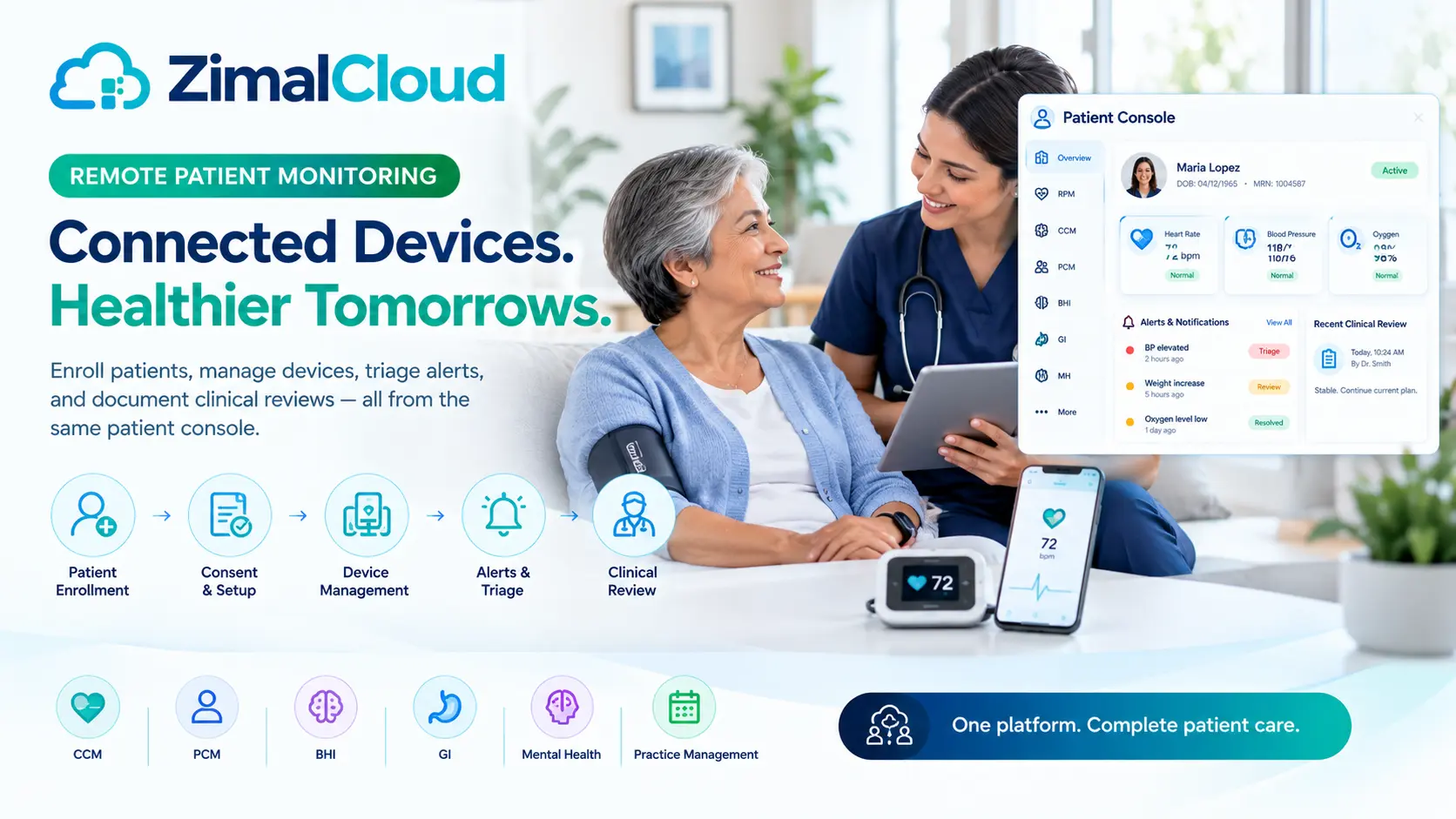
RPM that reaches the chart

Remote Patient Monitoring (RPM): Enrollment to Documented Review

Enroll patients, document consent, manage device inventory, triage alerts, and record clinical reviews on the same patient console used for CCM, PCM, BHI, GI, mental health, and practice operations.

  • Enrollment, consent, and device assignment in one workflow
  • Alerts and transmission gaps visible beside the patient chart
  • Documented clinical reviews with RPM time kept distinct
Clinical nurse reviewing RPM alerts, device status, and documented follow-up in one patient console
Alert reviewed Clinical action documented
Device assigned Inventory tied to patient
Why practices choose ZimalCloud RPM

Turn readings into accountable clinical follow-up

ZimalCloud RPM connects enrollment, consent, device inventory, alerts, transmission gaps, documented clinical review, and service-specific time on the same patient console used for CCM, PCM, BHI, MH, GI, EHR, and practice management. Device costs and connectivity arrangements are commonly handled separately from the software subscription.

Why choose us

RPM programs need more than data feeds. ZimalCloud keeps enrollment, consent, device assignment, alerts, review notes, and patient context together so your team can act and document in one place.

  • Consent and onboarding captured before monitoring starts
  • Device inventory tied to the patient record
  • Alerts and reviews visible beside care-management work
Better than disconnected device portals

Device vendors often provide dashboards, but the clinical review still has to land in the practice workflow. ZimalCloud puts RPM beside CCM and PCM timers, the patient console, and the path toward billing review.

  • Clinical context without re-entering patient details
  • RPM work stays separate from CCM, BHI, and MH minutes
  • Device costs can remain separate from the software subscription

Outcomes your team can feel

When abnormal readings, missed transmissions, and clinical reviews are handled in one operating rhythm, nurses and physicians can supervise the program without drowning in raw feeds.

  • Shorter path from alert to documented follow-up
  • Clearer oversight for medical directors and care teams
  • Better visibility into active patients, devices, and workload
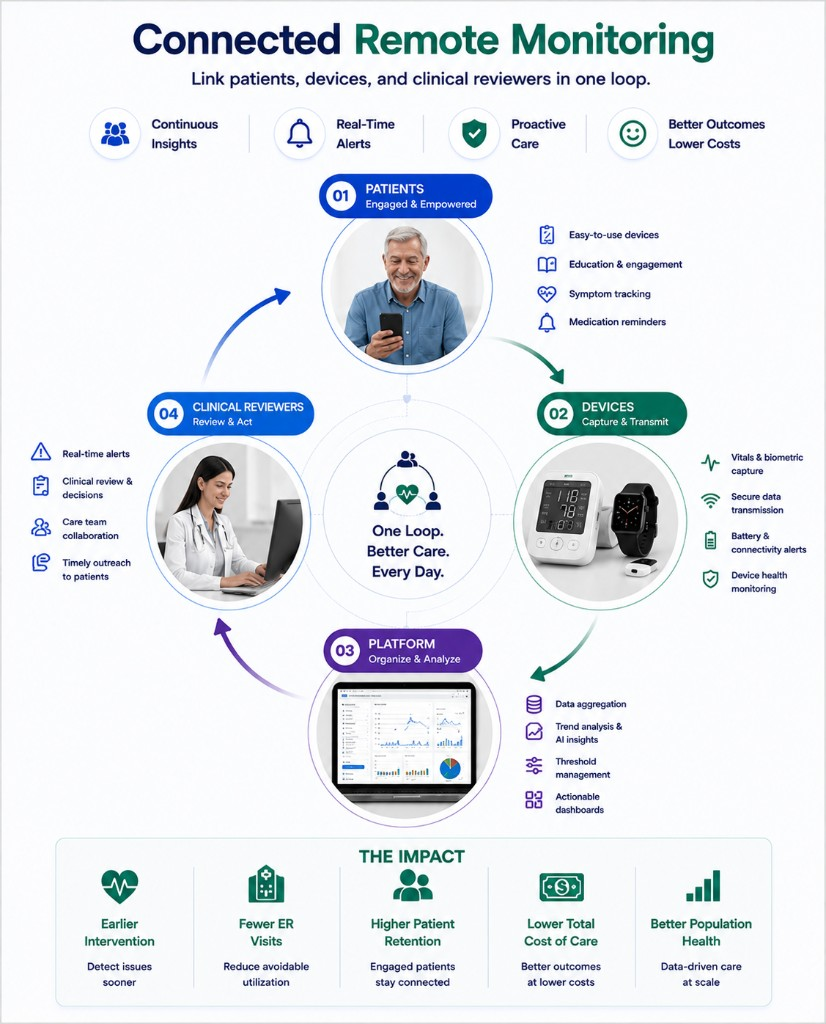
RPM workflow connecting enrollment, device inventory, alerts, clinical review, and the shared patient console
What the product delivers today

Remote monitoring connected to the care team console

ZimalCloud RPM is built for practices that want readings to become documented clinical action. It keeps device status, alerts, review sessions, and time capture close to the rest of the patient's care story.

  • Enrollment and device inventory Document consent, onboarding, assigned devices, active status, and transmission expectations before the program scales.
  • Alert-to-action review Surface abnormal readings and transmission gaps so staff can triage, escalate, and document follow-up with clinical context.
  • Timers beside the patient console Keep RPM review activity visible beside CCM, PCM, and BHI work while preserving separate service-level documentation.
AIDA path - how RPM work flows

Enroll, assign, monitor, triage, review

A practical operating path for remote monitoring programs that need clean documentation and accountable clinical review.

  1. STEP 01

    Enroll and capture consent

    Assign RPM from the patient record with eligibility, consent, and onboarding details documented.

  2. STEP 02

    Assign devices

    Link device inventory to the patient and record education, setup status, and transmission expectations.

  3. STEP 03

    Monitor readings

    Review incoming values, transmission gaps, and patient engagement from the RPM workspace.

  4. STEP 04

    Triage alerts

    Route abnormal readings to the right clinical reviewer and document the response path.

  5. STEP 05

    Complete clinical review

    Record the review, time, follow-up plan, and supervision context for program oversight.

Built for daily RPM operations

The patient console for monitored readings and reviews

Give clinical leaders visibility into enrollment, alerts, devices, and review workload without asking staff to reconcile another portal by hand.

Enrollment and consent

Manage enrollment status, consent, onboarding notes, and program assignment across the RPM panel.

Device inventory

See active, assigned, returned, or inactive devices tied to each patient and location.

Alerts and transmission gaps

Prioritize abnormal readings, missed transmissions, and patients who need outreach.

Documented clinical reviews

Capture review notes, time, escalation, and follow-up so supervision has a clear record.

Service-specific timing

Keep RPM review activity distinct from CCM, PCM, BHI, MH, and other programs.

Program visibility

Track active patients, devices, alert volume, workload, and open follow-up across the program.

Package inclusions

Included with the RPM price

Per monitored patient / month only (minimum 250 patients · no annual plan). The RPM subscription covers the live features below.

Included What the practice gets
RPM Care Plan (9-step) Single care-plan path (monthly work in Patient Review + Review & Sign — no separate monthly-review module)
Monitoring dashboard Patient Review: readings calendar, in/out-of-range days, charts, adherence
Device packaging & Manage Devices Assign/setup devices; track toward 99453 / 99454 device days
SmartMeter / device readings Physiologic readings integration (BP, weight, SpO2, glucose, and catalog devices)
Care-management timer + time logs Header timer auto-starts for care staff; section logs for 99457 (≥20 min) / 99458 add-ons
Auto CPT rules 99453, 99454 (≥16 transmission days), 99457/99458, 99091 (≥30 min when 99457 not suggested)
Worklist Alerts / tasks for clinical follow-up
Patient education Topics + admin-configured guidance
Medication management Meds path on RPM care plan (eRx sync when eRx add-on is active)
Care Team / referral RPM→PCP referral packet (care plan PDF + fax when used)
Diagnosis & procedure codes ICD for RPM; CPT selection with auto-rules
Approve-pending pathway Review & Sign → provider approval
RPM PDF report Downloadable care-plan / monitoring report to archive
Admin RPM Setup Devices/SKUs, thresholds, CPT rules, education, report settings
Timer reset (practice) Calendar month day 1 or days after last service (when minimum time rule met)
Patient hub + dashboards Same console as CCM, PCM, BHI, Practice Management
Telehealth (advanced) Available and complimentary — waiting room, admit, consent, audio-only, clinical note, WebRTC
Data migration Assisted migration of agreed starter data at go-live
Customer support 9:00–17:00 Monday–Friday working days
Add-ons & usage

Not included in the base RPM patient price

Telehealth is complimentary. The items below are separate from the RPM per-patient price.

Item Charge
Telehealth Available + complimentary (advanced features included)
E-prescription (eRx) $40 / month (add-on)
Twilio SMS As per use (usage-based; includes RPM patient/clinical alerts when configured)
Fax As per use (usage-based; includes RPM→PCP referral fax when used)

E-prescription is a fixed $40/month add-on. Twilio SMS and fax are billed as per use (including RPM alerts and RPM→PCP referral fax when used).

Care plan sections

RPM Care Plan — 9 steps

Single care-plan path. There is no separate RPM monthly-review route; monthly monitoring and treatment management live in Patient Review and complete at Review & Sign.

Section Purpose
1. Patient Review Recent readings; this month’s RPM treatment management; calendar/charts
2. Medication Management Medications on the RPM pathway
3. Care Team Team + RPM→PCP referral fax packet
4. Manage Devices Device assign/setup; 99453 / 99454 device days
5. Worklist Alerts and tasks
6. Patient Education Education topics + guidance
7. Diagnosis Codes ICD for RPM
8. Procedure Codes CPT selection + auto-rules (99453–99458 / 99091)
9. Review & Sign Approval + CPT summary; finalize
Telehealth

Complimentary advanced telehealth with RPM

RPM itself is primarily async device data + timer/logs. Video visits use Zimal Telehealth from appointments when needed — no extra platform fee.

Capability Status
Provider-started video / audio (Zimal Telehealth) Available
Guest join without account (secure invite) Available
Invite via SMS / email join link Available
Waiting room + provider admit Available
Patient consent capture Available
Mic / camera controls; audio-only mode Available
Call duration; clinical note on end Available
WebRTC + SignalR real-time 1:1 session Available
Medicare RPM codes

Typical RPM coding tracks

Documented device days and treatment minutes drive auto CPT assignment. Claim submission still runs through Practice Management.

Code Typical use in ZimalCloud RPM
99453 Setup and patient education on use of device (device assigned + trained)
99454 Device supply / transmission days — auto toward ≥16 unique reading days in 30-day period
99457 Treatment management, first 20 minutes / calendar month (timer + time logs)
99458 Each additional 20 minutes (add-on units from logged minutes)
99091 Collection/interpretation of physiologic data (≥30 min) — typically not billed together with 99457

Confirm current CMS PFS, NCCI, and payer contracts. Bill RPM separately from CCM/PCM when both are active. Do not treat RPM as a substitute for CCM or PCM care-management codes.

Designed around your practice

A strong fit for practices scaling device-based monitoring

Cardiology, primary care, hospital-at-home programs, and any practice scaling device-based monitoring.

Cardiology Primary care Multi-location monitoring teams Groups adding RPM beside CCM
Ready to connect RPM to clinical review?

Start Remote Patient Monitoring (RPM) at $25 with launch discounts

Remote Patient Monitoring (RPM) list price is $25/month. Lock in 20% off monthly · 40% off annual — live workflows ready for your practice mix.

  • RPM alerts and clinical review on one patient console
  • Enrollment, consent, and device inventory tied to the chart
  • Service-specific RPM activity beside CCM, PCM, and BHI
20% / 40% launch savings Code LAUNCH50
Offer ends in Code LAUNCH50 ยท 20% off monthly · 40% off annual

This launch offer has ended.

Monthly
$25 $20
/mo
Annual
$300 $180
/yr

FAQ

Frequently asked questions

Does ZimalCloud have Remote Patient Monitoring (RPM)?

Yes. RPM / iRPM is live: 9-step RPM Care Plan, device management, readings dashboard, care-management timer and time logs, auto CPT for 99453 / 99454 / 99457 / 99458 / 99091, approve-pending, and RPM PDF on the same patient hub as Practice Management.

What does RPM cost?

Actual / list is $25 per monitored patient per month, with a minimum of 250 patients accepted for RPM (floor $6,250/month). Through December 8, 2026: 20% off monthly ($20/patient/mo; floor $5,000 at min 250). After Dec 8, 2026: $25/patient/mo. No annual / yearly price is available for RPM. Telehealth is complimentary. E-prescription is $40/month. Twilio SMS and fax are as per use.

Is RPM priced per provider or per patient?

Per monitored patient / month only, with a minimum of 250 patients. There is no annual RPM price and it is not unlimited like CCM per-provider pricing.

How is RPM different from CCM or PCM?

RPM is devices + physiologic readings + treatment minutes (99453–99458 / 99091). CCM is multi-condition care management (99490 family). PCM is one high-risk condition (99424–99427). They can share a patient record; bill each program’s codes separately.

Is there an RPM monthly review like CCM?

No separate monthly-review module. Monthly monitoring and treatment management are handled inside Patient Review and completed at Review & Sign.

Is telehealth available?

Yes — available with current advanced features and complimentary on the platform.

Can RPM run with CCM?

Yes, when clinically appropriate. Same patient hub; follow same-month payer rules and bill codes separately.

What do e-prescription, SMS, and fax cost?

E-prescription is $40/month. Twilio SMS and fax are billed as per use (usage-based), separate from the RPM per-patient price.

What support do we get?

Customer support 9:00–17:00, Monday–Friday (working days), plus go-live data migration of agreed starter data.