Practice Management vs EHR: What Is the Difference?
Practice Management and EHR systems play different but complementary roles in healthcare. PM software manages scheduling, registration, billing, claims, and administrative operations, while EHRs manage clinical records, documentation, diagnoses, medications, and care plans. Understanding how these systems differ— how they work together—can help practices build more efficient, connected workflows.
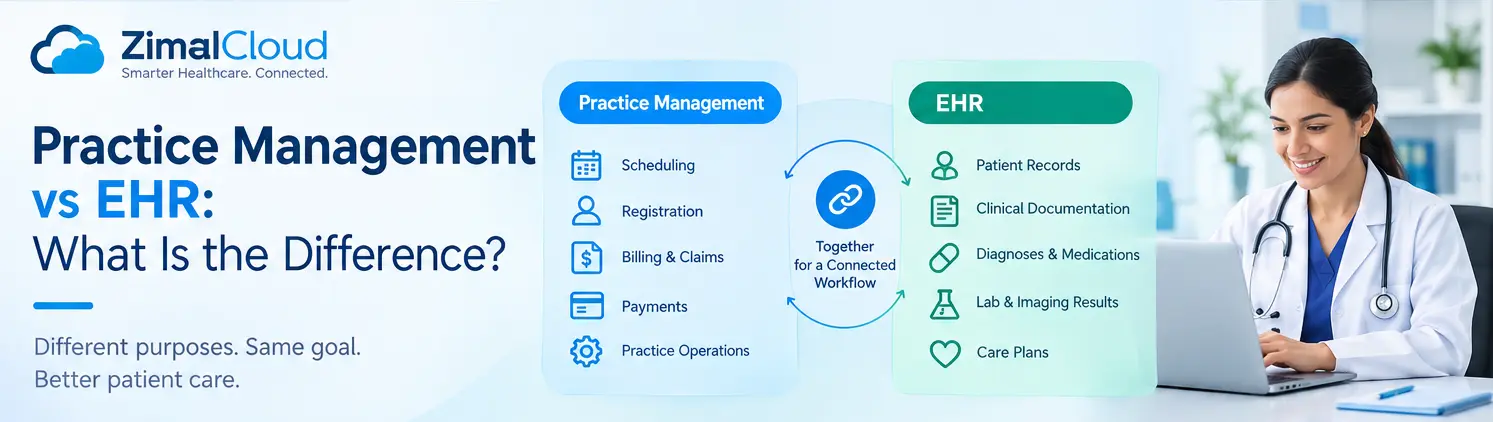
Table of contents
- What Is Practice Management Software?
- Common Practice Management Features
- What Is an EHR?
- Common EHR Features
- Practice Management vs EHR
- The Key Difference
- Practice Management = Operations
- EHR = Clinical Care
- How PM and EHR Work Together
- Example: A Patient Visit
- Step 1: Scheduling
- Step 2: Registration
- Step 3: Check-In
- Step 4: Clinical Encounter
- Step 5: Documentation
- Step 6: Billing
- Step 7: Follow-Up
- Can a Practice Use an EHR Without Practice Management Software?
- Why Integration Matters
- Instead of:
- Which One Does Your Practice Need?
- Choose or prioritize Practice Management when you need to improve:
- Choose or prioritize an EHR when you need to improve:
- Need Both?
- PM and EHR: Two Systems, One Patient Journey
Healthcare practices rely on technology to manage both clinical care and day-to-day operations. Two of the most important systems are Practice Management (PM) software and an Electronic Health Record (EHR).
Although these systems often work together, they serve different purposes.
A simple way to remember the difference is:
Practice Management runs the business of the practice. EHR manages the patient's clinical information and care.
Understanding the difference can help healthcare organizations choose the right technology and create a more connected workflow.
What Is Practice Management Software?
Practice Management software is designed to manage the administrative and financial operations of a healthcare practice.
It helps staff organize the activities that happen before, during, and after a patient visit, from scheduling an appointment to processing payments.
Common Practice Management Features
Practice Management systems commonly include:
- Appointment scheduling
- Patient registration
- Insurance and eligibility verification
- Check-in and check-out
- Patient demographics
- Medical billing
- Claims management
- Payment posting
- Accounts receivable management
- Staff and provider scheduling
- Financial reporting
- Administrative workflow management
For example, when a patient calls to schedule an appointment, the PM system can help staff find an available provider, book the appointment, verify patient information, and manage the administrative side of the visit.
What Is an EHR?
An Electronic Health Record (EHR) is primarily focused on a patient's clinical information and care.
Instead of storing patient information in paper charts, an EHR allows authorized healthcare professionals to document, access, and manage patient health information electronically.
Common EHR Features
An EHR may include:
- Patient medical history
- Clinical notes
- Diagnoses
- Medication lists
- Allergies
- Vital signs
- Laboratory results
- Imaging results
- Treatment plans
- Clinical orders
- Prescriptions
- Progress notes
- Referral information
- Care documentation
For example, during an appointment, a provider may use the EHR to review the patient's medical history, document symptoms, enter a diagnosis, prescribe medication, and create a treatment plan.
Practice Management vs EHR
While PM and EHR systems can be integrated, their primary responsibilities are different.
| Area | Practice Management | EHR |
|---|---|---|
| Primary purpose | Manage practice operations | Manage clinical care |
| Appointment scheduling | ✓ | Sometimes |
| Patient registration | ✓ | ✓ |
| Medical billing | ✓ | Sometimes |
| Claims management | ✓ | Sometimes |
| Patient demographics | ✓ | ✓ |
| Clinical documentation | Limited | ✓ |
| Diagnoses | Limited | ✓ |
| Medication management | Limited | ✓ |
| Lab results | No/limited | ✓ |
| Clinical orders | No/limited | ✓ |
| Treatment plans | No/limited | ✓ |
| Financial reporting | ✓ | Limited |
| Patient portal | Sometimes | Common |
| Clinical decision support | No/limited | ✓ |
The exact features vary between software platforms, and many modern healthcare systems combine PM and EHR capabilities into one platform.
The Key Difference
The biggest difference comes down to what each system is designed to manage.
Practice Management = Operations
PM software focuses on the business and administrative side of healthcare.
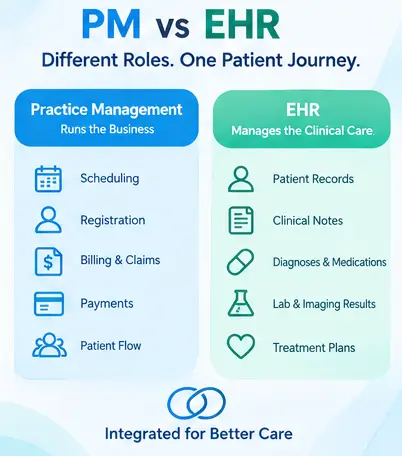
It answers questions such as:
- When is the patient scheduled?
- Has the patient checked in?
- Is their insurance verified?
- Has the claim been submitted?
- Was the payment received?
- What is the practice's outstanding balance?
EHR = Clinical Care
An EHR focuses on the medical and clinical side.
It answers questions such as:
- What is the patient's medical history?
- What medications are they taking?
- What diagnosis was made?
- What treatment was prescribed?
- What were the patient's test results?
- What should happen next in the patient's care?
How PM and EHR Work Together
Although PM and EHR have different purposes, they are most effective when they work together.
Consider a typical patient journey:
Appointment → Registration → Check-In → Clinical Visit → Documentation → Billing → Payment
The PM system may manage:
Appointment → Registration → Check-In → Billing → Payment
The EHR may manage:
Clinical Visit → Documentation → Diagnosis → Treatment → Follow-Up
When these systems are integrated, information can move between administrative and clinical workflows without requiring staff to repeatedly enter the same information.
Example: A Patient Visit
Imagine a patient schedules an appointment with a primary care provider.
Step 1: Scheduling
The PM system records the appointment and provider availability.
Step 2: Registration
Patient demographic and insurance information is collected.
Step 3: Check-In
The patient's arrival is recorded and administrative requirements are completed.
Step 4: Clinical Encounter
The provider opens the EHR and reviews the patient's medical history.
Step 5: Documentation
The provider records symptoms, findings, diagnosis, medications, and treatment recommendations.
Step 6: Billing
Relevant information from the encounter can support the billing workflow.
Step 7: Follow-Up
The patient may receive follow-up instructions, appointments, prescriptions, or referrals.
This connected workflow can reduce duplicate data entry and help staff and providers work from more consistent information.
Can a Practice Use an EHR Without Practice Management Software?
Technically, yes. However, relying on an EHR alone may not provide everything a practice needs to efficiently manage its administrative and financial operations.
Likewise, a practice could use separate PM and EHR systems, but this may create additional integration and data-management requirements.
For many practices, the better approach is either:
Integrated PM + EHR
or
PM and EHR systems connected through reliable interoperability.
The right choice depends on the practice's size, specialty, workflow, budget, and technology requirements.
Why Integration Matters
Using disconnected systems can create unnecessary administrative work.
For example, staff may need to enter the same patient information into multiple applications. This can increase the risk of:
- Duplicate records
- Data-entry errors
- Delayed billing
- Incomplete information
- Workflow interruptions
- Administrative overhead
An integrated system can help create a more connected patient journey.
Instead of:
PM → Manual Data Entry → EHR → Manual Data Entry → Billing
A connected environment can support:
Patient → PM + EHR → Clinical Documentation → Billing → Follow-Up
This allows administrative and clinical teams to work from connected information.
Which One Does Your Practice Need?
The answer depends on what problem you are trying to solve.
Choose or prioritize Practice Management when you need to improve:
- Scheduling
- Registration
- Patient flow
- Billing
- Claims
- Payments
- Revenue-cycle workflows
- Administrative efficiency
Choose or prioritize an EHR when you need to improve:
- Clinical documentation
- Patient records
- Care coordination
- Medication management
- Clinical workflows
- Orders and results
- Treatment planning
- Provider productivity
Need Both?
Most modern healthcare organizations benefit from both clinical and operational capabilities.
Rather than thinking of PM and EHR as competing technologies, it is more useful to view them as two parts of a connected healthcare workflow.
PM and EHR: Two Systems, One Patient Journey
Practice Management and EHR software serve different purposes, but they ultimately support the same goal: delivering efficient, coordinated patient care.
PM software manages the operational side of the practice, while the EHR manages clinical information and care delivery.
When these systems are properly integrated, practices can reduce duplicate work, improve information flow, streamline billing, and give providers better access to the information they need.
In short:
Practice Management manages the practice. EHR manages the patient's clinical record. Together, they connect operations with care.
For healthcare organizations looking to modernize their technology stack, the goal should not simply be choosing an EHR or PM system—it should be creating a connected digital workflow that works for patients, providers, and staff.