Healthcare Integration: Connecting EHR, PM, Billing, and Patient Systems
Connect EHR, practice management, billing, and patient systems to create smoother healthcare workflows. Integration can reduce duplicate data entry, improve information consistency, connect clinical and revenue cycle processes, enhance patient experiences, and provide better visibility across the healthcare organization.
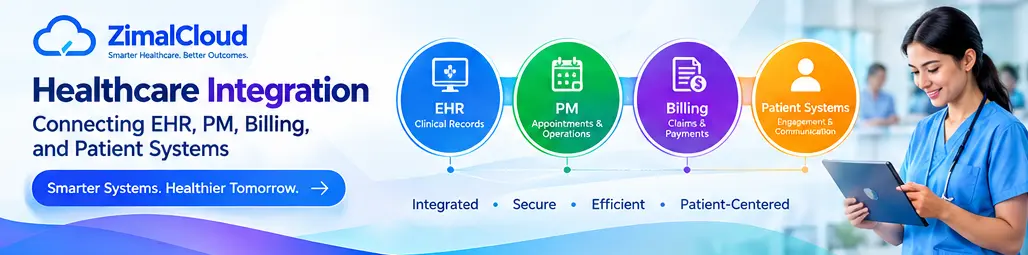
Table of contents
- Introduction
- What Is Healthcare Integration?
- Why Is Healthcare System Integration Important?
- Connecting the EHR With Practice Management
- Connecting Practice Management With Billing
- Connecting Billing Systems With Patient Platforms
- Connecting Patient Portals With EHR Systems
- Key Benefits of Healthcare Integration
- 1. Reduce Duplicate Data Entry
- 2. Improve Data Consistency
- 3. Create More Efficient Workflows
- 4. Improve Revenue Cycle Management
- 5. Improve the Patient Experience
- 6. Improve Access to Information
- Common Healthcare Integration Technologies
- APIs
- HL7
- FHIR
- Integration Engines
- What Does an Integrated Healthcare Workflow Look Like?
- Healthcare Integration and Interoperability
- Security and Privacy Considerations
- Challenges of Healthcare Integration
- Legacy Systems
- Different Data Formats
- Data Quality
- Security Requirements
- Workflow Complexity
- Integration Maintenance
- Best Practices for Healthcare System Integration
- 1. Define the Workflow First
- 2. Standardize Data
- 3. Use Secure APIs
- 4. Minimize Unnecessary Data Exchange
- 5. Monitor Integrations
- 6. Plan for Exceptions
- 7. Test Before Deployment
- 8. Maintain Auditability
- How ZimalCloud Can Support Connected Healthcare Workflows
- Conclusion
Introduction
Modern healthcare organizations use multiple digital systems to manage patient care, appointments, clinical records, billing, insurance, and communication.
An EHR may store clinical information, a Practice Management (PM) system may manage appointments and administrative workflows, a billing platform may handle claims and payments, and a patient-facing system may support scheduling, communication, forms, and access to health information.
When these systems operate separately, staff may need to enter the same information multiple times. Data may become inconsistent, workflows may slow down, and important information can become difficult to access.
Healthcare integration connects these systems so that appropriate information can move between them through standardized, secure, and controlled workflows.
The result is a more connected digital healthcare environment where clinical, administrative, financial, and patient-facing processes can work together.
What Is Healthcare Integration?
Healthcare integration is the process of connecting different healthcare applications, platforms, and systems so they can exchange information and support coordinated workflows.
For example, information collected during a patient encounter may need to move through several stages:
Patient → EHR → Practice Management → Billing → Payer → Payment
At the same time, patients may interact with a portal or mobile application for:
- Appointment scheduling
- Registration
- Forms
- Messages
- Notifications
- Bills and payments
- Access to selected health information
Integration helps reduce unnecessary separation between these systems.
Why Is Healthcare System Integration Important?
Healthcare workflows rarely exist in isolation.
A patient appointment can generate clinical documentation. That documentation can support coding and billing. The resulting claim can generate payer responses and payments. Patients may also need notifications or access to relevant information.
Without integration, staff may have to manually transfer information between systems.
This can create:
- Duplicate data entry
- Inconsistent patient information
- Delayed workflows
- Increased administrative work
- Greater risk of manual errors
- Limited visibility across departments
- Difficulty tracking the complete patient and revenue cycle
Integration helps create a connected workflow instead of a collection of disconnected applications.
Connecting the EHR With Practice Management
The Electronic Health Record (EHR) is primarily focused on clinical information and patient care.
A Practice Management system typically handles administrative and operational processes such as:
- Patient registration
- Appointment scheduling
- Insurance information
- Eligibility
- Provider calendars
- Encounter management
- Billing workflows
- Administrative reporting
When the EHR and PM system are integrated, relevant information can move between clinical and administrative workflows.
For example:
Patient Registration → Appointment → Encounter → Clinical Documentation → Billing Workflow
This can reduce the need for staff to repeatedly enter the same patient and encounter information into multiple systems.
Connecting Practice Management With Billing
Practice Management and billing systems are closely related.
The PM system may contain information about:
- Patients
- Appointments
- Providers
- Insurance
- Encounters
- Charges
The billing system may use this information to support:
- Claim creation
- Claim submission
- Payment processing
- Denial management
- Accounts receivable
- Revenue cycle reporting
Integration can help move appropriate information from the practice workflow into the billing workflow.
A connected process may look like:
Appointment → Encounter → Charges → Coding → Claim → Submission → Payment
This reduces unnecessary manual handoffs and can improve visibility across the revenue cycle.
Connecting Billing Systems With Patient Platforms
Patient-facing systems can also be connected with billing workflows.
Depending on the organization's technology environment, patients may be able to:
- View statements
- Make payments
- Review billing information
- Receive payment notifications
- Contact the practice
- Access relevant documents
Connecting patient-facing and billing systems can create a more convenient experience while helping organizations maintain a consistent view of patient accounts.
Connecting Patient Portals With EHR Systems
Patient portals are another important part of an integrated healthcare environment.
A connected patient portal may allow patients to interact with information and services associated with their care, such as:
- Appointment requests
- Secure communication
- Forms
- Selected health information
- Medication information
- Lab information
- Care instructions
- Billing information
When appropriate information is synchronized with the EHR, patients and healthcare teams can work from more consistent information.
Key Benefits of Healthcare Integration
1. Reduce Duplicate Data Entry
When systems can exchange appropriate information, staff may not need to enter the same data repeatedly.
For example, basic patient information entered during registration may be available to connected clinical and administrative workflows.
This can reduce repetitive work and help maintain consistency.
2. Improve Data Consistency
Disconnected systems can sometimes contain different versions of the same information.
Integration can establish controlled data flows between systems so that updates can be shared where appropriate.
This can help reduce discrepancies involving:
- Patient demographics
- Insurance information
- Appointments
- Encounter details
- Billing information
3. Create More Efficient Workflows
Integration can connect multiple steps into a continuous process.
Instead of:
System A → Manual Entry → System B → Manual Entry → System C
an integrated environment can support:
System A → Automated Data Exchange → System B → Automated Data Exchange → System C
This can reduce administrative friction and improve workflow efficiency.
4. Improve Revenue Cycle Management
Healthcare integration can connect clinical documentation with administrative and financial workflows.
Relevant information can move from:
Encounter → Coding → Claim → Payer Response → Payment → A/R
This can give billing teams better visibility into the revenue cycle and help reduce unnecessary manual transfers.
5. Improve the Patient Experience
Patients often interact with multiple parts of a healthcare organization.
They may schedule an appointment, complete forms, attend an encounter, receive a bill, make a payment, and communicate with staff.
Integrated systems can help create a more consistent experience across these touchpoints.
6. Improve Access to Information
When authorized systems can exchange information appropriately, healthcare professionals may have better access to relevant data when they need it.
This can help connect clinical, administrative, and financial workflows without requiring staff to switch between disconnected processes for every task.
Common Healthcare Integration Technologies
Healthcare integration can use different technologies and standards depending on the systems involved.
APIs
Application Programming Interfaces allow software applications to communicate and exchange data through defined interfaces.
APIs are commonly used to connect modern healthcare applications and cloud platforms.
HL7
HL7 standards have long been used to exchange healthcare information between different systems.
They can support communication involving areas such as patient information, admissions, orders, results, and other healthcare workflows.
FHIR
Fast Healthcare Interoperability Resources (FHIR) is a modern standard for representing and exchanging healthcare information.
FHIR uses web-based technologies and standardized resources to support interoperability between healthcare applications.
Integration Engines
Healthcare integration engines can help manage communication between multiple systems.
They can support functions such as:
- Data routing
- Transformation
- Validation
- Message monitoring
- Error handling
- System connectivity
What Does an Integrated Healthcare Workflow Look Like?
A connected healthcare workflow could look like this:
1. Patient Registration
Patient information is entered into the appropriate system.
↓
2. Appointment Scheduling
The PM system manages the appointment.
↓
3. EHR Access
Relevant patient and appointment information is available to authorized clinical workflows.
↓
4. Patient Encounter
The provider documents the encounter in the EHR.
↓
5. Coding & Billing
Relevant information moves into the billing workflow.
↓
6. Claim Submission
The claim is prepared and submitted electronically.
↓
7. Payment & Remittance
Payment information is recorded and reconciled.
↓
8. Patient Communication
Relevant billing, appointment, or care-related notifications can be delivered through connected patient-facing systems.
This creates a more connected digital journey from registration through care and revenue cycle management.
Healthcare Integration and Interoperability
Healthcare integration and interoperability are closely related but are not exactly the same.
Integration focuses on connecting systems and enabling data exchange between them.
Interoperability goes further by supporting the meaningful exchange and use of information across different systems.
An effective healthcare technology strategy should consider:
- Data standards
- APIs
- Data mapping
- Security
- Authentication
- Authorization
- Data quality
- Workflow requirements
- Monitoring
- Error handling
Simply connecting two systems does not automatically guarantee useful interoperability.
Security and Privacy Considerations
Healthcare systems handle sensitive information, so integration must be designed with security and privacy in mind.
Organizations should consider:
- Encryption
- Authentication
- Authorization
- Role-based access
- Audit logs
- Secure APIs
- Access monitoring
- Data validation
- Error handling
- Appropriate data-sharing controls
Integration should ensure that information is shared only with authorized systems, users, and workflows.
Organizations should also evaluate applicable legal, regulatory, contractual, and organizational requirements when designing healthcare integrations.
Challenges of Healthcare Integration
Although integration offers significant benefits, it can also present challenges.
Legacy Systems
Older healthcare applications may use technologies that are difficult to connect with modern platforms.
Different Data Formats
Systems may represent the same information differently, requiring data mapping and transformation.
Data Quality
Incomplete or inconsistent information can create problems when data is exchanged between systems.
Security Requirements
Healthcare organizations must carefully control access to sensitive information.
Workflow Complexity
Every organization has different clinical, administrative, and billing processes.
Integration Maintenance
APIs, system configurations, payer requirements, and software versions can change over time. Integrations therefore require ongoing monitoring and maintenance.
Best Practices for Healthcare System Integration
Organizations planning healthcare integration should consider the following practices:
1. Define the Workflow First
Identify exactly what information needs to move, where it originates, and where it needs to go.
2. Standardize Data
Use recognized healthcare standards where appropriate to make information easier to exchange and interpret.
3. Use Secure APIs
Modern API-based integration can provide structured ways for systems to communicate while supporting authentication and access controls.
4. Minimize Unnecessary Data Exchange
Only exchange information required for the intended workflow.
5. Monitor Integrations
Track successful transactions, failures, delays, and errors.
6. Plan for Exceptions
A good integration strategy should define what happens when data is missing, invalid, duplicated, or rejected.
7. Test Before Deployment
Integration testing should cover normal workflows as well as error and exception scenarios.
8. Maintain Auditability
Keep appropriate records of system activity and data exchange to support troubleshooting, security, and operational oversight.
How ZimalCloud Can Support Connected Healthcare Workflows
A modern healthcare platform can bring clinical, administrative, billing, and patient-facing workflows closer together.
With connected healthcare applications, organizations can work toward a unified environment that links:
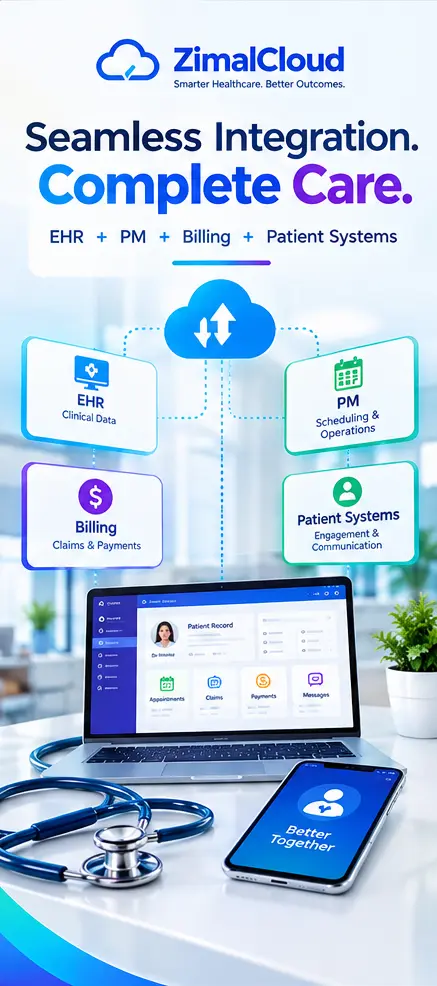
EHR + Practice Management + Billing + Patient Engagement
This approach can help reduce unnecessary data silos, improve workflow visibility, and create a more coordinated digital healthcare experience.
For healthcare organizations evaluating integration, the focus should be on connecting the workflows that matter most—not simply connecting systems for the sake of connectivity.
Conclusion
Healthcare organizations increasingly depend on multiple digital systems to manage patient care, administration, billing, and communication.
When an EHR, Practice Management system, billing platform, and patient system operate independently, staff may spend unnecessary time transferring information between applications.
Healthcare integration can connect these workflows through APIs, healthcare interoperability standards, integration engines, and secure data exchange.
The objective is a more connected environment where the right information can move between authorized systems at the right time.
By reducing duplicate work, improving data consistency, supporting revenue cycle workflows, and connecting patient-facing services, healthcare integration can help organizations build a more efficient and coordinated digital healthcare ecosystem.