How Modern PM Software Can Reduce Administrative Work
Modern practice management software can reduce administrative work by streamlining scheduling, registration, billing, claims, task management, reporting, and patient workflows. By connecting information and automating repetitive processes, PM software helps physicians, practice managers, and staff spend less time on manual tasks and more time managing efficient, organized healthcare operations.
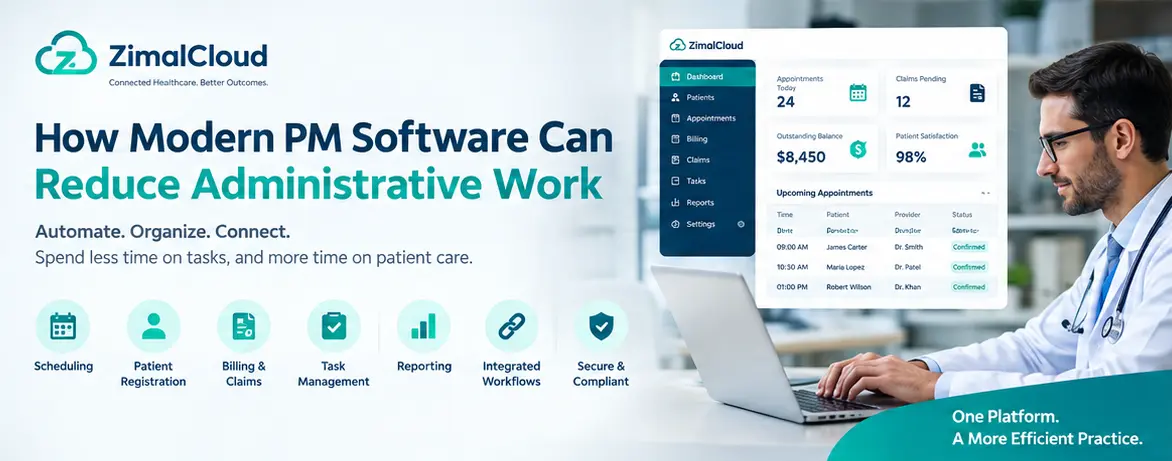
Table of contents
- How Modern PM Software Can Reduce Administrative Work
- What Is Practice Management Software?
- Why Administrative Work Is a Challenge for Medical Practices
- 1. Repetitive Data Entry
- 2. Disconnected Workflows
- 3. Manual Appointment Management
- 4. Billing and Claims Follow-Up
- 5. Limited Workflow Visibility
- 7 Ways Modern PM Software Reduces Administrative Work
- 1. Streamlining Patient Registration
- 2. Automating Appointment Scheduling
- 3. Connecting Scheduling With the Patient Record
- 4. Reducing Manual Billing Tasks
- 5. Improving Task Management
- 6. Reducing Duplicate Data Entry
- 7. Providing Better Reporting and Visibility
- How Automation Changes the Daily Workflow
- PM Software and EHR: What's the Difference?
- What Should Practices Look for in Modern PM Software?
- Workflow Automation
- Integration
- Ease of Use
- Billing Support
- Reporting
- Security and Compliance
- Scalability
- How PM Software Can Help Physicians and Practice Managers
- Modern PM Software Should Connect the Practice
- Final Thoughts
How Modern PM Software Can Reduce Administrative Work
Medical practices spend a significant amount of time managing administrative tasks. Scheduling appointments, verifying patient information, handling billing, tracking claims, documenting services, and coordinating staff can take valuable time away from patient care.
Modern practice management (PM) software helps medical practices organize these activities in one connected workflow. Instead of relying on disconnected systems, spreadsheets, paper processes, and repetitive data entry, practices can automate many routine administrative tasks.
For physicians, practice owners, and practice managers, the goal is simple: reduce administrative work while improving workflow efficiency and visibility.
What Is Practice Management Software?
Practice management software is a digital system designed to help healthcare organizations manage the operational and administrative side of a medical practice.
Depending on the platform, PM software may support:
- Patient registration
- Appointment scheduling
- Provider calendars
- Insurance information
- Eligibility verification
- Medical billing
- Claims management
- Payment tracking
- Patient communication
- Task management
- Reporting and analytics
- Staff workflows
Modern platforms can also connect practice management with electronic health records (EHR), care management, remote patient monitoring (RPM), behavioral health integration (BHI), and other healthcare workflows.
This creates a more connected environment where staff can manage administrative processes without repeatedly switching between different systems.
Why Administrative Work Is a Challenge for Medical Practices
Administrative work is necessary, but excessive manual work can create operational problems.
Common challenges include:
1. Repetitive Data Entry
Staff may need to enter the same patient information into multiple systems. Repeated data entry increases workload and creates opportunities for errors.
2. Disconnected Workflows
When scheduling, documentation, billing, and patient records are managed in separate applications, staff may spend additional time moving information between systems.
3. Manual Appointment Management
Managing cancellations, rescheduling, provider availability, and appointment reminders manually can consume staff time.
4. Billing and Claims Follow-Up
Billing teams may spend hours reviewing claims, identifying missing information, checking claim status, and following up on unpaid claims.
5. Limited Workflow Visibility
When tasks are tracked through spreadsheets, emails, or paper notes, practice managers may have difficulty seeing what has been completed and what still requires attention.
Modern PM software addresses many of these challenges by bringing routine administrative workflows into a centralized system.
7 Ways Modern PM Software Reduces Administrative Work
1. Streamlining Patient Registration
Traditional registration processes often involve paper forms or manually entering information into multiple systems.
Modern PM software can provide digital registration workflows that allow staff to capture and organize patient information more efficiently.
A centralized patient profile can help staff access important information without repeatedly requesting or entering the same data.
Potential benefits include:
- Less manual data entry
- Faster registration
- Fewer duplicate records
- Better organization of patient information
- More consistent workflows
2. Automating Appointment Scheduling
Appointment management is one of the most time-consuming administrative activities in many practices.
Modern PM systems can help staff manage:
- Provider availability
- Appointment types
- Scheduling rules
- Cancellations
- Rescheduling
- Appointment reminders
- Follow-up appointments
Automated reminders can also reduce the amount of manual communication required from front-office staff.
Instead of spending time contacting every patient individually, practices can use automated workflows for appropriate appointment notifications.
3. Connecting Scheduling With the Patient Record
A disconnected scheduling system can require staff to repeatedly search for patient information.
A modern PM platform can connect appointments with the patient's existing record.
For example, when staff open an appointment, they may be able to view relevant patient information and workflow tasks from the same environment.
This reduces unnecessary navigation between applications and helps staff work from a more complete picture.
4. Reducing Manual Billing Tasks
Medical billing involves multiple administrative steps, from documenting services to preparing claims and tracking payments.
Modern PM software can help organize billing workflows by connecting:
Patient → Appointment → Service → Documentation → Coding → Claim → Payment
When these processes are connected, staff can spend less time manually transferring information between systems.
Depending on the platform's capabilities, automation may support:
- Charge capture
- Coding workflows
- Claim preparation
- Claim tracking
- Payment posting
- Outstanding balance monitoring
- Billing reports
Automation does not eliminate the need for billing oversight. Instead, it can reduce repetitive administrative work and give billing teams better visibility into the revenue cycle.
5. Improving Task Management
Administrative work often involves many small tasks.
For example:
- Verify insurance
- Contact patient
- Review documentation
- Follow up on claim
- Request missing information
- Schedule follow-up
- Review outstanding balance
Without a centralized task system, these activities can become difficult to track.
Modern PM software can organize tasks by patient, staff member, provider, workflow, or status.
This gives practice managers better visibility into outstanding work.
6. Reducing Duplicate Data Entry
Duplicate data entry is one of the biggest sources of unnecessary administrative work.
For example, staff may enter patient information during registration and then enter the same information again for billing, care management, or another workflow.
An integrated healthcare platform can allow information captured once to be reused across connected workflows.
This creates a principle that many modern healthcare systems aim to achieve:
Enter information once. Use it across the workflow.
Reducing duplicate entry can save staff time while also helping maintain more consistent information.
7. Providing Better Reporting and Visibility
Practice managers need to know what is happening across the practice.
Modern PM software can provide dashboards and reports related to areas such as:
- Appointment volume
- No-shows
- Outstanding claims
- Payments
- Accounts receivable
- Staff workload
- Provider productivity
- Workflow completion
Instead of manually combining information from spreadsheets and different systems, managers can use centralized reporting to identify operational issues more quickly.
How Automation Changes the Daily Workflow
Consider a traditional workflow:
Patient calls → Staff records information → Staff schedules appointment → Staff enters information into another system → Provider documents visit → Billing staff enters charges → Claim is prepared → Staff checks claim status manually
A connected PM workflow can reduce unnecessary manual steps:
Patient registration → Appointment → Encounter → Documentation → Coding → Billing → Claim tracking → Payment
The goal is not simply to automate every task.
The goal is to remove unnecessary administrative steps while keeping appropriate human oversight.
PM Software and EHR: What's the Difference?
Practice management software and EHR systems serve related but different purposes.
An EHR primarily focuses on clinical information and patient care documentation.
Practice management software primarily focuses on operational and administrative workflows.
These systems can work together.
For example:
| EHR | Practice Management |
|---|---|
| Clinical documentation | Appointment scheduling |
| Medical history | Registration |
| Clinical notes | Billing |
| Diagnoses | Claims |
| Medications | Payment tracking |
| Clinical workflows | Administrative tasks |
For many practices, connecting these systems can reduce duplicate work and improve information flow.
What Should Practices Look for in Modern PM Software?
Not every PM platform provides the same capabilities.
Before selecting a solution, practices should evaluate whether it supports their actual workflows.
Important considerations include:
Workflow Automation
Look for automation that reduces repetitive administrative tasks without removing necessary review and approval steps.
Integration
The system should be able to connect with the healthcare technologies the practice already uses.
Ease of Use
Staff should be able to complete common tasks without unnecessary screens or complicated navigation.
Billing Support
Evaluate how the platform handles coding workflows, claims, payments, and revenue-cycle processes.
Reporting
Practice managers should have access to useful operational and financial information.
Security and Compliance
Healthcare software should include appropriate safeguards for protecting patient information and supporting applicable privacy and security requirements.
Scalability
The platform should be able to support the practice as providers, patients, locations, and service lines grow.
How PM Software Can Help Physicians and Practice Managers
The biggest benefit of reducing administrative work is not simply saving a few minutes on individual tasks.
It can help practices redirect staff time toward higher-value activities.
For physicians, this may mean spending less time dealing with administrative processes.
For practice managers, it can mean better visibility into operations.
For staff, it can mean fewer repetitive tasks and less switching between systems.
For the practice, it can create more consistent workflows.
Modern PM Software Should Connect the Practice
Healthcare workflows rarely operate independently.
A patient may have an appointment, receive a procedure, participate in CCM or RPM, require billing, and need follow-up.
Managing each process in a separate system can create unnecessary administrative work.
A connected healthcare platform can bring these workflows together around the same patient record.
For example:
Patient Record → Appointment → Clinical Service → Care Program → Documentation → Billing → Follow-Up
This connected approach can help practices reduce repeated data entry and improve workflow coordination.
Final Thoughts
Modern practice management software can reduce administrative work by automating repetitive processes, connecting workflows, centralizing information, and improving visibility.
The goal is not to replace the people who run a medical practice.
It is to give physicians, practice managers, and staff better tools to manage the work.
When PM software connects scheduling, patient information, billing, tasks, reporting, and other operational workflows, practices can spend less time managing administrative processes and more time focusing on efficient patient care.
For medical practices evaluating new PM technology, the key question is not simply "What features does the software have?" It is "How many unnecessary steps can this software remove from our daily workflow?"