How CCM Software Helps Healthcare Providers Manage Chronic Conditions
CCM software helps healthcare providers manage chronic conditions through centralized care plans, patient outreach, medication tracking, task automation, documentation, time tracking, and care coordination. By connecting clinical activities with reporting and billing workflows, CCM technology enables more organized, proactive, and continuous care while reducing administrative workload.
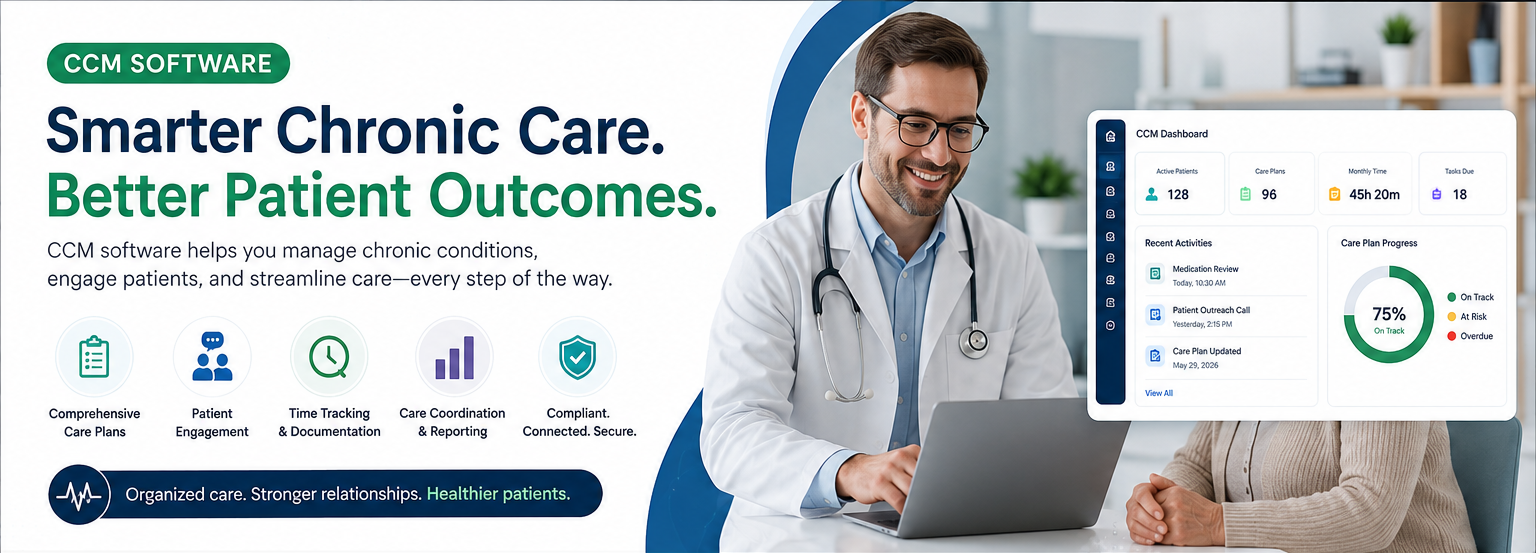
Table of contents
- What Is CCM Software?
- Why Chronic Condition Management Is Challenging
- 1. Fragmented Patient Information
- 2. Missed Follow-Ups
- 3. Time-Consuming Documentation
- 4. Medication Complexity
- 5. Limited Care Coordination
- 6. Billing and Compliance Requirements
- How CCM Software Helps Healthcare Providers
- 1. Creates a Centralized Chronic Care Dashboard
- 2. Organizes Comprehensive Care Plans
- 3. Simplifies Patient Outreach
- 4. Tracks Care-Management Activities and Time
- 5. Improves Medication Management
- 6. Supports Care-Team Collaboration
- 7. Automates Tasks and Reminders
- CCM Software and Patient Engagement
- Education
- Self-Management
- Communication
- Follow-Up
- CCM Software and EHR Integration
- CCM Software and Billing Workflows
- Key Benefits of CCM Software
- What to Look for in CCM Software
- Clinical Workflow
- Documentation
- Time Tracking
- Automation
- Interoperability
- Security
- Reporting
- Usability
- CCM Software vs. Manual Chronic Care Management
- How CCM Software Supports Better Chronic Care
- Conclusion
Chronic conditions such as diabetes, hypertension, COPD, heart disease, and arthritis require continuous attention—not just occasional office visits. For healthcare providers, managing these patients effectively can involve frequent follow-ups, medication reviews, care-plan updates, patient communication, documentation, and coordination across care teams.
Chronic Care Management (CCM) software helps organize these activities in one centralized system, enabling healthcare organizations to deliver more coordinated, proactive, and patient-centered care while reducing administrative workload.
What Is CCM Software?
CCM software is a healthcare technology solution designed to help providers manage patients with chronic conditions between routine appointments.
Instead of relying on separate spreadsheets, phone notes, paper records, and disconnected systems, CCM software brings important care-management activities together in a structured workflow.
Depending on the platform, CCM software may support:
- Patient enrollment and eligibility tracking
- Chronic condition documentation
- Comprehensive care plans
- Medication management
- Patient assessments and screenings
- Care-team communication
- Scheduled patient outreach
- Clinical notes and time tracking
- Remote monitoring integration
- Task and follow-up management
- Provider review and approvals
- Billing and claim-related workflows
- Reporting and performance tracking
The goal is simple: help care teams stay organized while ensuring patients receive consistent attention throughout the month.
Why Chronic Condition Management Is Challenging
Managing chronic diseases requires more than documenting an encounter. Patients may need ongoing monitoring, education, medication adjustments, referrals, and communication between multiple members of the healthcare team.
Common challenges include:
1. Fragmented Patient Information
Important information may be distributed across EHR records, phone notes, medication lists, care plans, and external systems.
2. Missed Follow-Ups
Without structured task management and reminders, important patient outreach activities can be delayed or overlooked.
3. Time-Consuming Documentation
Care managers may spend significant time documenting phone calls, interventions, care-plan updates, and patient communications.
4. Medication Complexity
Patients with multiple chronic conditions may take several medications, making medication reconciliation and ongoing review important parts of care management.
5. Limited Care Coordination
Primary care providers, nurses, care managers, specialists, and other healthcare professionals need access to relevant information to coordinate care effectively.
6. Billing and Compliance Requirements
CCM programs involve specific documentation and workflow requirements. Poorly organized documentation can make it difficult to demonstrate that required services were performed.
How CCM Software Helps Healthcare Providers
1. Creates a Centralized Chronic Care Dashboard
A CCM dashboard gives care teams a consolidated view of patients enrolled in chronic care programs.
Providers can quickly identify:
- Active CCM patients
- Chronic conditions
- Care-plan status
- Upcoming follow-ups
- Outstanding tasks
- Recent patient interactions
- Medication changes
- Care-management activities
- Time spent on qualifying activities
This reduces the need to search through multiple parts of the EHR.
2. Organizes Comprehensive Care Plans
A structured care plan is one of the most important components of chronic disease management.
CCM software can help providers document:
Patient Problems → Goals → Interventions → Monitoring → Follow-Up → Outcomes
Care plans may include:
- Diagnoses
- Symptoms and clinical concerns
- Treatment goals
- Patient-specific objectives
- Medication information
- Allergies
- Patient education
- Self-management instructions
- Referrals
- Follow-up schedules
- Care-team responsibilities
A digital care plan can also be updated as the patient's condition changes.
3. Simplifies Patient Outreach
CCM often involves communication with patients outside traditional office visits.
Software can help care teams manage:
- Telephone calls
- Secure messages
- Patient portal communications
- Follow-up reminders
- Appointment coordination
- Medication-related discussions
- Care-plan discussions
- Patient education
Each interaction can be documented as part of the patient's longitudinal record.
4. Tracks Care-Management Activities and Time
Time and activity tracking can be particularly important for organizations participating in reimbursable CCM programs.
A CCM platform can help record activities such as:
- Patient outreach
- Care coordination
- Medication review
- Care-plan management
- Provider communication
- Patient education
- Follow-up activities
Instead of manually calculating time from separate notes, a centralized system can provide a clearer picture of documented care-management activity.
Important: Software can support documentation and workflow, but providers must still follow applicable CMS requirements, payer rules, and organizational compliance policies.
5. Improves Medication Management
Medication changes are common among patients with multiple chronic conditions.
CCM software can help care teams maintain organized medication information and document:
- Current medications
- Medication changes
- Reconciliation activities
- Adherence concerns
- Medication-related patient questions
- Provider recommendations
- Follow-up requirements
This can help care teams identify medication-related issues earlier and communicate changes more effectively.
6. Supports Care-Team Collaboration
Chronic disease management frequently involves multiple healthcare professionals.
A CCM system can provide role-based workflows for:
Primary Care Provider → Care Manager → Nurse → Specialist → Patient
Team members can document their activities and communicate relevant information without relying exclusively on informal communication channels.
This creates greater visibility into who completed an activity and what needs to happen next.
7. Automates Tasks and Reminders
Automation can reduce repetitive administrative work.
Depending on the platform, CCM software may generate reminders for:
- Patient outreach
- Care-plan reviews
- Medication follow-ups
- Provider review
- Pending tasks
- Scheduled assessments
- Documentation completion
- Recurring care-management activities
Automation allows care teams to spend more time on patient care rather than manually managing task lists.
CCM Software and Patient Engagement
Successful chronic disease management depends heavily on patient participation.
CCM software can support patient engagement through:
Education
Providers can document educational materials and instructions related to the patient's condition.
Self-Management
Patients can receive guidance regarding medications, lifestyle changes, monitoring, and follow-up activities.
Communication
Structured communication tools can make it easier for care teams to maintain regular contact.
Follow-Up
Automated reminders and task management can help ensure that planned follow-ups are not forgotten.
The result is a shift from reactive care toward more proactive chronic disease management.
CCM Software and EHR Integration
The effectiveness of CCM software increases when it integrates with the organization's existing EHR or practice-management ecosystem.
An integrated workflow can connect:
Patient Record → Chronic Conditions → Care Plan → Outreach → Documentation → Time Tracking → Provider Review → Billing
Integration can reduce duplicate data entry and provide care managers with relevant clinical information without requiring them to switch between multiple systems.
Common integration capabilities may include:
- Patient demographics
- Diagnoses
- Allergies
- Medications
- Clinical notes
- Encounters
- Lab information
- Care plans
- Provider information
- Billing data
Healthcare organizations should evaluate interoperability, security, access controls, and applicable regulatory requirements before implementing an integration.
CCM Software and Billing Workflows
For organizations providing reimbursable CCM services, technology can also help connect clinical activities with administrative workflows.
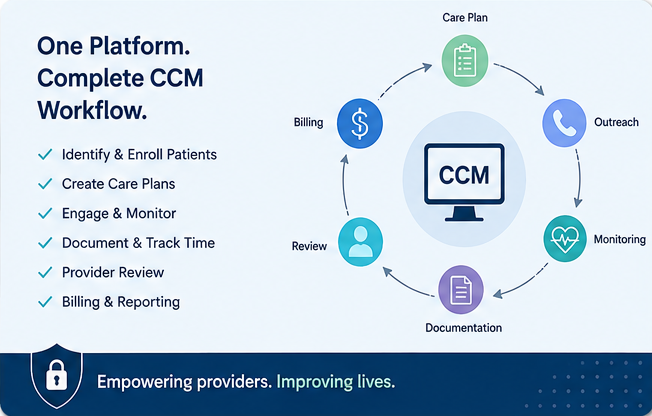
A well-designed CCM workflow may look like:
Identify Eligible Patient
↓
Obtain Required Consent
↓
Create Comprehensive Care Plan
↓
Assign Care Team
↓
Perform Patient Outreach
↓
Document Care Activities
↓
Track Qualifying Time
↓
Provider Review
↓
Billing Workflow
↓
Claim Submission & Follow-Up
This workflow creates a clearer connection between the care delivered and the documentation supporting the service.
Providers should verify current CPT, CMS, and payer requirements because billing rules and coverage requirements can change.
Key Benefits of CCM Software
| Benefit | How It Helps Providers |
|---|---|
| Centralized dashboard | Provides a consolidated view of CCM patients |
| Care-plan management | Keeps goals, interventions, and follow-ups organized |
| Task automation | Reduces missed activities and repetitive work |
| Time tracking | Helps document care-management activities |
| Patient communication | Organizes ongoing outreach |
| Medication management | Supports medication review and documentation |
| Care coordination | Improves visibility across care-team members |
| Reporting | Provides operational and program-level insights |
| Billing workflow | Connects documented activities with administrative processes |
| EHR integration | Reduces duplicate data entry |
What to Look for in CCM Software
Healthcare organizations should evaluate CCM software based on both clinical and operational requirements.
Important features include:
Clinical Workflow
Look for structured care plans, assessments, medication management, and patient monitoring.
Documentation
The system should make it easy to document calls, interventions, education, coordination, and follow-ups.
Time Tracking
Consider whether the platform provides accurate and transparent activity tracking.
Automation
Automated reminders, recurring tasks, and alerts can improve workflow consistency.
Interoperability
Integration with the existing EHR, PM, billing, laboratory, and communication systems can reduce duplicate work.
Security
The solution should support appropriate authentication, authorization, audit logging, encryption, and healthcare data-protection practices.
Reporting
Dashboards and reports should help organizations monitor patient activity, staff workload, outcomes, and program performance.
Usability
Care managers should be able to complete routine activities quickly without excessive data entry.
CCM Software vs. Manual Chronic Care Management
Traditional manual workflows often depend on spreadsheets, calendars, phone logs, paper forms, and separate EHR notes.
A CCM platform can consolidate these activities into a structured digital workflow.
Manual Approach
Spreadsheets → Phone Logs → Paper Notes → EHR → Separate Billing Tracking
CCM Software
Patient → Care Plan → Task → Outreach → Documentation → Time Tracking → Review → Billing
The difference is not simply automation. A well-designed CCM platform creates a repeatable workflow for managing patients throughout the care cycle.
How CCM Software Supports Better Chronic Care
CCM software does not replace clinical judgment. Instead, it gives healthcare professionals better tools to organize and execute chronic care workflows.
By centralizing patient information, care plans, communication, tasks, documentation, and reporting, CCM technology can help providers move from occasional intervention to continuous care management.
For patients with multiple or persistent chronic conditions, that continuity can be especially valuable.
Conclusion
Managing chronic conditions requires continuous coordination, documentation, communication, and follow-up. For healthcare providers, doing all of this manually can become difficult as patient populations grow.
CCM software helps transform chronic care management from a fragmented, administrative process into a structured digital workflow.
With capabilities such as care-plan management, patient outreach, task automation, time tracking, medication management, care coordination, reporting, and billing support, CCM software can help healthcare organizations manage chronic conditions more efficiently while keeping the patient at the center of care.
The right CCM solution should not simply store information—it should help the entire care team know what needs to be done, who needs to do it, when it needs to happen, and how it should be documented.