How Automated CCM Workflows Save Clinical Staff Time
Automated CCM workflows help healthcare practices reduce repetitive administrative work and give clinical staff more time for patient care. From enrollment and care plans to outreach, time tracking, monthly reviews, approvals, and reporting, automation creates a structured workflow that improves visibility, reduces duplicate data entry, and makes chronic care management easier to scale.
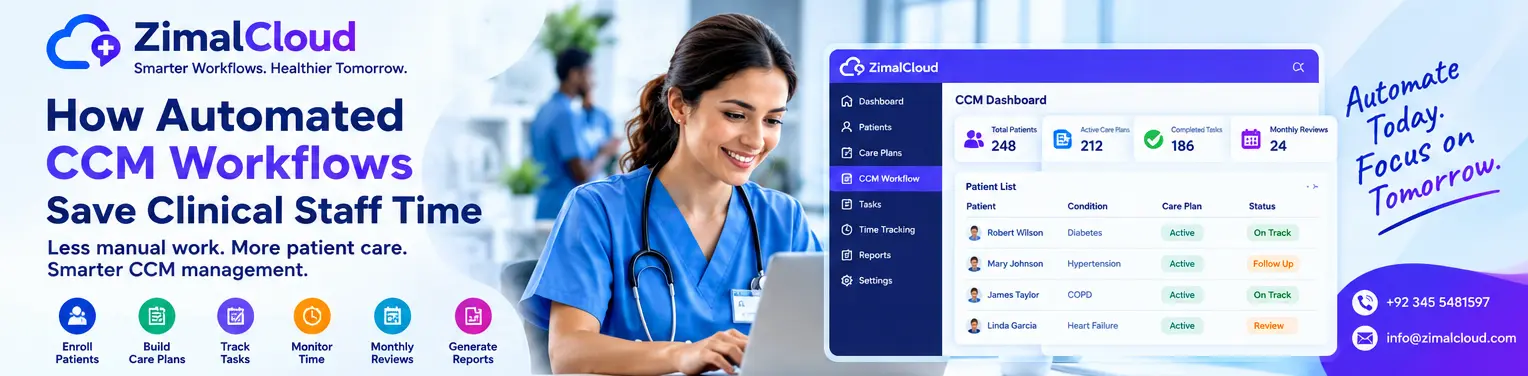
Table of contents
- How Automated CCM Workflows Save Clinical Staff Time
- What Is Chronic Care Management?
- Why Manual CCM Workflows Take So Much Time
- 1. Automated Patient Enrollment Workflows
- 2. Automated Care-Plan Workflows
- The benefit?
- 3. Automated Task Management
- 4. Time Tracking Becomes Easier
- 5. Automated Monthly Review Workflows
- 6. Automated Reminders Reduce Missed Tasks
- 7. Centralized Patient Information Reduces Searching
- 8. Standardized Documentation Saves Rework
- 9. Automated Reporting Reduces Administrative Work
- 10. Provider Review Becomes More Efficient
- 11. Automation Helps Reduce Duplicate Data Entry
- 12. Automation Helps CCM Scale
- Manual CCM vs. Automated CCM Workflows
- What Should CCM Automation Actually Automate?
- Ideal areas for automation include:
- Activities that should remain clinically driven include:
- How ZimalCloud Automates CCM Workflows
- How Much Time Can CCM Automation Save?
- How to Measure CCM Workflow Efficiency
- 1. Documentation Time
- 2. Task Completion Rate
- 3. Time Spent on Administrative Work
- 4. Monthly Review Completion
- 5. Provider Review Turnaround
- 6. Duplicate Data Entry
- Best Practices for Implementing Automated CCM Workflows
- Start With the Current Workflow
- Identify Repetitive Tasks
- Standardize Documentation
- Keep Clinical Decisions With Clinicians
- Train the Care Team
- Monitor Performance
- Protect Patient Information
- The Future of Automated CCM
- Final Thoughts
How Automated CCM Workflows Save Clinical Staff Time
Clinical staff spend a significant amount of time managing Chronic Care Management (CCM) activities—from identifying eligible patients and updating care plans to documenting outreach, tracking time, coordinating care, and preparing monthly reviews.
When these activities are handled manually, administrative work can take attention away from patient care. Automated CCM workflows help practices organize repetitive tasks, standardize documentation, and keep care teams focused on patients.
A well-designed CCM platform does not replace clinical judgment. Instead, it automates and organizes routine workflow steps so staff can spend more time on meaningful patient interactions and care coordination.
What Is Chronic Care Management?
Chronic Care Management (CCM) is a structured approach to coordinating care for eligible patients with ongoing chronic health needs.
CCM workflows may involve:
- Patient enrollment
- Care-plan development
- Medication review
- Patient outreach
- Care coordination
- Goal and intervention tracking
- Time tracking
- Monthly reviews
- Provider oversight
- Documentation
- Reporting and billing support
Managing these activities manually can become challenging as a practice's CCM patient population grows.
This is where workflow automation can make a meaningful difference.
Why Manual CCM Workflows Take So Much Time
Traditional CCM processes may require staff to work across spreadsheets, documents, calendars, phone systems, email, and separate healthcare applications.
A care coordinator might need to:
- Find patients who require follow-up.
- Review the patient's previous documentation.
- Check the current care plan.
- Contact the patient.
- Document the interaction.
- Record the time spent.
- Update the care plan.
- Notify the appropriate provider.
- Prepare the monthly review.
- Verify that required documentation is complete.
When these steps are performed manually for dozens or hundreds of patients, small administrative tasks can accumulate into significant staff workload.
Automation helps turn these disconnected activities into a structured workflow.
1. Automated Patient Enrollment Workflows
One of the first opportunities for automation is patient enrollment.
Instead of maintaining separate lists or manually tracking enrollment status, an integrated CCM platform can organize patient information, services, conditions, and enrollment details in one location.
Staff can more easily see:
- Who is enrolled
- Which services are active
- Relevant chronic conditions
- Care-plan status
- Pending tasks
- Required follow-ups
- Provider approval status
This reduces the need to search through multiple systems before beginning CCM activities.
2. Automated Care-Plan Workflows
Creating and maintaining care plans is an important part of CCM.
A structured digital care plan can organize information such as:
- Patient goals
- Chronic conditions
- Medications
- Adherence considerations
- Interventions
- Care-team information
- Recent tests
- Screenings
- Functional needs
- Psychosocial factors
- Social determinants of health
- Planned follow-up
Instead of repeatedly creating documents from scratch, staff can work from standardized templates and update the relevant sections as the patient's needs change.
The benefit?
Less repetitive documentation and more consistent care-plan management.
3. Automated Task Management
Care coordinators often manage multiple patients simultaneously.
Without a centralized task system, follow-ups can be difficult to prioritize.
Automated CCM workflows can help organize tasks such as:
- Patient calls
- Follow-up reminders
- Care-plan updates
- Medication-related follow-ups
- Provider reviews
- Monthly activities
- Pending documentation
- Outstanding approvals
Tasks can be displayed in a centralized worklist so staff can quickly identify what needs attention.
This can reduce time spent searching for unfinished work.
4. Time Tracking Becomes Easier
Time documentation can be one of the more administrative aspects of care-management workflows.
Instead of manually calculating time across different notes or spreadsheets, an integrated CCM platform can provide service-specific timers and time logs.
Staff can see:
- Time spent on activities
- Patient-related time entries
- Monthly accumulated time
- Completed activities
- Remaining workflow tasks
The system should still be configured and used according to applicable program and documentation requirements.
The goal is to make accurate documentation easier—not to replace professional judgment or required review.
5. Automated Monthly Review Workflows
CCM involves ongoing management rather than a one-time encounter.
Monthly workflows can require staff to review patient progress, document relevant activities, coordinate care, and complete appropriate provider oversight.
Automation can help create a repeatable monthly process:
Patient → Tasks → Outreach → Documentation → Time Tracking → Review → Approval → Report
Instead of rebuilding the process every month, staff can follow a consistent workflow.
This can make recurring CCM activities more predictable and easier to manage.
6. Automated Reminders Reduce Missed Tasks
Healthcare staff manage many competing priorities.
Automated reminders can help bring attention to:
- Upcoming follow-ups
- Pending documentation
- Care-plan updates
- Monthly review activities
- Provider approvals
- Outstanding tasks
Rather than relying entirely on memory or separate personal reminder systems, staff can work from a centralized task environment.
This can reduce the administrative burden associated with remembering every outstanding CCM activity.
7. Centralized Patient Information Reduces Searching
One of the biggest sources of wasted time in healthcare administration is looking for information.
When patient information is distributed across multiple applications, staff may need to open several systems before completing a simple task.
A centralized CCM workflow can bring relevant information together, including:
- Patient demographics
- Conditions
- Medications
- Care plans
- Notes
- Time logs
- Tasks
- Reports
- Provider approvals
The less time staff spend searching for information, the more time they can devote to patient-facing activities.
8. Standardized Documentation Saves Rework
Different staff members may document similar activities in different ways when there is no standardized workflow.
Templates and structured fields can help practices create more consistent documentation.
For example, a CCM workflow may provide predefined sections for:
- Patient status
- Outreach
- Care coordination
- Goals
- Interventions
- Medication information
- Time spent
- Follow-up
- Provider review
Staff can then focus on entering the information that is specific to the patient instead of repeatedly formatting the same type of documentation.
9. Automated Reporting Reduces Administrative Work
Creating reports manually can consume valuable staff time.
A centralized CCM system can organize information needed for operational reporting, including:
- Enrolled patients
- Completed activities
- Time logs
- Care-plan status
- Pending reviews
- Provider approvals
- Monthly activity
- Patient progress
Reports can help practice leaders understand CCM activity without requiring staff to manually compile information from multiple sources.
10. Provider Review Becomes More Efficient
CCM requires appropriate clinical oversight and documentation.
Instead of sending providers multiple disconnected documents for review, an integrated platform can organize items requiring attention in a centralized review and approval workflow.
Providers can quickly identify:
- Patients awaiting review
- Care plans requiring approval
- Monthly reviews
- Pending documentation
- Completed activities
This can make the review process more organized while keeping clinical decisions with the appropriate healthcare professional.
11. Automation Helps Reduce Duplicate Data Entry
Duplicate data entry is another major source of administrative workload.
For example, staff may otherwise need to enter patient information separately into:
- Patient records
- CCM spreadsheets
- Care plans
- Monthly reports
- Billing systems
When systems are connected, relevant information can flow through the workflow instead of being repeatedly entered.
This can reduce repetitive work and improve consistency.
12. Automation Helps CCM Scale
A manual CCM process that works for a small patient population may become difficult to manage as enrollment grows.
Automation creates a more repeatable operational structure.
For example:
Small CCM Program
10–20 patients → Manual tracking may be manageable.
Growing CCM Program
50–100+ patients → Task tracking, time logs, monthly reviews, and documentation become more complex.
Scaled CCM Program
Larger patient populations → Centralized workflows, automation, reporting, and structured worklists become increasingly valuable.
The exact staffing requirements will vary by practice, patient population, services, and workflow design.
Manual CCM vs. Automated CCM Workflows
| Manual CCM Workflow | Automated CCM Workflow |
|---|---|
| Multiple spreadsheets and systems | Centralized patient workflow |
| Manual task tracking | Structured worklists |
| Repeated documentation | Templates and structured fields |
| Manual time calculations | Integrated time logs |
| Separate monthly tracking | Recurring monthly workflows |
| Manual reminders | Automated task reminders |
| Scattered patient information | Centralized patient record |
| Manually compiled reports | Organized reporting |
| Multiple approval channels | Centralized review and approval |
| More repetitive administrative work | More streamlined workflow |
Automation does not eliminate the need for clinical staff. It reduces the amount of repetitive administrative work surrounding patient care.
What Should CCM Automation Actually Automate?
Good CCM automation focuses on repetitive, predictable workflow activities.
Ideal areas for automation include:
- Task creation
- Reminders
- Worklist organization
- Care-plan templates
- Time logging
- Monthly workflow tracking
- Documentation prompts
- Report generation
- Approval queues
- Status tracking
- Patient-service organization
Activities that should remain clinically driven include:
- Clinical decision-making
- Patient assessment
- Care-plan decisions
- Interpretation of clinical information
- Escalation decisions
- Provider oversight
- Individualized patient communication
The objective is workflow automation—not automated clinical judgment.
How ZimalCloud Automates CCM Workflows
ZimalCloud provides a structured CCM environment designed to help healthcare practices organize chronic-care activities within a centralized patient workflow.
The platform can support:
- Patient enrollment
- Chronic-condition tracking
- Structured care plans
- Monthly CCM reviews
- Patient outreach
- Care-team coordination
- Medication information
- Goals and interventions
- Screening information
- Time tracking
- Provider oversight
- Reminders
- Billing-support workflows
- Reporting
- Downloadable PDF reports
By bringing these activities into one environment, ZimalCloud can help care coordinators spend less time switching between spreadsheets, documents, and disconnected systems.
The result is a workflow that moves from:
Enrollment → Care Plan → Tasks → Outreach → Time Tracking → Monthly Review → Provider Approval → Reporting
rather than requiring staff to manually rebuild the process each month.
How Much Time Can CCM Automation Save?
The amount of time saved depends on factors such as:
- Number of CCM patients
- Number of care coordinators
- Existing software
- Documentation process
- Practice workflow
- Level of automation
- Integration with other systems
- Staff training
Therefore, there is no single time-saving percentage that applies to every practice.
A better way to measure the impact is to compare the time spent on specific activities before and after automation.
For example, practices can measure:
Time spent searching for patient information
Time spent creating care-plan documentation
Time spent tracking CCM activities
Time spent preparing monthly reviews
Time spent compiling reports
Time spent managing pending tasks
These measurements provide a more meaningful picture of operational improvement.
How to Measure CCM Workflow Efficiency
Healthcare organizations can track several key metrics to evaluate automation.
1. Documentation Time
How long does it take staff to complete a typical CCM documentation workflow?
2. Task Completion Rate
How many assigned CCM tasks are completed on schedule?
3. Time Spent on Administrative Work
How much staff time is spent on non-patient-facing administrative activities?
4. Monthly Review Completion
How efficiently are required monthly workflows being completed?
5. Provider Review Turnaround
How long do items remain pending provider review?
6. Duplicate Data Entry
How often does staff need to enter the same information in multiple systems?
Tracking these metrics can help practices determine whether automation is actually improving workflow efficiency.
Best Practices for Implementing Automated CCM Workflows
Automation works best when technology and processes are designed together.
Start With the Current Workflow
Document how CCM activities are currently completed before automating them.
Identify Repetitive Tasks
Look for activities that are predictable and administrative.
Standardize Documentation
Create consistent templates and workflow steps.
Keep Clinical Decisions With Clinicians
Automation should support staff rather than replace clinical judgment.
Train the Care Team
Staff should understand both the technology and the underlying CCM workflow.
Monitor Performance
Regularly review completion rates, documentation time, pending tasks, and other operational metrics.
Protect Patient Information
Use appropriate security, privacy, access controls, and compliance practices when handling patient data.
The Future of Automated CCM
As healthcare practices manage increasingly complex patient populations, efficient chronic-care workflows will become even more important.
The future of CCM is not simply about adding more automation. It is about creating intelligent, organized workflows that reduce administrative friction while keeping healthcare professionals in control of patient care.
The right technology can help practices move from disconnected manual processes to a structured workflow where staff can quickly understand:
Who needs attention? What needs to be completed? How much time has been spent? What requires review? What happens next?
That visibility can make CCM operations easier to manage at scale.
Final Thoughts
Automated CCM workflows can help clinical staff save time by reducing repetitive administrative tasks, organizing patient information, simplifying documentation, supporting time tracking, and making recurring monthly activities easier to manage.
The biggest benefit is not automation for its own sake. It is giving healthcare professionals more time and a clearer workflow for the work that requires human expertise.
With a centralized platform such as ZimalCloud, practices can connect CCM enrollment, care plans, patient outreach, time tracking, monthly reviews, provider oversight, reporting, and billing-support workflows in one environment.
Less administrative friction. More organized care. More time for patients.