Cloud vs On-Premise Healthcare Software
Cloud vs on-premise healthcare software involves important differences in accessibility, infrastructure, scalability, security, maintenance, and cost. Cloud platforms can simplify infrastructure management and support flexible access, while on-premise systems provide greater direct control. Understanding these differences helps healthcare organizations to choose deployment approach.
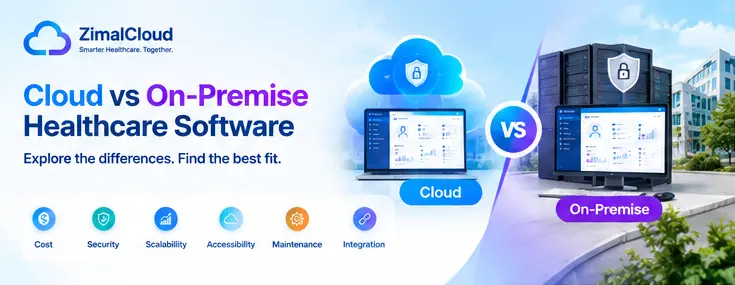
Table of contents
- Cloud vs On-Premise Healthcare Software: Key Differences, Benefits, and Considerations
- Introduction
- What Is Cloud-Based Healthcare Software?
- How Cloud Healthcare Software Works
- What Is On-Premise Healthcare Software?
- Cloud vs On-Premise Healthcare Software: Key Differences
- 1. Accessibility
- Cloud-Based Healthcare Software
- On-Premise Healthcare Software
- 2. Infrastructure and Hardware
- 3. Maintenance and Software Updates
- Cloud Model
- On-Premise Model
- 4. Scalability
- Cloud Scalability
- On-Premise Scalability
- 5. Cost Considerations
- Cloud-Based Costs
- On-Premise Costs
- 6. Security and Compliance
- Cloud Healthcare Software
- On-Premise Healthcare Software
- 7. Backup and Disaster Recovery
- Cloud-Based Approach
- On-Premise Approach
- 8. Integration With Other Healthcare Systems
- 9. Customization and Control
- 10. Performance and Internet Dependency
- 11. IT Staffing Requirements
- 12. Data Ownership and Vendor Considerations
- Cloud vs On-Premise: Which Factors Should Healthcare Organizations Evaluate?
- Organization Size
- Number of Locations
- IT Resources
- Budget
- Security Requirements
- Integration Requirements
- Business Growth
- Questions to Ask Before Choosing Healthcare Software
- Hybrid Healthcare Software: Another Option
- Benefits of Cloud-Based Healthcare Software
- Benefits of On-Premise Healthcare Software
- Cloud vs On-Premise Healthcare Software: A Practical Comparison
- Conclusion
Cloud vs On-Premise Healthcare Software: Key Differences, Benefits, and Considerations
Introduction
Healthcare organizations rely on software to manage patient records, clinical workflows, billing, scheduling, communication, reporting, and other essential operations. As healthcare technology continues to evolve, organizations often face an important decision: Should they use cloud-based healthcare software or an on-premise solution?
Both deployment models can support healthcare operations, but they differ in areas such as infrastructure, accessibility, maintenance, scalability, security responsibilities, and cost structure.
Understanding the differences between cloud vs on-premise healthcare software can help healthcare organizations evaluate which approach aligns with their operational requirements, technical resources, budget, and long-term technology strategy.
What Is Cloud-Based Healthcare Software?
Cloud-based healthcare software is hosted on remote infrastructure operated by a software provider or cloud service provider. Instead of maintaining the application's servers within the healthcare organization's facility, the organization accesses the software through an internet connection.
Depending on the solution, users may access healthcare applications through a web browser, desktop application, or mobile device.
Examples of cloud-based healthcare software include:
- Electronic Health Records (EHR)
- Practice Management Systems
- Medical Billing Platforms
- Revenue Cycle Management Systems
- Care Management Software
- Patient Engagement Platforms
- Telehealth Applications
- Remote Patient Monitoring Platforms
How Cloud Healthcare Software Works
A simplified cloud workflow looks like this:
Healthcare Organization → Internet → Cloud Application → Secure Data Infrastructure
The software provider typically manages much of the underlying infrastructure, including servers, software updates, backups, and system maintenance.
What Is On-Premise Healthcare Software?
On-premise healthcare software is installed and operated on servers or infrastructure controlled by the healthcare organization.
The organization is generally responsible for maintaining the hardware, operating environment, software installation, updates, backups, and other technical requirements.
A simplified on-premise setup looks like:
Healthcare Organization → Local Network → Organization-Owned Servers → Healthcare Application
On-premise systems may be used by organizations that require substantial control over their infrastructure or have existing IT environments designed around locally hosted applications.
Cloud vs On-Premise Healthcare Software: Key Differences
The main differences can be evaluated across several areas.
| Factor | Cloud-Based Software | On-Premise Software |
|---|---|---|
| Infrastructure | Hosted remotely | Hosted within the organization |
| Hardware | Usually managed by provider/cloud infrastructure | Managed by organization |
| Accessibility | Typically accessible through internet-connected devices | Primarily accessed through organizational infrastructure |
| Maintenance | Often handled largely by provider | Primarily handled by internal IT team |
| Updates | Usually delivered by provider | Usually managed by organization |
| Scalability | Can often scale more easily | May require additional infrastructure |
| Upfront Hardware Cost | Generally lower | Can be higher |
| IT Responsibility | Reduced infrastructure responsibility | Greater infrastructure responsibility |
| Backup Management | Often included or integrated | Organization typically manages backups |
| Customization | Depends on provider | Can offer extensive control depending on software |
| Disaster Recovery | Often supported by provider infrastructure | Organization is responsible for its strategy |
Actual capabilities vary by vendor and implementation, so organizations should evaluate the specific product rather than relying only on the deployment model.
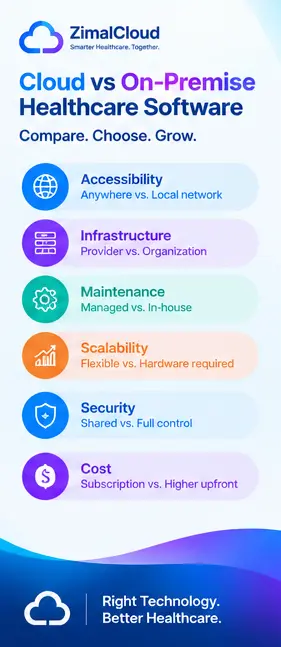
1. Accessibility
Cloud-Based Healthcare Software
Cloud applications can generally be accessed from authorized devices wherever a suitable internet connection is available.
This can support:
- Multi-location practices
- Remote administrative teams
- Distributed care teams
- Mobile workflows
- Organizations with multiple facilities
For example, an authorized billing specialist may be able to access a cloud-based practice management system without being physically present at the healthcare facility.
On-Premise Healthcare Software
On-premise systems are commonly accessed through the organization's internal network or through specially configured remote-access solutions.
This can provide strong control over the environment but may require additional infrastructure for secure remote access.
2. Infrastructure and Hardware
Cloud software reduces the need for organizations to purchase and maintain application servers themselves.
The provider or cloud infrastructure partner may manage:
- Computing resources
- Storage
- Networking
- Infrastructure availability
- Hardware maintenance
With on-premise software, the organization generally needs to maintain appropriate servers and supporting infrastructure.
This can involve:
- Server hardware
- Storage systems
- Network equipment
- Backup infrastructure
- Physical facilities
- Hardware replacement
3. Maintenance and Software Updates
Healthcare software needs regular maintenance to remain secure, reliable, and compatible with evolving technology.
Cloud Model
Cloud software providers commonly manage application updates, infrastructure maintenance, and other system-level tasks.
This can reduce the amount of infrastructure maintenance required from the healthcare organization's IT team.
On-Premise Model
Organizations typically have greater responsibility for installing updates, maintaining servers, managing compatibility, and supporting the application environment.
This provides more direct control but can require additional technical resources.
4. Scalability
Healthcare organizations may grow by adding providers, locations, patients, services, or users.
Cloud Scalability
Cloud infrastructure can often be expanded as organizational requirements change.
A growing organization may be able to increase:
- User capacity
- Storage
- Computing resources
- Application resources
depending on the vendor's architecture and pricing model.
On-Premise Scalability
Scaling an on-premise system may require purchasing and configuring additional hardware or upgrading existing infrastructure.
This can involve more planning and capital expenditure.
5. Cost Considerations
Cost is an important part of any healthcare software decision.
Cloud-Based Costs
Cloud software is commonly offered through subscription or usage-based pricing models.
Costs may include:
- Monthly or annual subscription
- User licenses
- Implementation
- Data migration
- Support
- Optional integrations
- Additional storage or services
Cloud solutions can reduce certain upfront infrastructure expenses.
On-Premise Costs
On-premise deployments may involve higher initial infrastructure expenses, including:
- Servers
- Storage
- Networking
- Software licenses
- Installation
- IT staff
- Backup systems
- Security infrastructure
- Maintenance
However, the total cost depends heavily on the software licensing model, infrastructure requirements, staffing, and length of deployment.
6. Security and Compliance
Security is one of the most important considerations when selecting healthcare software.
Cloud and on-premise systems can both be designed with security controls, but the responsibilities are distributed differently.
Cloud Healthcare Software
A healthcare software provider may manage areas such as:
- Infrastructure security
- System monitoring
- Backups
- Access controls
- Encryption
- Security updates
Healthcare organizations still have responsibilities for areas such as user access, account management, policies, and appropriate use of the system.
On-Premise Healthcare Software
Organizations generally have greater direct responsibility for:
- Physical server security
- Network security
- Access controls
- Backups
- Patch management
- Monitoring
- Disaster recovery
- Infrastructure protection
The key consideration is not simply whether software is cloud or on-premise, but how the complete solution is designed, configured, managed, and governed.
7. Backup and Disaster Recovery
Healthcare organizations need reliable strategies for protecting important data and maintaining access to critical systems.
Cloud-Based Approach
Cloud providers may offer infrastructure-level redundancy, automated backups, disaster recovery capabilities, or geographically distributed systems.
However, organizations should verify exactly what the vendor provides rather than assuming all cloud solutions have the same backup and recovery capabilities.
On-Premise Approach
The organization typically designs and manages its own backup and disaster recovery strategy.
This may include:
- Local backups
- Off-site backups
- Backup servers
- Disaster recovery environments
- Recovery testing
A well-designed recovery strategy is important regardless of deployment model.
8. Integration With Other Healthcare Systems
Modern healthcare organizations often need multiple systems to exchange information.
Common integrations include:
- EHR systems
- Practice management
- Medical billing
- Laboratories
- Pharmacies
- Clearinghouses
- Patient portals
- Telehealth
- Remote monitoring
- Payment systems
Cloud applications can be designed with APIs and interoperability frameworks to support integrations.
On-premise systems can also support integrations, but organizations may need to manage more of the networking, infrastructure, and integration environment themselves.
When evaluating software, ask vendors about supported standards, APIs, integration capabilities, and interoperability requirements.
9. Customization and Control
On-premise deployments can provide organizations with significant control over their infrastructure and software environment, depending on the application.
This may be important for organizations with:
- Specialized workflows
- Existing IT infrastructure
- Internal development teams
- Custom integrations
- Specific infrastructure requirements
Cloud platforms may provide configuration and customization options while maintaining a standardized platform.
The right balance depends on whether the organization prioritizes extensive infrastructure control or a managed software environment.
10. Performance and Internet Dependency
Cloud software generally depends on reliable internet connectivity.
If internet access is disrupted, users may experience difficulty accessing cloud applications unless the system provides appropriate offline functionality or continuity mechanisms.
On-premise systems can remain accessible through a local network even when external internet connectivity is unavailable, although this depends on the architecture and any external services the application requires.
Healthcare organizations should consider network reliability when evaluating either approach.
11. IT Staffing Requirements
Cloud deployment can reduce the amount of infrastructure management required from internal IT teams.
This can allow organizations to focus internal resources on:
- User support
- Workflow optimization
- Security governance
- Integration management
- Data management
- Technology strategy
On-premise systems typically require more internal expertise for server management, hardware maintenance, backups, networking, updates, and troubleshooting.
Organizations with established IT departments may already have the expertise required to support this model.
12. Data Ownership and Vendor Considerations
Healthcare organizations should understand how a software provider handles their data.
Before selecting a solution, ask:
- Who owns the data?
- Where is data stored?
- How is data protected?
- How frequently is it backed up?
- What happens if the organization changes vendors?
- Can data be exported?
- What formats are supported?
- How are integrations managed?
- What happens when the contract ends?
These questions are important for both cloud and on-premise implementations.
Cloud vs On-Premise: Which Factors Should Healthcare Organizations Evaluate?
Instead of focusing only on the deployment label, organizations should evaluate the complete technology environment.
Consider:
Organization Size
A small practice may have different infrastructure requirements from a large hospital or multi-location healthcare organization.
Number of Locations
Multi-location organizations may benefit from systems that support centralized access and administration.
IT Resources
Organizations with large internal IT teams may have greater capacity to manage infrastructure.
Budget
Evaluate both initial and ongoing costs, including hardware, licenses, support, staffing, maintenance, and upgrades.
Security Requirements
Review the vendor's security controls, access management, encryption, monitoring, backup strategy, and compliance responsibilities.
Integration Requirements
Determine whether the platform can integrate with the organization's existing EHR, billing, laboratory, pharmacy, payment, and other systems.
Business Growth
Consider how easily the platform can support additional users, providers, locations, and services.
Questions to Ask Before Choosing Healthcare Software
Healthcare organizations can use the following checklist when evaluating vendors:
- Is the platform cloud-based, on-premise, or hybrid?
- Where is healthcare data stored?
- How is data encrypted?
- What backup and disaster recovery capabilities are provided?
- How are software updates handled?
- What security responsibilities remain with the organization?
- Does the system support healthcare interoperability standards?
- Can the platform integrate with existing systems?
- How does pricing change as users or locations increase?
- Can data be exported if the organization changes vendors?
- What implementation and migration services are available?
- What technical support is provided?
- What uptime commitments apply?
- How are user permissions and access controls managed?
- What happens to the organization's data when the contract ends?
Hybrid Healthcare Software: Another Option
Cloud and on-premise are not always the only choices.
Some healthcare organizations use hybrid technology environments, combining cloud-based applications with on-premise infrastructure.
For example, an organization might maintain certain systems locally while using cloud platforms for:
- Patient engagement
- Analytics
- Telehealth
- Billing
- Care management
- Remote monitoring
- Data integration
A hybrid approach can provide flexibility, but it may also introduce additional integration, security, and management requirements.
Benefits of Cloud-Based Healthcare Software
Depending on the vendor and implementation, cloud healthcare software may offer:
- Easier remote access
- Reduced infrastructure management
- Faster software updates
- Flexible scalability
- Lower upfront hardware requirements
- Centralized system management
- Potentially simpler multi-location deployment
- Managed backup and infrastructure options
Benefits of On-Premise Healthcare Software
Depending on the application and organization, on-premise software may offer:
- Greater infrastructure control
- Local data hosting
- More direct control over system configuration
- Integration with existing internal infrastructure
- Reduced dependency on external internet connectivity for local access
- Greater responsibility and control over infrastructure management
Cloud vs On-Premise Healthcare Software: A Practical Comparison
The choice depends on the organization's specific requirements.
Cloud-based software may be considered when an organization values:
- Remote accessibility
- Managed infrastructure
- Scalability
- Reduced hardware responsibilities
- Frequent vendor-managed updates
- Multi-location access
On-premise software may be considered when an organization values:
- Direct infrastructure control
- Existing server investments
- Extensive internal IT capabilities
- Specific infrastructure requirements
- Greater control over local deployment
Neither model is automatically suitable for every healthcare organization. The appropriate choice depends on operational, technical, financial, security, integration, and regulatory considerations.
Conclusion
The decision between cloud vs on-premise healthcare software involves more than choosing where an application is hosted. Healthcare organizations should consider accessibility, infrastructure, scalability, cost, security, compliance responsibilities, integrations, maintenance, disaster recovery, and long-term technology requirements.
Cloud-based healthcare software can simplify infrastructure management and support flexible access and scalability. On-premise software can provide organizations with greater direct control over their infrastructure and deployment environment.
Before selecting a platform, healthcare organizations should evaluate the complete solution, understand vendor and organizational responsibilities, and consider how the technology will support their needs as the organization grows.
A well-evaluated healthcare software strategy can help create a more connected, manageable, and sustainable technology environment.