Cloud-Based Practice Management Software: Benefits for Medical Practices
Cloud-based practice management software helps medical practices manage patients, appointments, eligibility, encounters, coding, claims, payments, and reporting in one centralized system. With remote access, role-based workflows, integrations, and real-time visibility, cloud technology can simplify daily operations, support growing practices, and improve coordination b/w clinical, administration.
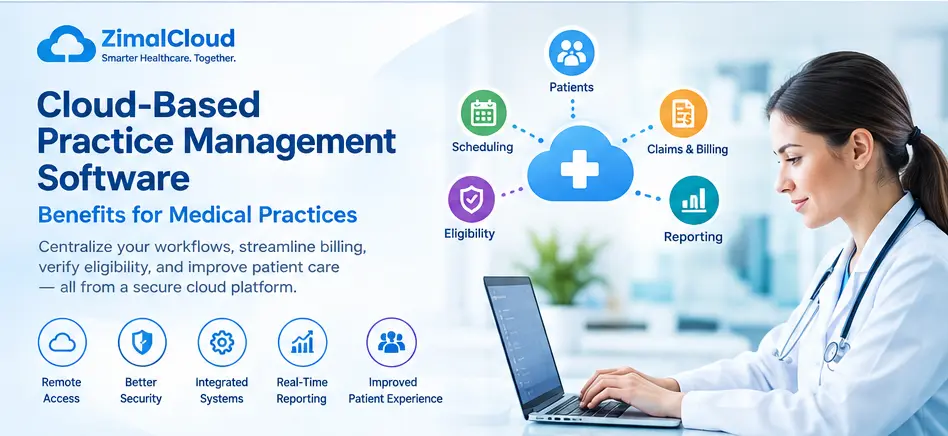
Table of contents
- Introduction
- What Is Cloud-Based Practice Management Software?
- How Does Cloud-Based Practice Management Work?
- Benefits of Cloud-Based Practice Management Software
- 1. Access Practice Information From Anywhere
- 2. Centralized Patient and Practice Data
- 3. Streamlined Billing and Claims Management
- 4. Improved Eligibility Verification
- 5. Easier Multi-Location Management
- 6. Role-Based User Access
- 7. Faster Workflow Between Departments
- 8. Real-Time Reporting and Analytics
- 9. Easier Software Updates and Maintenance
- 10. Scalability as the Practice Grows
- 11. Integration With Other Healthcare Systems
- 12. Improved Workflow Visibility
- 13. Better Support for Remote Billing Teams
- 14. Reduced Dependence on Paper and Spreadsheets
- Cloud-Based vs. Traditional Practice Management
- Security and Compliance Considerations
- How to Choose Cloud-Based Practice Management Software
- Key questions include:
- Conclusion
Introduction
Managing a modern medical practice involves much more than scheduling appointments and maintaining patient records. Medical practices also need to manage patients, providers, encounters, eligibility, claims, billing, payments, documentation, and reporting.
Cloud-based practice management software brings these workflows together in one secure, accessible system. Instead of relying on disconnected desktop applications, spreadsheets, or paper-based processes, practices can manage their daily operations through a centralized online platform.
This article explains the key benefits of cloud-based practice management software and how it can help medical practices improve efficiency, organization, billing workflows, and patient service.
What Is Cloud-Based Practice Management Software?
Cloud-based practice management software is a web-based system that helps healthcare organizations manage their administrative and financial operations through the internet.
Depending on the platform, it may include features such as:
- Patient management
- Appointment scheduling
- Provider and clinician management
- Patient registration
- Insurance and eligibility verification
- Encounter management
- Medical coding
- Claims management
- Electronic claim submission
- Payment posting
- Invoicing
- Accounts receivable management
- Reporting and analytics
- User and role management
Because the application is hosted in the cloud, authorized users can access the system without installing the complete application on individual computers.
How Does Cloud-Based Practice Management Work?
A cloud-based practice management system typically stores application data and business logic on secure cloud infrastructure.
Users access the system through a web browser using authorized credentials.
A typical workflow may look like:
Patient Registration → Appointment → Encounter → Eligibility → Coding → Claim → Submission → ERA → Payment → Reporting
This connected workflow can reduce the need to manually transfer information between multiple systems.
Benefits of Cloud-Based Practice Management Software
1. Access Practice Information From Anywhere
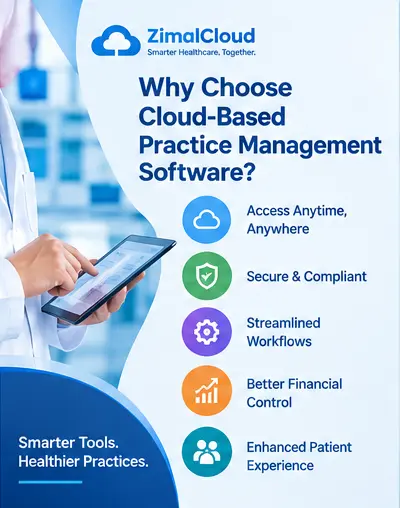
One of the major advantages of cloud-based software is accessibility.
Authorized staff can access the practice management system from different locations using an internet-connected device. This can be useful for:
- Multi-location practices
- Remote billing teams
- Administrative staff
- Healthcare organizations with multiple providers
- Practice managers working outside the office
Instead of being tied to a single workstation, teams can work from a centralized system.
2. Centralized Patient and Practice Data
Cloud-based practice management software can bring important information into one platform.
For example, staff may be able to access:
- Patient demographics
- Insurance information
- Provider details
- Encounter information
- Claim status
- Payment information
- Outstanding balances
- Appointment history
A centralized database can make it easier for authorized users to find the information they need without searching through multiple spreadsheets or applications.
3. Streamlined Billing and Claims Management
Medical billing involves multiple steps, and missing information at any stage can create delays.
A practice management system can connect the billing workflow from encounter creation through payment posting.
A typical process can include:
Encounter → Coding → Claim Creation → Claim Validation → Claim Submission → ERA → Payment Posting → A/R Follow-Up
Depending on the system and integrations available, practices can also connect with clearinghouses, eligibility services, and payment platforms.
This creates a more organized billing workflow and makes claim status easier to track.
4. Improved Eligibility Verification
Insurance eligibility is an important part of the revenue cycle.
Cloud-based systems can integrate eligibility workflows into the practice's daily operations. Staff can verify information such as:
- Insurance coverage
- Member status
- Effective dates
- Copayment information
- Deductible information
- Coverage limitations
Early eligibility verification can help practices identify insurance issues before or around the time services are provided.
5. Easier Multi-Location Management
Organizations with multiple locations often need centralized visibility.
Cloud-based practice management software can allow authorized administrators to manage:
- Multiple practices
- Locations
- Providers
- Clinicians
- Staff
- Patients
- Insurance information
- Billing activities
A centralized system can also provide organization-level reporting while maintaining appropriate access controls.
6. Role-Based User Access
Not every employee needs access to the same information.
Modern practice management systems can use role-based access control (RBAC) to provide users with permissions appropriate to their responsibilities.
For example:
| Role | Typical Responsibilities |
|---|---|
| Practice Manager | Practice operations and reporting |
| Biller | Claims, billing, payments and A/R |
| Medical Coder | Coding and claim preparation |
| Eligibility Specialist | Insurance verification |
| Auditor | Documentation and compliance review |
| Provider | Clinical and encounter-related workflows |
Role-based permissions can help organizations limit access to functions and information that users do not need for their jobs.
7. Faster Workflow Between Departments
Medical practices often have multiple teams working on the same patient or encounter.
For example:
Provider → Biller → Coder → Eligibility Specialist → Claim Submission
A centralized workflow can help staff identify what needs to happen next.
Instead of relying exclusively on emails, spreadsheets, or verbal communication, the system can provide workflow statuses and task assignments.
8. Real-Time Reporting and Analytics
Practice managers need visibility into operational and financial performance.
Cloud-based practice management systems can provide dashboards and reports covering areas such as:
- Total encounters
- Claims created
- Claims submitted
- Claims rejected
- Payments received
- Outstanding accounts receivable
- Patient balances
- Provider activity
- Insurance performance
- Collection trends
Real-time or frequently updated reporting can help managers identify workflow problems earlier.
9. Easier Software Updates and Maintenance
Traditional on-premise applications may require organizations to manage software installation, updates, and infrastructure.
With a cloud-based solution, many infrastructure and application updates can be managed centrally by the software provider.
This can reduce the need for practice staff to manually install updates on every workstation.
10. Scalability as the Practice Grows
A practice may start with one provider and eventually expand to multiple providers and locations.
Cloud-based practice management software can support growth by allowing organizations to add:
- New users
- Providers
- Clinicians
- Locations
- Patients
- Services
- Billing workflows
The exact scalability depends on the software architecture and subscription plan, but cloud infrastructure generally makes centralized expansion easier to manage.
11. Integration With Other Healthcare Systems
Modern practice management software may need to communicate with other healthcare applications.
Depending on the platform, integrations can include:
- Electronic health records
- Clearinghouses
- Eligibility services
- Payment processors
- Laboratory systems
- Scheduling platforms
- Communication systems
- Accounting software
- Reporting tools
APIs and other integration technologies can help reduce duplicate data entry between connected systems.
12. Improved Workflow Visibility
A major benefit of a centralized system is knowing where an item currently stands.
For example, a biller may be able to see whether an encounter is:
Draft → Ready for Review → Coding Required → Eligibility Required → Ready to Bill → Claim Created → Submitted → Paid → Denied
Clear workflow statuses can help staff identify pending work and reduce the risk of tasks being overlooked.
13. Better Support for Remote Billing Teams
Medical billing teams do not always work inside the physical practice.
A cloud-based system can provide authorized billing staff with access to required workflows from their own locations.
This can support distributed teams while allowing practice managers to monitor billing activities through centralized reporting.
14. Reduced Dependence on Paper and Spreadsheets
Spreadsheets can be useful for temporary tracking, but they become difficult to manage as practice operations grow.
A centralized practice management system can replace many manual tracking activities with structured workflows.
For example, instead of maintaining a spreadsheet for claim follow-up, the system can track:
- Claim number
- Patient
- Payer
- Date of service
- Claim status
- Submission date
- Payment status
- Denial reason
- Follow-up activity
This can improve organization and reduce duplicate manual work.
Cloud-Based vs. Traditional Practice Management
| Feature | Cloud-Based System | Traditional On-Premise System |
|---|---|---|
| Remote access | Usually available | Often limited |
| Centralized updates | Yes | Often requires manual updates |
| Multi-location access | Easier to manage | May require additional infrastructure |
| Scalability | Generally flexible | May require infrastructure changes |
| Data access | Internet-based | Often tied to local infrastructure |
| Maintenance | Provider-managed components | More responsibility for organization |
| Integrations | API/cloud integrations | Depends on architecture |
The actual capabilities, security controls, costs, and maintenance responsibilities vary by software provider.
Security and Compliance Considerations
Healthcare organizations handle sensitive patient and financial information, so security should be a major consideration when selecting cloud-based practice management software.
Important capabilities to evaluate include:
- Encryption
- Secure authentication
- Role-based access control
- Audit logs
- Session management
- Backup and recovery
- Data retention policies
- Access monitoring
- Secure APIs
- Appropriate administrative controls
- HIPAA-related safeguards where applicable
Cloud-based does not automatically mean secure or compliant. Practices should evaluate the provider's security architecture, contracts, policies, and compliance responsibilities before selecting a platform.
How to Choose Cloud-Based Practice Management Software
Before selecting a solution, medical practices should consider their operational requirements.
Key questions include:
- Does the system support our practice size?
- Can it manage multiple providers and locations?
- Does it support eligibility verification?
- Does it provide a complete claims workflow?
- Can coders and billers collaborate within the system?
- Does it integrate with our clearinghouse?
- Does it support payment posting and A/R management?
- Does it provide useful reporting?
- Does it offer role-based permissions?
- Does it maintain audit logs?
- Can it integrate with our EHR?
- How are backups, security, and disaster recovery handled?
A good evaluation should focus on the complete workflow, rather than looking at individual features in isolation.
Conclusion
Cloud-based practice management software can help medical practices centralize administrative, billing, and revenue-cycle workflows in one accessible platform. From patient registration and eligibility verification to coding, claims, payments, and reporting, a connected system can make daily operations easier to organize.
For growing medical practices, the combination of centralized data, role-based workflows, reporting, integrations, and remote accessibility can provide a foundation for more efficient practice operations.
The right solution should be selected based on the practice's workflow, specialty, size, integrations, security requirements, and billing needs.