Best GI Endoscopy Reporting Software for US Practices
Choosing the right GI endoscopy reporting software can help US gastroenterology practices standardize procedure documentation, manage endoscopic images, connect EHR systems, track follow-up tasks, and support billing workflows. Explore leading options, compare essential features, and learn how to evaluate integration, security, usability, and total cost before selecting a solution.
Table of contents
- What Is GI Endoscopy Reporting Software?
- Why GI Practices Need Specialized Endoscopy Software
- Key Features to Look for in GI Endoscopy Reporting Software
- 1. Structured Endoscopy Report Templates
- 2. Endoscopy Video Streaming, Image Capture, and Management
- 3. EHR Integration and Interoperability
- 4. Voice Recognition and Automated Documentation
- 5. Pathology and Specimen Tracking
- 6. Quality Reporting and Clinical Metrics
- 7. Billing and Revenue Cycle Integration
- 8. Security, Access Control, and HIPAA Compliance
- ZimalCloud: GI EHR and Endoscopy Reporting from Streaming to Final Report
- Other GI Endoscopy Reporting Software Options to Evaluate
- Comparison Table: GI Endoscopy Reporting Software
- How to Choose the Right Endoscopy Reporting Software
- How Endoscopy Reporting Software Improves Practice Efficiency
- Why Integration Matters for Modern GI Practices
- Common Mistakes to Avoid When Selecting GI Reporting Software
- Conclusion
Gastroenterology practices depend on accurate clinical documentation, efficient endoscopy workflows, and well-organized patient records. From pre-procedure assessment to procedure findings and post-procedure recommendations, every stage of a colonoscopy or EGD visit needs timely, consistent documentation.
When those steps are spread across disconnected systems, the result is extra administrative work, slower reporting, and staff who can't find the information they need.
GI endoscopy reporting software solves this by helping gastroenterologists capture procedure video and images, document findings, create structured reports, and connect clinical data with the rest of the practice. For US practices, choosing well means looking beyond report creation to GI EHR integration, interoperability, HIPAA security, billing workflows, and the needs of the whole care team.
This guide explains what endoscopy reporting software does, which features matter most, how leading options compare, and how ZimalCloud supports the full path from endoscopy video streaming to a finished procedure report.
What Is GI Endoscopy Reporting Software?
GI endoscopy reporting software is a specialized clinical documentation solution for recording and managing procedures such as colonoscopy, upper GI endoscopy (EGD), endoscopic ultrasound (EUS), and ERCP.
Depending on the product, it may support structured procedure templates, endoscopy image and video capture, findings, diagnoses, recommendations, and report distribution. Some tools focus only on procedure documentation. Others connect with a gastroenterology EHR, practice management software, scheduling, and billing, so the whole practice works from one record.
The goal is simple: help clinicians produce consistent, readable procedure reports while cutting unnecessary manual work.
Why GI Practices Need Specialized Endoscopy Software
General-purpose medical software rarely covers everything a gastroenterology practice needs. Endoscopy involves specialized terminology, images, specimens, quality measures, and follow-up instructions. The right GI reporting software helps with common challenges:
- Inconsistent procedure documentation. Free-text notes lead to uneven records. Structured colonoscopy and EGD report templates standardize documentation while leaving room for case-specific detail.
- Time-consuming report creation. Reusable templates, configurable fields, voice input, and sensible automation help physicians finish reports faster between cases.
- Disconnected clinical systems. When endoscopy reports sit outside the main chart, staff search multiple systems. EHR integration puts reports and related data in one place.
- Delayed follow-up. Findings lead to pathology review, surveillance planning, and referring-provider communication. Task tracking and recall workflows keep those steps from slipping.
- Documentation and billing gaps. Complete procedure records support charge review and coding workflows. Software cannot guarantee correct coding or reimbursement, but it makes accurate documentation easier to produce and find.
Key Features to Look for in GI Endoscopy Reporting Software
1. Structured Endoscopy Report Templates
Look for customizable templates for the procedures you perform most:
- Colonoscopy
- Esophagogastroduodenoscopy (EGD)
- Endoscopic ultrasound (EUS)
- ERCP, where applicable
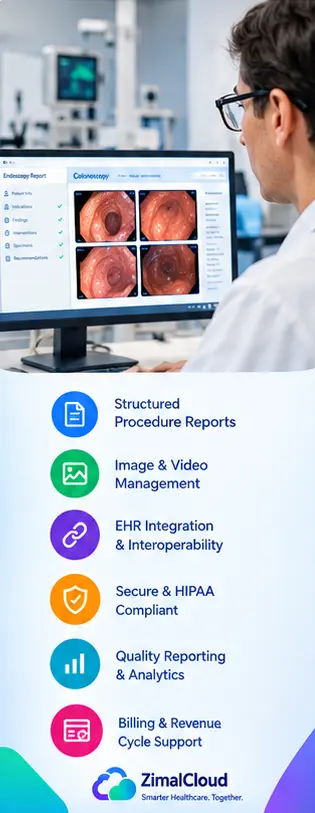
Templates should cover indications, findings, interventions, specimens, complications, and recommendations. Structured reporting keeps documentation consistent across physicians while preserving clinical flexibility.
2. Endoscopy Video Streaming, Image Capture, and Management
Modern endoscopy workflows start in the procedure room. Strong software captures live video and still images, links them to the correct patient and procedure, and places them directly in the report.
When evaluating endoscopy image and video management, consider:
- Live video streaming and image capture during the procedure
- Automatic association of images with the report
- Secure storage and retrieval
- Compatibility with your existing scopes, processors, and capture devices
- Access controls and audit trails
- Sharing reports with authorized clinicians
Verify hardware compatibility and storage requirements before you buy.
3. EHR Integration and Interoperability
If your practice already uses an EHR, practice management platform, or hospital system, integration is essential. A well-integrated solution moves patient demographics, procedure reports, diagnoses, and follow-up documentation between connected systems.
Ask vendors about HL7, FHIR, and API support. Confirm which interfaces are included, which cost extra, and whether data flows in both directions.
4. Voice Recognition and Automated Documentation
Voice dictation, reusable templates, and AI-assisted documentation can reduce repetitive typing and organize findings into structured fields. A licensed clinician should always review AI-generated content for accuracy before finalizing a report. Test these features in a live demo with realistic cases.
5. Pathology and Specimen Tracking
Biopsies need coordination between the procedure team, the pathology lab, and the treating physician. Look for specimen documentation, pathology result integration, and work queues for results awaiting review. Confirm support for your actual lab interfaces.
6. Quality Reporting and Clinical Metrics
GI practices often track quality measures and submit data to reporting programs. Useful capabilities include:
- Adenoma detection rate (ADR) tracking
- Cecal intubation documentation
- Bowel preparation quality scores
- Procedure and withdrawal times
- Quality dashboards and registry reporting
Not every product supports every metric or registry, so verify required measures and certification status with the vendor.
7. Billing and Revenue Cycle Integration
Endoscopy documentation feeds charge capture and claims. A connected workflow reduces duplicate entry and puts supporting records within reach during billing review. Look for:
- Procedure-to-charge workflows
- Diagnosis and procedure code review
- Charge capture and claim-system interfaces
- Documentation completion alerts
- Reports on incomplete or unbilled encounters
Coding decisions still require review against the actual service, documentation, and payer rules.
8. Security, Access Control, and HIPAA Compliance
US practices must protect electronic protected health information (ePHI). Ask whether the vendor offers role-based access, audit logging, encryption, backups, incident response, and a signed business associate agreement (BAA). A cloud-based product is not automatically HIPAA compliant, so review the vendor's security documentation and your shared responsibilities.
ZimalCloud: GI EHR and Endoscopy Reporting from Streaming to Final Report
ZimalCloud is a cloud-based, affordable EHR and practice management platform built to simplify clinical and administrative workflows, including gastroenterology procedure documentation. For GI practices and ambulatory surgery centers (ASCs), ZimalCloud connects the full endoscopy journey in one application:
- Endoscopy video streaming and image capture linked to the patient and procedure record
- Structured procedure reports for colonoscopy, EGD, and other GI procedures
- EHR integration so reports sit in the patient chart alongside history, orders, and results
- Pathology and follow-up workflows to keep recommendations from getting lost
- Quality reporting support for the metrics GI practices monitor
- Billing and charge-review workflows that connect documentation to the revenue cycle
The result is fewer disconnected tools, less duplicate data entry, and faster turnaround from procedure to signed report. ZimalCloud is designed to give independent GI practices and multi-location groups an affordable path to a connected gastroenterology EHR and endoscopy reporting system.
To see how it fits your procedure room, request a demo and walk through a complete workflow with your own templates.
Other GI Endoscopy Reporting Software Options to Evaluate
No single solution is best for every practice. The right choice depends on whether you need dedicated procedure reporting, a full GI EHR, or integration with an existing hospital system. These products are worth evaluating alongside ZimalCloud, based on their published capabilities. This is a shortlist, not an independent ranking.
- ModMed gGastro combines GI-focused EHR features with an endoscopy report writer, practice management, and related workflows.
- EndoSoft EndoVault offers structured procedure documentation, image and video capture, configurable reports, and quality-reporting capabilities.
- Provation focuses on procedure documentation and associated clinical workflows. Check the edition for image integration and EHR compatibility.
- enki Endoscopy Report Writer emphasizes structured reports, quality reporting, recall workflows, and referral letters.
- NewCura EndoManager emphasizes template-based reporting, electronic signatures, and EHR and imaging integration.
Comparison Table: GI Endoscopy Reporting Software
| Software | Primary focus | Key consideration |
|---|---|---|
| ZimalCloud | Affordable cloud GI EHR with endoscopy streaming-to-report workflow | Fit with your scopes, templates, and integrations |
| ModMed gGastro | Integrated GI EHR and practice operations | Fit with existing practice workflows |
| EndoSoft EndoVault | Specialized endoscopy reporting | Imaging, interfaces, and quality reporting |
| Provation | Procedure documentation | Integration with existing clinical systems |
| enki Endoscopy Report Writer | Dedicated report creation | EHR connectivity and follow-up workflows |
| NewCura EndoManager | Configurable report templates | Compatibility and implementation requirements |
No product should be chosen from a table alone. Request demos, confirm feature availability, and compare total cost of ownership.
How to Choose the Right Endoscopy Reporting Software
Step 1: Assess your practice's needs. Note your size, procedure volume, locations, and most common procedures. A small independent practice may want simple reporting and EHR integration. A multi-location group or ASC may need procedure-room coordination, analytics, and standardized workflows.
Step 2: Review your existing technology. Document your current EHR, practice management system, billing software, endoscopy equipment, and pathology connections. Decide whether you need a standalone report writer or a complete platform, and avoid paying for overlapping functions.
Step 3: Test real clinical workflows. Ask each vendor to demonstrate a full procedure, including:
- Patient identification and pre-procedure information
- Video and image capture
- Procedure-specific report creation
- Specimen documentation
- Physician review and electronic signature
- Pathology and follow-up workflows
- Report availability in the patient record
- Billing handoff and charge review
Step 4: Calculate the total cost. Include subscriptions, implementation, training, data migration, interfaces, support, and extra modules. Compare the full expected cost, not the advertised starting price.
Step 5: Evaluate training and support. Ask about onboarding, response times, updates, and go-live assistance, especially if you operate across multiple locations.
Step 6: Review data portability and security. Confirm how you can export reports and images if you switch vendors, and review data ownership, retention, backups, and termination terms.
How Endoscopy Reporting Software Improves Practice Efficiency
When properly implemented, the right software supports more consistent documentation and smoother information flow:
- More standardized reports through structured templates
- Less repetitive data entry through reusable templates and integrations
- Faster access to clinical information for authorized care team members
- More organized follow-up through recall lists, pathology workflows, and task tracking
- Better operational visibility into documentation completion, bottlenecks, and quality metrics
Actual results depend on configuration, integration quality, staff adoption, and existing workflows. Measure your baseline before go-live and compare afterward.
Why Integration Matters for Modern GI Practices
A GI practice typically juggles systems for scheduling, clinical documentation, procedure reporting, billing, and patient communication. When they don't share data, staff repeat tasks and manually transfer records.
A connected GI EHR and endoscopy reporting platform changes that. A completed report is available to the treating physician, linked to pathology results, and visible to the staff handling billing and follow-up, with no re-keying between systems.
Common Mistakes to Avoid When Selecting GI Reporting Software
- Choosing on price alone. A low subscription may exclude interfaces, training, or key features.
- Ignoring integration requirements. Confirm exactly how data moves between the reporting system and your EHR.
- Overlooking usability. A clunky interface cancels out the benefits of automation.
- Assuming all quality metrics are supported. Verify every required measure and registry.
- Skipping workflow testing. Demo real procedures and handoffs before you sign.
- Neglecting growth. Check that the system scales to more providers, locations, and volume.
- Ignoring exit terms. Review data export and transition support up front.
Conclusion
The best GI endoscopy reporting software for US practices supports accurate procedure documentation, fits your clinical workflows, and connects with the systems your team already uses. ZimalCloud, ModMed gGastro, EndoSoft EndoVault, Provation, enki, and NewCura EndoManager each take a different approach, so compare them against your real requirements.
Before deciding, evaluate structured templates, video and image management, EHR integration, pathology workflows, quality reporting, billing connections, security, and total cost of ownership. The goal is not just faster reports. It is making clinical information easier to document, review, share, and act on across the patient's care journey.
Ready to simplify your GI workflow? Request a ZimalCloud demo and see endoscopy streaming, reporting, and EHR integration in one platform.
FAQ
Frequently asked questions
What is the best GI endoscopy reporting software?
The best GI endoscopy reporting software depends on your practice size, procedure volume, EHR system, and reporting requirements. Options to evaluate include ModMed gGastro, EndoSoft EndoVault, Provation, enki Endoscopy Report Writer, and NewCura EndoManager. Compare their features, integrations, usability, security, and total cost before making a decision.
What features should endoscopy reporting software include?
Important features include structured procedure templates, endoscopic image management, electronic signatures, EHR integration, pathology workflows, follow-up tracking, quality reporting, access controls, audit logs, and billing system connectivity.
Can endoscopy reporting software integrate with an EHR?
Many endoscopy reporting solutions offer EHR integrations or interfaces. Supported systems, data exchange capabilities, implementation requirements, and additional fees vary by vendor. Practices should confirm compatibility with their existing EHR and practice management systems.
Does endoscopy reporting software support colonoscopy and EGD?
Many GI-focused reporting solutions support colonoscopy and esophagogastroduodenoscopy (EGD) documentation. Practices should verify that the selected software includes appropriate procedure templates and supports their clinical documentation requirements.
Does endoscopy reporting software help with medical billing?
Endoscopy reporting software can support charge capture, documentation review, and information transfer to billing systems. Accurate coding and claim submission still require appropriate review based on clinical documentation, payer requirements, and applicable regulations.
Is cloud-based endoscopy reporting software secure?
Cloud-based endoscopy reporting software can provide security safeguards such as encryption, role-based access controls, audit logs, and backups. US practices should review vendor security documentation, HIPAA-related responsibilities, and business associate agreements where required.
How much does GI endoscopy reporting software cost?
GI endoscopy reporting software pricing varies by vendor, practice size, features, deployment model, and integration requirements. Request a detailed quote covering subscriptions, implementation, training, interfaces, support, and additional modules.
How can a GI practice evaluate endoscopy reporting software?
A GI practice should request a live demonstration, test realistic procedure workflows, assess EHR compatibility, review security documentation, compare total ownership costs, and involve clinicians, nursing staff, administrators, and billing personnel in the selection process.