10 Essential Features Every Modern Practice Management System Should Have
A modern Practice Management System can streamline everything from scheduling and patient registration to billing, claims, communication, analytics, and security. This guide explores 10 essential features practices should look for, including automation, interoperability, revenue-cycle management, workflow tools, and secure access—all designed to create a more connected and efficient practice.
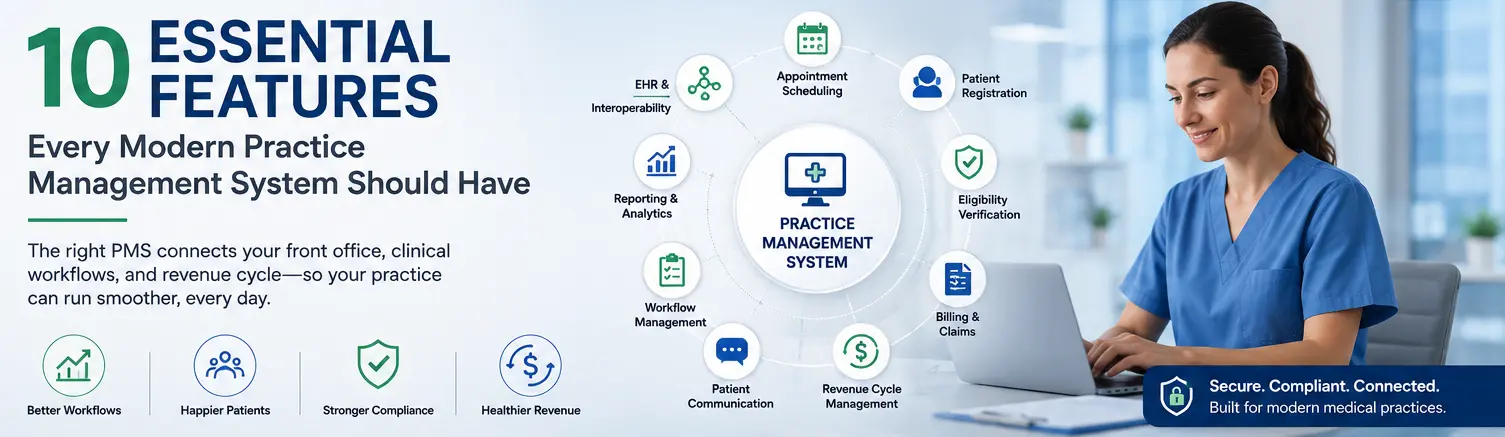
Table of contents
- Introduction
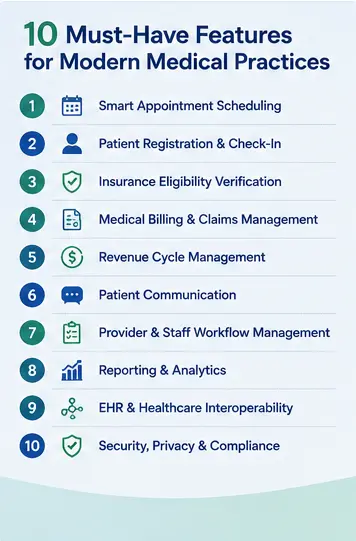
- 1. Smart Appointment Scheduling
- 2. Patient Registration and Check-In
- 3. Insurance Eligibility and Verification
- 4. Medical Billing and Claims Management
- 5. Revenue Cycle Management
- 6. Patient Communication
- 7. Provider and Staff Workflow Management
- 8. Reporting and Analytics
- 9. EHR and Healthcare Interoperability
- 10. Security, Privacy, and Compliance
- Bonus: Cloud-Based Accessibility
- Why Integration Matters More Than Individual Features
- What Should Practices Look for When Choosing a PMS?
- Ease of Use
- Scalability
- Integration
- Automation
- Security
- Reporting
- Support
- Final Thoughts
Introduction
Managing a medical practice involves much more than caring for patients. Staff members must coordinate appointments, registrations, billing, claims, communications, documentation, and daily administrative tasks—all while maintaining a smooth patient experience.
A modern Practice Management System (PMS) brings these activities together in one digital environment. The right system can reduce administrative burden, improve workflow efficiency, support revenue-cycle operations, and help practices stay organized.
But with so many healthcare software options available, what features actually matter?
Here are 10 essential features every modern practice management system should have.
1. Smart Appointment Scheduling
Scheduling is one of the most important functions of any medical practice.
A modern PMS should make it easy for staff and patients to manage appointments while reducing scheduling conflicts and administrative work.
Key capabilities can include:
- Real-time provider availability
- Calendar management
- Appointment types and durations
- Recurring appointments
- Rescheduling and cancellations
- Automated appointment reminders
- Waitlist management
- Multi-provider scheduling
A well-designed scheduling workflow helps practices make better use of provider time while creating a more convenient experience for patients.
2. Patient Registration and Check-In
Patient registration should be simple, accurate, and efficient.
Instead of repeatedly entering information manually, a modern system can provide digital registration workflows that allow practices to collect and maintain important patient information.
Useful features include:
- Digital registration forms
- Demographic information
- Insurance information
- Electronic consent forms
- Patient information updates
- Digital check-in
- Eligibility verification integration
Streamlining registration can reduce paperwork and help minimize errors caused by manual data entry.
3. Insurance Eligibility and Verification
Insurance verification is an important part of the revenue cycle.
A modern PMS should help staff verify coverage and eligibility before or around the time of a patient's visit.
The system may support:
- Insurance eligibility checks
- Coverage information
- Patient responsibility estimates
- Insurance plan management
- Verification status tracking
- Integration with clearinghouses or payer services
Early identification of coverage issues can help reduce avoidable billing problems and improve the patient financial experience.
4. Medical Billing and Claims Management
Efficient billing is essential for the financial health of a medical practice.
A modern practice management system should support the billing workflow from charge capture through claim submission and payment tracking.
Important capabilities include:
- Charge entry
- Claim creation
- Electronic claim submission
- Claim status tracking
- Payment posting
- Denial management workflows
- Accounts receivable tracking
- Patient statements
A connected billing workflow gives staff greater visibility into the revenue cycle and helps identify outstanding issues more quickly.
5. Revenue Cycle Management
Billing doesn't stop when a claim is submitted.
A comprehensive PMS should provide visibility across the revenue cycle, helping practices understand where revenue is coming from—and where problems may be occurring.
Useful functionality can include:
- Accounts receivable management
- Denial tracking
- Outstanding balance monitoring
- Payment reconciliation
- Financial reporting
- Collection workflows
- Payer performance analysis
Better visibility can help practices identify bottlenecks and make more informed operational decisions.
6. Patient Communication
Communication plays a major role in the patient experience.
A modern PMS should support convenient communication between the practice and patients.
Depending on the platform, this may include:
- Appointment reminders
- SMS notifications
- Email communication
- Automated confirmations
- Recall and follow-up messages
- Patient portal integration
- Communication preferences
Automating routine communication can reduce staff workload while helping patients stay informed.
7. Provider and Staff Workflow Management
A medical practice involves multiple people performing different tasks.
A modern PMS should make it easier to understand what needs to be done, who is responsible, and what has already been completed.
Features may include:
- Task management
- Staff assignments
- Workflow queues
- Internal notifications
- Role-based access
- Worklists
- Status tracking
Connecting these activities can help reduce missed tasks and create a more consistent operating rhythm across the practice.
8. Reporting and Analytics
Data can help practice leaders understand how their organization is performing.
A modern PMS should provide meaningful dashboards and reports rather than forcing administrators to manually compile information from multiple systems.
Important metrics may include:
- Appointment volume
- No-show rates
- Provider productivity
- Revenue
- Collections
- Accounts receivable
- Claim status
- Denial trends
- Patient volume
- Operational performance
Analytics can help practices identify trends, measure performance, and make data-informed decisions.
9. EHR and Healthcare Interoperability
Practice management should not operate in isolation.
Integration with an Electronic Health Record (EHR) and other healthcare systems can reduce duplicate data entry and help information move more efficiently between clinical and administrative workflows.
A modern PMS may integrate with:
- EHR systems
- Patient portals
- Laboratory systems
- Pharmacy systems
- Clearinghouses
- Payer systems
- Healthcare APIs
- Interoperability standards such as HL7 and FHIR
Connected systems create a more unified healthcare technology environment.
10. Security, Privacy, and Compliance
Healthcare practices handle sensitive patient information, making security and privacy essential.
A modern practice management system should incorporate appropriate safeguards for protecting information and controlling access.
Important capabilities can include:
- Role-based access controls
- User authentication
- Audit logs
- Data encryption
- Secure backups
- Access monitoring
- Privacy controls
- Appropriate HIPAA-related safeguards
Security should not be treated as an optional add-on. It should be built into the system's architecture and everyday workflows.
Bonus: Cloud-Based Accessibility
Although not included in the core 10, cloud-based accessibility has become an important consideration for modern practices.
Cloud-based systems can allow authorized users to access practice information and workflows from supported locations and devices without relying exclusively on a local server environment.
This can be particularly useful for organizations managing multiple locations, hybrid administrative teams, or distributed healthcare operations.
Why Integration Matters More Than Individual Features
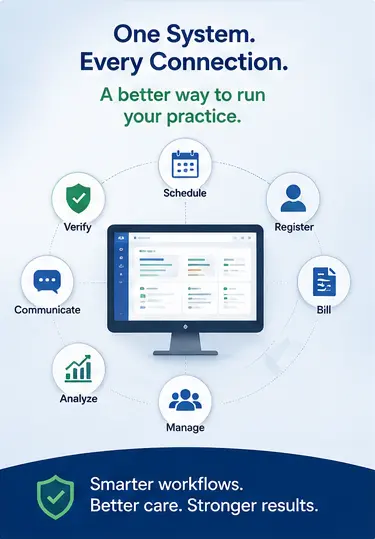
Having ten individual features doesn't necessarily make a practice management system effective.
The real value comes from how those features work together.
For example:
Appointment → Registration → Eligibility → Visit → Billing → Claim → Payment → Reporting
When these workflows are disconnected, staff may have to move information between multiple systems, increasing administrative effort and the possibility of errors.
When they are connected, information can move more smoothly through the practice's operating workflow.
That's why practices should evaluate not only what features a system offers, but also how well those features communicate with one another.
What Should Practices Look for When Choosing a PMS?
Before selecting a practice management system, healthcare organizations should consider:
Ease of Use
The system should be intuitive enough for front-office, billing, administrative, and clinical-support teams to use efficiently.
Scalability
The platform should be capable of supporting growth, additional providers, locations, and services.
Integration
Look for strong integration capabilities with EHRs, billing systems, patient engagement tools, and other healthcare technologies.
Automation
Automation can reduce repetitive administrative tasks and allow staff to focus on higher-value activities.
Security
Evaluate authentication, access controls, audit capabilities, encryption, and other security safeguards.
Reporting
Make sure administrators can access the operational and financial information needed to manage the practice.
Support
Reliable implementation, training, technical support, and ongoing updates are important for long-term success.
Final Thoughts
A modern Practice Management System should do more than replace paper-based administrative processes. It should help connect the people, information, and workflows that keep a medical practice running.
The most valuable capabilities typically include scheduling, registration, eligibility verification, billing, revenue-cycle management, communication, workflow management, analytics, interoperability, and security.
Ultimately, the best system is not simply the one with the longest feature list. It is the one that fits the practice's workflows, connects with its broader healthcare technology environment, and helps staff deliver a more efficient patient experience.