Manual vs Automated Medical Billing: Which Is Better?
Manual vs automated medical billing can significantly affect a practice's efficiency, accuracy, workload, and scalability. Manual billing relies heavily on staff, while automation streamlines repetitive tasks such as claim workflows, tracking, reporting, and follow-up. Learn the key differences, benefits, limitations, and why a hybrid approach combining automation with human oversight may be the b
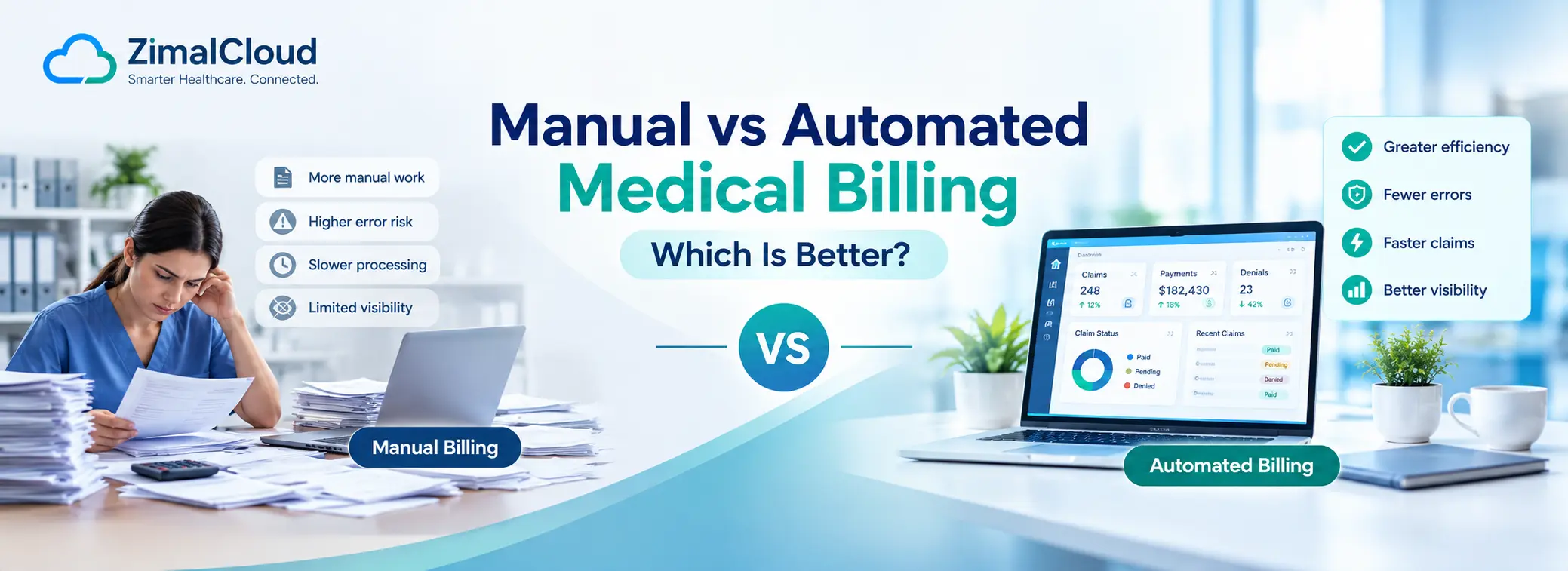
Table of contents
- Manual vs Automated Medical Billing: Which Is Better?
- What Is Manual Medical Billing?
- What Is Automated Medical Billing?
- Manual vs Automated Medical Billing: Key Differences
- 1. Efficiency
- Manual Billing
- Automated Billing
- 2. Accuracy and Error Reduction
- Manual Billing
- Automated Billing
- 3. Claim Processing
- Manual Billing
- Automated Billing
- 4. Denial Management
- Manual Billing
- Automated Billing
- 5. Staff Productivity
- Manual Billing
- Automated Billing
- 6. Cost
- Manual Billing Costs
- Automated Billing Costs
- 7. Scalability
- Manual Billing
- Automated Billing
- 8. Reporting and Visibility
- Manual Billing
- Automated Billing
- Is Manual Medical Billing Ever the Better Choice?
- Why the Best Approach Is Often Hybrid
- Benefits of Automated Medical Billing
- Reduced Administrative Work
- Faster Workflows
- Better Claim Visibility
- More Consistent Processes
- Improved Scalability
- Better Reporting
- What Should Medical Practices Look for in Automated Billing Software?
- EHR and Practice Management Integration
- Claim Management
- Denial Management
- Coding Support
- Reporting and Analytics
- Security and Compliance
- Workflow Automation
- Manual vs Automated Medical Billing: Which Is Better?
- Final Takeaway
Manual vs Automated Medical Billing: Which Is Better?
Medical billing is a critical part of every healthcare practice. It connects clinical services with claims, payments, reimbursements, and financial reporting. But the way a practice manages billing can have a major impact on efficiency, revenue, and staff workload.
Traditionally, many practices have relied on manual medical billing, where staff enter patient information, prepare claims, check eligibility, track claim status, and follow up on unpaid balances manually.
Today, automated medical billing software can handle many of these repetitive tasks with technology, workflow automation, integrations, and intelligent billing tools.
So, which is better: manual or automated medical billing?
For most growing medical practices, automated medical billing offers greater efficiency, consistency, scalability, and visibility. However, automation works best when it supports billing professionals rather than attempting to replace human oversight completely.
What Is Manual Medical Billing?
Manual medical billing involves healthcare staff performing most billing activities themselves.
Depending on the practice, this may include:
- Entering patient and insurance information
- Verifying insurance eligibility
- Reviewing charges and codes
- Preparing and submitting claims
- Checking claim status
- Identifying claim denials
- Correcting rejected claims
- Posting payments
- Following up on outstanding balances
- Preparing billing reports
- Communicating with payers
Manual processes can work for small practices with relatively low claim volumes. However, as the number of patients and claims increases, manual billing can become time-consuming and difficult to manage consistently.
What Is Automated Medical Billing?
Automated medical billing uses software to streamline repetitive billing and revenue-cycle tasks.
Depending on the platform, automation may support:
- Patient and insurance data management
- Eligibility verification
- Claim preparation
- Claim submission
- Claim status tracking
- Coding assistance
- Denial management workflows
- Payment posting
- Billing notifications
- Reporting and analytics
- Accounts receivable tracking
- Workflow alerts
Automation does not necessarily mean that every billing decision is made without human involvement. Instead, it can reduce repetitive administrative work and give billing teams better tools to identify issues and act on them.
Manual vs Automated Medical Billing: Key Differences
| Factor | Manual Medical Billing | Automated Medical Billing |
|---|---|---|
| Data entry | Mostly manual | Can be automated or reduced |
| Claim preparation | Staff-driven | Software-assisted |
| Claim tracking | Often manual | Automated status tracking may be available |
| Error detection | Depends heavily on staff review | Software can flag potential issues |
| Denial management | Manual follow-up | Workflow-based tracking and alerts |
| Reporting | May require spreadsheets or manual reports | Real-time or automated reporting |
| Staff workload | Higher | Lower for repetitive tasks |
| Scalability | More difficult | Easier to scale |
| Visibility | Can be fragmented | Centralized dashboards may improve visibility |
| Processing speed | Depends on staff capacity | Many repetitive tasks can run faster |
| Human oversight | High | Still important |
| Operational consistency | Depends on processes and staff | Can be standardized through workflows |
1. Efficiency
Manual Billing
Manual billing requires employees to complete repetitive administrative tasks individually. As claim volume increases, staff may spend more time entering information, checking statuses, and following up with payers.
This can reduce the amount of time available for higher-value activities such as denial analysis and revenue-cycle improvement.
Automated Billing
Automation can handle repetitive workflows more efficiently. For example, software may automatically route billing tasks, generate alerts, track claim activity, or organize work queues.
This allows staff to focus more on exceptions and tasks that require human judgment.
Winner: Automated billing
2. Accuracy and Error Reduction
Manual Billing
Manual data entry creates opportunities for mistakes. Errors can occur when staff enter patient information, insurance details, procedure information, or other claim-related data.
Even a small error rate can become significant when a practice processes hundreds or thousands of claims.
Automated Billing
Automated systems can reduce repetitive data entry and apply predefined rules or validation checks. Some systems can also flag missing or inconsistent information before a claim is submitted.
Automation does not eliminate errors completely. Incorrect configuration, incomplete data, or inappropriate coding can still create problems.
Winner: Automated billing, with human review
3. Claim Processing
Manual Billing
In a manual environment, billing staff may need to prepare claims, submit them, monitor their status, and manually investigate problems.
The process can become difficult to manage when claim volume increases.
Automated Billing
Automated systems can streamline claim workflows and reduce the number of manual steps required. Depending on the system and payer integrations, claims can move through standardized workflows with fewer administrative touchpoints.
Winner: Automated billing
4. Denial Management
Manual Billing
Manual denial management often involves reviewing denial information, determining the reason, correcting the issue, resubmitting the claim, and documenting the follow-up.
Without centralized tracking, some outstanding claims may be difficult to monitor.
Automated Billing
Automation can help organize denied claims and create workflows or alerts for follow-up. Analytics can also help billing teams identify recurring denial patterns.
However, complex denials may still require experienced billing professionals to investigate and resolve them.
Winner: Automated billing with expert oversight
5. Staff Productivity
Manual Billing
Billing teams can spend significant amounts of time on repetitive administrative work.
This may include:
- Re-entering information
- Checking claim status
- Creating reports
- Searching for missing information
- Sending routine notifications
- Updating spreadsheets
Automated Billing
Automation can reduce repetitive work and allow staff to concentrate on more complex responsibilities.
For example, instead of manually checking every claim, staff may be able to work from a prioritized queue showing claims that require attention.
Winner: Automated billing
6. Cost
The cost comparison between manual and automated billing is more complicated.
Manual Billing Costs
Manual billing may appear less expensive because the practice does not necessarily need sophisticated software. However, labor costs, administrative overhead, billing errors, delayed follow-up, and inefficient workflows can increase the overall cost.
Automated Billing Costs
Automated billing requires an investment in software, implementation, integrations, training, and potentially ongoing subscription or service fees.
However, automation can reduce repetitive administrative work and potentially improve operational efficiency.
The right question is therefore not simply:
"Which option costs less?"
Instead, practices should ask:
"Which approach provides the best overall value for our billing workload and revenue-cycle needs?"
7. Scalability
Manual Billing
Manual workflows can become increasingly difficult as a practice grows.
Adding more patients and claims generally means adding more staff time and administrative effort.
Automated Billing
Automation is generally easier to scale because software can manage larger volumes of repetitive tasks without requiring a proportional increase in manual effort.
This can be particularly valuable for multi-provider practices, specialty groups, and organizations managing multiple care programs.
Winner: Automated billing
8. Reporting and Visibility
Manual Billing
Practices that depend heavily on spreadsheets or disconnected systems may have difficulty getting a complete view of billing performance.
Staff may need to combine information from multiple sources to understand:
- Outstanding claims
- Denial trends
- Accounts receivable
- Payment activity
- Claim turnaround
- Payer performance
Automated Billing
Modern billing platforms can centralize billing information and provide dashboards, reports, and workflow alerts.
Better visibility can help management identify problems earlier and make more informed operational decisions.
Winner: Automated billing
Is Manual Medical Billing Ever the Better Choice?
Automation is not automatically the right answer for every practice.
Manual processes may still make sense when:
- The practice has a very small billing volume
- Billing workflows are relatively simple
- The practice is just starting operations
- Available automation tools do not integrate with existing systems
- Certain billing decisions require specialized manual review
- The cost of implementing automation outweighs the expected operational benefit
Even in highly automated environments, human oversight remains important.
Why the Best Approach Is Often Hybrid
The most effective billing strategy is not necessarily 100% manual or 100% automated.
A hybrid approach combines technology with experienced billing professionals.
For example:
Software handles:
- Repetitive data processing
- Workflow routing
- Claim tracking
- Alerts
- Reporting
- Automated notifications
- Rule-based validation
People handle:
- Complex billing decisions
- Coding review
- Denial investigation
- Exceptions
- Payer-specific issues
- Compliance oversight
- Final quality checks
This approach allows technology to handle repetitive work while people remain responsible for decisions that require experience and judgment.
Benefits of Automated Medical Billing
For practices considering automation, several potential benefits stand out.
Reduced Administrative Work
Automation can reduce repetitive tasks and help staff spend more time on activities that require human expertise.
Faster Workflows
Automated processes can move information through predefined workflows without requiring staff to manually initiate every step.
Better Claim Visibility
Centralized dashboards and status tracking can make it easier to identify claims that need attention.
More Consistent Processes
Standardized workflows can help reduce variations in how billing tasks are performed.
Improved Scalability
Automation can help practices manage increasing billing volumes without relying entirely on additional manual labor.
Better Reporting
Automated reporting can provide management with a clearer view of billing performance and outstanding work.
What Should Medical Practices Look for in Automated Billing Software?
Not all billing platforms provide the same capabilities. Before selecting a solution, practices should consider:
EHR and Practice Management Integration
The billing system should integrate effectively with the practice's existing technology and workflows.
Claim Management
Look for tools that support claim preparation, submission, tracking, and follow-up.
Denial Management
The system should help staff identify, organize, and work on denied or rejected claims.
Coding Support
Coding tools can help identify potential issues, but qualified professionals should remain responsible for final coding decisions.
Reporting and Analytics
Look for dashboards that provide useful information about claims, payments, denials, accounts receivable, and other key metrics.
Security and Compliance
Healthcare billing systems handle sensitive patient and financial information. Practices should evaluate security controls, access management, data protection, audit capabilities, and applicable healthcare compliance requirements.
Workflow Automation
The ability to automate repetitive tasks and create standardized workflows can provide significant operational value.
Manual vs Automated Medical Billing: Which Is Better?
For practices with growing patient volumes and increasingly complex revenue-cycle operations, automated medical billing is generally the stronger long-term option.
Manual billing can still work for smaller or simpler operations, but it becomes harder to maintain as workload increases.
The goal of automation should not be to remove people from the billing process. Instead, it should be to remove unnecessary manual work so billing teams can focus on higher-value tasks.
A well-designed automated billing workflow can help practices improve efficiency, increase visibility, standardize processes, and scale their operations more effectively.
Final Takeaway
The difference between manual and automated medical billing ultimately comes down to how much repetitive work a practice wants technology to handle.
Manual billing gives teams direct control but can require significant time and effort.
Automated billing can streamline repetitive processes, improve workflow visibility, and support scalability while keeping experienced professionals involved where human judgment matters.
For most modern healthcare organizations, the strongest model is a technology-enabled billing workflow with human oversight.
The right solution is not simply the one that automates the most tasks. It is the one that helps your billing team work more accurately, efficiently, and consistently while maintaining appropriate oversight and compliance.
FAQ
Frequently asked questions
What is manual medical billing?
Manual medical billing involves healthcare staff performing billing tasks such as entering patient and insurance information, preparing and submitting claims, checking claim status, managing denials, posting payments, and preparing reports.
What is automated medical billing?
Automated medical billing uses software and technology to streamline repetitive billing tasks such as claim workflows, eligibility processes, claim tracking, reporting, notifications, and other revenue cycle management activities.
Is automated medical billing better than manual billing?
For many growing medical practices, automated medical billing can provide greater efficiency, consistency, scalability, and visibility than highly manual processes. Human oversight remains important for complex billing decisions, coding review, denial management, and compliance.
Does automated medical billing reduce errors?
Automated medical billing can reduce errors associated with repetitive manual data entry by using standardized workflows, validation checks, and automated processes. However, automation does not eliminate all billing errors, and appropriate human review remains important.
How does automated medical billing improve efficiency?
Automated medical billing can reduce repetitive administrative work, streamline claim workflows, provide alerts, organize billing tasks, and improve reporting. This allows billing teams to spend more time on complex issues and revenue cycle improvement.
Can automated medical billing help with claim denials?
Yes. Automated billing systems can help organize denied claims, provide workflow alerts, track follow-up activities, and identify recurring denial patterns. Complex denials may still require experienced billing professionals to investigate and resolve.
Is manual medical billing still useful?
Yes. Manual billing may be appropriate for small practices with low claim volumes, simple workflows, or situations where specialized review is required. Many practices benefit from combining manual expertise with automated billing technology.
What is the best approach to medical billing?
A hybrid approach is often effective. Automation can handle repetitive tasks such as claim tracking, workflow routing, reporting, and notifications, while experienced billing professionals manage complex decisions, coding review, denials, exceptions, and compliance oversight.