How to Choose the Right Practice Management Software for Your Medical Practice
Choosing the right practice management software can improve scheduling, eligibility verification, coding, claims, payments, denials, and financial reporting. Learn which features to evaluate, what questions to ask vendors, how to compare cloud and on-premise solutions, and why security, integration, usability, scalability, and total cost matter when selecting software for your medical practice.
Table of contents
- How to Choose the Right Practice Management Software for Your Medical Practice
- What Is Practice Management Software?
- Why Choosing the Right Practice Management Software Matters
- 10 Features to Look for in Practice Management Software
- 1. Easy Patient Registration
- 2. Efficient Appointment Scheduling
- 3. Insurance Eligibility Verification
- 4. Medical Coding Support
- 5. Claims Management
- 6. ERA and Payment Posting
- 7. Accounts Receivable and Denial Management
- 8. Reporting and Analytics
- 9. EHR Integration
- 10. Security and Access Controls
- Cloud-Based vs. On-Premise Practice Management Software
- Cloud-Based Software
- On-Premise Software
- How to Evaluate Practice Management Software
- Questions to Ask a Practice Management Software Vendor
- Consider Total Cost, Not Just the Subscription Price
- Don't Ignore User Experience
- Look for Scalability
- Integration Can Make a Major Difference
- Common Mistakes to Avoid
- Choosing Based Only on Price
- Buying Too Many Features
- Ignoring Integration
- Skipping a Product Demo
- Forgetting Staff Feedback
- Overlooking Data Migration
- A Simple Practice Management Software Checklist
- Final Thoughts
- Ready to Modernize Your Practice Management?
How to Choose the Right Practice Management Software for Your Medical Practice
Running a medical practice involves much more than providing excellent patient care. Practices also need to manage appointments, patient information, insurance verification, medical billing, claims, payments, denials, and financial reporting.
When these processes are handled through disconnected systems or manual workflows, administrative work can quickly become overwhelming.
The right practice management software can bring these activities together, improve workflow efficiency, reduce administrative burden, and give practice owners better visibility into their operations.
But with so many healthcare software options available, how do you choose the right solution?
This guide explains the most important features and considerations when selecting practice management software for a medical practice.
What Is Practice Management Software?
Practice management software is a healthcare technology solution designed to help medical practices manage their administrative, financial, and operational activities.
Depending on the platform, practice management software may support:
- Patient registration
- Appointment scheduling
- Insurance eligibility verification
- Patient communication
- Encounter management
- Medical coding
- Claims management
- Electronic claim submission
- Electronic remittance advice (ERA)
- Payment posting
- Accounts receivable management
- Denial management
- Patient billing
- Financial reporting
The goal is to connect these workflows so staff can spend less time switching between systems and more time supporting patients and providers.
Why Choosing the Right Practice Management Software Matters
The wrong software can create more work instead of reducing it.
A solution may look impressive during a sales demonstration but still fail to meet your practice's day-to-day requirements.
The right platform should fit your:
- Practice size
- Specialty
- Number of providers
- Patient volume
- Billing workflow
- Insurance mix
- Staffing structure
- Growth plans
- Technology requirements
A good practice management system should make everyday processes easier, not force your staff to constantly work around the software.
10 Features to Look for in Practice Management Software
1. Easy Patient Registration
Patient registration is one of the first administrative steps in the healthcare workflow.
Look for software that makes it easy to manage:
- Patient demographics
- Contact information
- Insurance details
- Emergency contacts
- Responsible parties
- Communication preferences
- Patient documents
Reducing duplicate data entry can save staff time and improve data accuracy.
2. Efficient Appointment Scheduling
Scheduling is central to practice operations.
Your software should make it easy to:
- Create appointments
- View provider availability
- Reschedule appointments
- Cancel appointments
- Manage appointment types
- Track no-shows
- Manage recurring appointments
- Coordinate multiple providers or locations
A clear scheduling interface can help staff manage busy calendars with fewer errors.
3. Insurance Eligibility Verification
Insurance problems can lead to delayed payments, claim denials, and unexpected patient bills.
Practice management software should support an efficient eligibility workflow that helps staff verify important insurance information before appointments and billing.
Look for capabilities such as:
- Insurance plan information
- Eligibility status
- Coverage details
- Patient responsibility information
- Verification tracking
- Alerts for missing or outdated insurance information
Early verification can help practices identify problems before they become billing issues.
4. Medical Coding Support
Accurate coding is an important part of the revenue cycle.
The right software should provide tools that help authorized staff manage applicable:
- ICD-10 codes
- CPT codes
- HCPCS codes
- Modifiers
- Diagnosis information
- Procedure information
Coding workflows should be easy to review and should support the practice's established compliance processes.
5. Claims Management
Claims are a critical connection between clinical services and reimbursement.
Look for software that helps staff:
Create → Review → Submit → Track → Correct → Resubmit
Useful claims-management capabilities may include:
- Claim creation
- Claim validation
- Electronic submission
- Claim status tracking
- Rejection alerts
- Correction workflows
- Resubmission tracking
- Reporting
A centralized claims workflow can make it easier to identify problems before they significantly affect cash flow.
6. ERA and Payment Posting
Receiving payments is only one part of the revenue cycle. Practices also need to accurately record and reconcile those payments.
Look for support for:
- Electronic remittance advice
- Insurance payments
- Patient payments
- Adjustments
- Contractual amounts
- Payment reconciliation
- Payment posting
Efficient payment posting helps maintain accurate account balances and financial records.
7. Accounts Receivable and Denial Management
A practice can generate substantial charges but still experience financial problems if outstanding balances are not properly managed.
Your practice management software should provide visibility into:
- Outstanding claims
- Patient balances
- Aging accounts
- Denied claims
- Unpaid claims
- Payment trends
- Collection activity
Strong reporting can help your team identify where revenue is getting delayed.
8. Reporting and Analytics
Practice owners need more than basic billing information.
Look for customizable reports that provide insight into:
- Revenue
- Collections
- Accounts receivable
- Claims
- Denials
- Payments
- Provider productivity
- Appointment volume
- Patient balances
- Financial trends
A dashboard can make important information easier to understand and act on.
9. EHR Integration
If your practice already uses an Electronic Health Record (EHR), integration should be a major consideration.
When EHR and practice management systems communicate effectively, information can move more smoothly between clinical and administrative workflows.
For example:
Patient → Encounter → Eligibility → Coding → Claim → Submission → ERA → Payment
Reducing duplicate data entry can improve efficiency and decrease opportunities for errors.
10. Security and Access Controls
Healthcare software handles sensitive patient and financial information, so security should be a major consideration.
Ask potential vendors about:
- User authentication
- Role-based access
- Data encryption
- Audit logs
- Backup processes
- Access controls
- Security monitoring
- Data protection practices
- Compliance support
Your organization should also evaluate the vendor's agreements, policies, security documentation, and responsibilities rather than relying solely on marketing claims.
Cloud-Based vs. On-Premise Practice Management Software
Another important decision is how the software will be deployed.
Cloud-Based Software
Cloud-based systems are hosted by the software provider and accessed through an internet connection.
Potential advantages include:
- Access from multiple locations
- Easier software updates
- Reduced local infrastructure requirements
- Scalability
- Centralized data management
- Support for distributed teams
On-Premise Software
On-premise software is installed and managed within the organization's own infrastructure.
It may provide greater control over certain infrastructure decisions, but the organization may also be responsible for:
- Hardware
- Maintenance
- Updates
- Backups
- Security infrastructure
- IT support
The best choice depends on your practice's technical capabilities, budget, security requirements, and operational model.
How to Evaluate Practice Management Software
Before selecting a vendor, create a list of your practice's current problems.
For example:
Problem: Staff spend too much time verifying insurance.
Requirement: Efficient eligibility verification workflow.
Problem: Claims are difficult to track.
Requirement: Centralized claim status and rejection management.
Problem: Owners lack visibility into financial performance.
Requirement: Real-time dashboards and customizable reports.
This approach helps you evaluate software based on actual business needs rather than simply choosing the platform with the longest feature list.
Questions to Ask a Practice Management Software Vendor
Before signing a contract, ask potential vendors:
- Does the platform support our medical specialty?
- Can it handle our current patient volume?
- Can it scale as our practice grows?
- Does it support insurance eligibility verification?
- How are claims created and submitted?
- Does it support ERA and payment posting?
- How does the system handle claim denials?
- What reporting and analytics are available?
- Does it integrate with our existing EHR?
- Can users access the system remotely?
- What security controls are available?
- How are backups handled?
- What customer support is included?
- Is staff training provided?
- What are the implementation and migration processes?
- What are the total costs beyond the monthly subscription?
- Can we export our data if we change vendors?
These questions can reveal important differences between software platforms.
Consider Total Cost, Not Just the Subscription Price
Price is important, but the cheapest system is not always the most cost-effective.
When comparing vendors, consider:
- Subscription fees
- Implementation costs
- Data migration
- Training
- Support
- Additional users
- Additional providers
- Clearinghouse fees
- Integration costs
- Customization
- Hardware requirements
- Contract terms
A slightly higher software cost may be worthwhile if the platform significantly reduces administrative work and improves revenue-cycle efficiency.
Don't Ignore User Experience
A powerful platform is not useful if staff find it difficult to use.
During a product demonstration, ask actual users to test common workflows.
For example:
- Register a patient
- Schedule an appointment
- Verify insurance
- Create an encounter
- Add billing information
- Submit a claim
- Review a rejection
- Post a payment
- Generate a report
The goal is to see how easily staff can complete real-world tasks.
Look for Scalability
Your practice may look very different in three or five years.
You may add:
- More providers
- More locations
- New specialties
- Additional services
- More patients
- New billing workflows
- Additional care-management programs
Choose software that can grow with your organization instead of forcing you to replace the system as your practice expands.
Integration Can Make a Major Difference
Modern healthcare practices often use multiple systems.
A practice may have separate tools for:
- EHR
- Practice management
- Medical billing
- Patient engagement
- Remote patient monitoring
- Chronic Care Management
- Behavioral health
- Scheduling
When these systems are disconnected, staff may have to repeatedly enter the same information.
An integrated healthcare platform can reduce unnecessary duplication and create a more connected workflow.
For example, a platform such as ZimalCloud brings EHR and practice-management capabilities together with additional healthcare workflows, helping practices manage clinical and administrative processes within a connected environment.
Common Mistakes to Avoid
Choosing Based Only on Price
A low monthly price does not necessarily mean lower total cost.
Buying Too Many Features
More features are not always better. Focus on capabilities your practice will actually use.
Ignoring Integration
A system that does not communicate well with your existing tools can create additional administrative work.
Skipping a Product Demo
Always test important workflows before making a final decision.
Forgetting Staff Feedback
Your staff will use the system every day. Their feedback can identify usability problems that may not be obvious during a sales presentation.
Overlooking Data Migration
Moving existing patient and financial information can be complex. Understand the migration process before signing a contract.
A Simple Practice Management Software Checklist
Before choosing a solution, evaluate whether it provides:
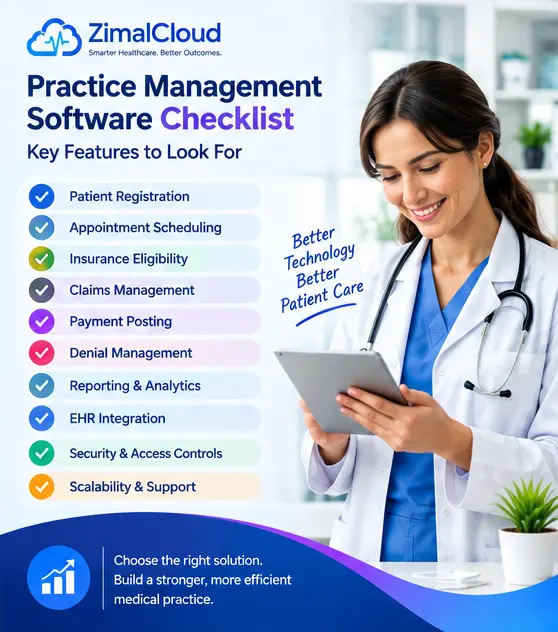
- ✓ Patient registration
- ✓ Appointment scheduling
- ✓ Insurance eligibility
- ✓ Encounter management
- ✓ Coding support
- ✓ Claims management
- ✓ Electronic claim submission
- ✓ ERA and payment posting
- ✓ Denial management
- ✓ Accounts receivable tracking
- ✓ Financial reporting
- ✓ EHR integration
- ✓ Security and access controls
- ✓ Scalability
- ✓ Staff training
- ✓ Customer support
- ✓ Data migration assistance
Final Thoughts
Choosing the right practice management software is an important decision for any medical practice.
The best solution is not necessarily the platform with the most features or the lowest price. It is the system that fits your workflows, supports your staff, connects your clinical and administrative processes, and can grow with your practice.
Start by identifying your current challenges. Then compare vendors based on functionality, usability, integration, security, scalability, support, and total cost.
A well-chosen practice management platform can help your team spend less time managing administrative complexity and more time focusing on what matters most: efficient practice operations and better patient care.
Ready to Modernize Your Practice Management?
Choose smarter workflows. Connect your EHR and practice management. Build a more efficient healthcare operation with ZimalCloud.