Best EHR for Gastroenterology Practices: 12 Features That Matter
Choosing an EHR for a gastroenterology practice? This buyer’s guide walks through 12 features that matter most, from structured endoscopy reporting and prior authorization tracking to pathology follow-up, surveillance recall, quality reporting, interoperability and HIPAA security, with a vendor question for each feature to use in your next demo.
Table of contents
- Why Gastroenterology Practices Need a GI-Ready EHR
- What Makes a Gastroenterology EHR Different From a General EHR?
- 12 Features to Look for in the Best EHR for Gastroenterology
- 1. Structured endoscopy and colonoscopy reporting with image capture
- 2. Procedure scheduling and endoscopy workflow
- 3. Prior authorization and eligibility tracking
- 4. Bowel prep instructions and patient communication
- 5. Pathology and biopsy results tracking
- 6. Surveillance recall and polyp interval management
- 7. GI-specific coding, charge capture and claims
- 8. Quality reporting (MIPS, GIQuIC, ADR tracking)
- 9. Interoperability with labs, pathology, hospitals and ASCs
- 10. Chronic GI care programs (CCM, PCM, RPM for IBD and liver disease)
- 11. Security, HIPAA safeguards and audit logs
- 12. Cloud access, implementation and support
- How to Evaluate a Gastroenterology EHR Before You Buy
- Final Thoughts: Choosing the Right EHR for Your GI Practice
Why Gastroenterology Practices Need a GI-Ready EHR
A gastroenterology practice does not run like a primary care office. Your day revolves around procedures: colonoscopies, EGDs, biopsies, bowel prep, pathology follow-up and surveillance intervals that stretch years into the future. When an EHR is built around generic office visits, your team ends up working around it with spreadsheets, sticky notes and duplicate data entry.
Choosing the best EHR for gastroenterology means looking past generic feature lists and asking how the system handles procedure-day reality. This guide walks through 12 features that matter most, what each one should do for your practice, and the questions to ask in every vendor demo. Use it as a checklist whether you are replacing an aging system or evaluating gastroenterology EHR software for the first time.
What Makes a Gastroenterology EHR Different From a General EHR?
General EHRs are designed around the visit: a patient arrives, a clinician documents, a claim goes out. Gastroenterology adds several layers on top of that cycle.
- Procedures drive workflow and revenue. Scheduling, prep, sedation, documentation, images and billing all connect to a single event.
- Results arrive later. Biopsy findings come back days after the procedure and must reach the right clinician and the patient.
- Follow-up is long-term. A polyp finding today may set a surveillance recall years from now.
- Quality is measured. Practices track measures such as adenoma detection rate (ADR) and report through registries and MIPS.
- Care spans settings. Many practices work across the office, an ambulatory surgery center (ASC) and hospital endoscopy units.
A GI-ready EHR treats these as core workflows rather than add-ons. That is the difference between an EHR your staff tolerates and one that shortens procedure days.
12 Features to Look for in the Best EHR for Gastroenterology
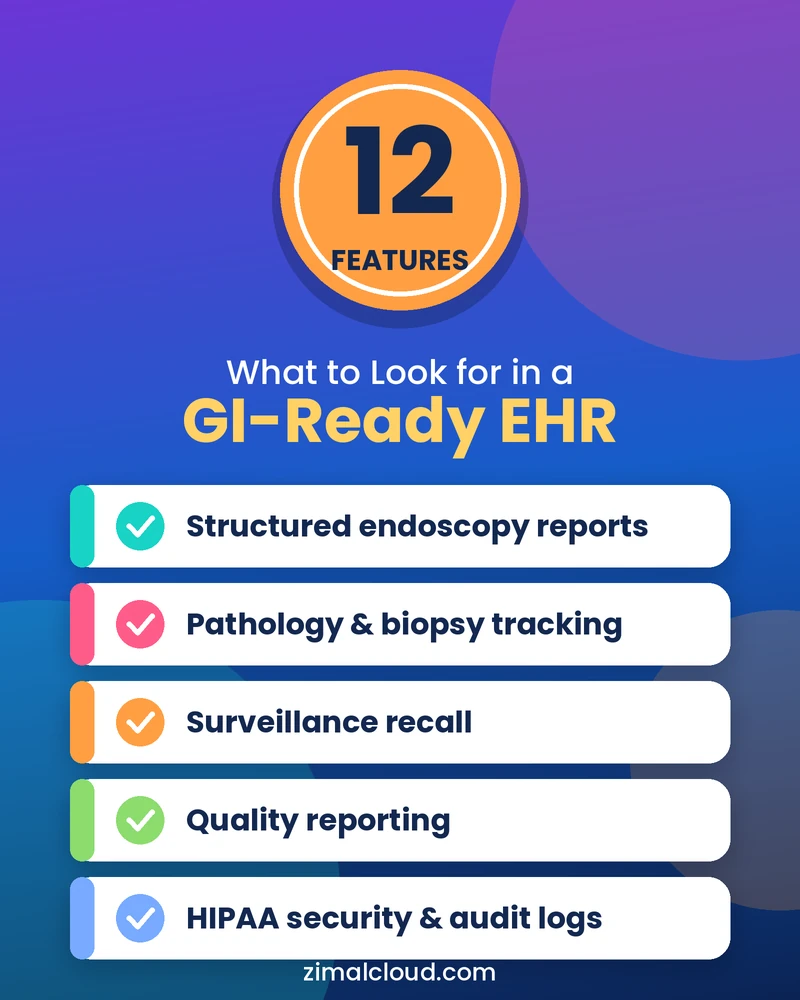
The features below are ordered roughly along the patient journey, from the procedure itself to follow-up, billing and long-term care. Each one includes a question you can bring to your next vendor demo.
1. Structured endoscopy and colonoscopy reporting with image capture
Procedure reports are the center of your documentation. Look for structured templates for colonoscopy, EGD, flexible sigmoidoscopy and other procedures, with discrete fields for indication, bowel prep quality, findings, polyp size and location, interventions and recommendations. Image capture and annotation should attach directly to the report, and the final document should flow into the chart without retyping. Structured data also makes quality reporting and recall tracking far easier later. For a deeper look, see our guide to endoscopy reporting software for GI practices.
Ask a vendor: Can physicians complete a report quickly without free-typing every field?
2. Procedure scheduling and endoscopy workflow
Procedure days run on tight timing. A strong GI EHR lets schedulers book by procedure type, room, provider and anesthesia needs, and flags conflicts or missing prerequisites. It should also support the patient journey around the procedure, including pre-procedure checklists, check-in and post-procedure status. If you use an ASC, scheduling should work across locations without double entry. Fewer gaps and last-minute cancellations protect both patient access and revenue.
Ask a vendor: How does the system handle same-day add-ons, cancellations and multi-room schedules?
3. Prior authorization and eligibility tracking
Missing authorizations and eligibility problems are a common source of canceled procedures and denied claims. Look for eligibility checks at scheduling, authorization status tracking, and task queues that alert staff when something is still pending before the procedure date. Visibility matters as much as automation: staff should see at a glance which patients are cleared, which are waiting and which need follow-up.
Ask a vendor: Can we track authorization status by patient and procedure, and see what is outstanding for next week’s schedule?
4. Bowel prep instructions and patient communication
Poor bowel prep can lead to incomplete exams, repeat procedures and frustrated patients. A GI EHR should support procedure-specific prep instructions, reminders by text, email or portal, and intake and consent forms completed before arrival. Messages should be secure and tracked in the chart. Clear, timely communication can also reduce no-shows and day-of-procedure surprises.
Ask a vendor: Can instructions be customized by procedure, sedation type and physician preference?
5. Pathology and biopsy results tracking
A biopsy is not finished when the procedure ends. Your EHR should link specimens to the procedure, track pending pathology reports, route results to the responsible clinician, and document patient notification and next steps. Open loops are both a patient-safety concern and a liability risk, so look for clear alerts when a result is overdue rather than relying on staff memory.
Ask a vendor: What happens if a pathology result has not arrived within the expected time?
6. Surveillance recall and polyp interval management
Surveillance colonoscopy intervals depend on findings, patient history and guideline-based recommendations, and the next procedure may be years away. The EHR should store the recommended interval as discrete data, generate recall lists and trigger outreach when a patient is due. Intervals should always remain subject to your physicians’ judgment and current guidelines. Without a reliable recall system, patients get lost between procedures, which creates clinical risk and missed return visits.
Ask a vendor: Can the recall interval be set from the procedure report and edited by the physician?
7. GI-specific coding, charge capture and claims
Gastroenterology billing has its own complexity: screening colonoscopies that become diagnostic or therapeutic, multiple procedure codes in a single session, modifiers, and professional versus facility claims. Your EHR or connected practice management system should capture charges from the procedure documentation, support coder review, validate claims before submission and track denials and payments. Tight integration between clinical and billing data reduces rework. Explore how practice management and billing software can connect these steps.
Ask a vendor: How are charges generated from the procedure report, and who reviews them before submission?
8. Quality reporting (MIPS, GIQuIC, ADR tracking)
Quality reporting should not be a manual scramble. Look for support for MIPS-related reporting, registry participation such as GIQuIC, and dashboards for measures like adenoma detection rate by provider. Because these measures depend on structured documentation, your reporting is only as good as your procedure data. Confirm which measures and registries a vendor supports for your current reporting year, since requirements change.
Ask a vendor: Which quality programs are supported out of the box, and which require custom work?
9. Interoperability with labs, pathology, hospitals and ASCs
GI practices exchange information with reference labs, pathology groups, referring physicians, hospitals and ASCs. Ask about standards such as HL7 and FHIR, existing interfaces to your pathology and lab partners, and how documents and results flow into the chart. Poor integration shows up as faxes, scans and manual re-entry. Also ask about implementation timelines and costs for each interface, not just whether one exists.
Ask a vendor: Which of our current lab, pathology and ASC partners do you already integrate with?
10. Chronic GI care programs (CCM, PCM, RPM for IBD and liver disease)
Many GI patients, including those with Crohn’s disease, ulcerative colitis, cirrhosis or chronic liver conditions, need ongoing management between visits. An EHR that supports programs such as chronic care management (CCM), principal care management (PCM) and remote patient monitoring (RPM) helps practices document care plans, time spent, monitoring data and outreach in the same record. This can support continuity of care and a more structured approach to eligible services, subject to payer rules. You can see how one platform approaches this in our chronic care management software.
Ask a vendor: Can we run and document these programs inside the same patient record, without separate tools?
11. Security, HIPAA safeguards and audit logs
GI records include sensitive diagnoses, images and financial information. Look for role-based access, strong authentication, encryption, audit logs, backup and recovery, and clear business associate agreement (BAA) terms. Cloud-based does not automatically mean secure or compliant, so ask how the vendor manages these safeguards and which responsibilities remain with your practice.
Ask a vendor: Can we review access and audit logs, and who is responsible for what under the BAA?
12. Cloud access, implementation and support
The best features mean little if implementation goes poorly. Evaluate how data is migrated, how long training takes, what support is available on procedure days, and how updates are handled. A cloud-based system can simplify remote access and multi-location management, but the vendor’s onboarding process and support model matter just as much. Ask for references from practices of similar size and specialty.
Ask a vendor: What does go-live look like, and who will support our team during the first weeks of procedures?
How to Evaluate a Gastroenterology EHR Before You Buy
Turn the 12 features above into a scorecard, and ask every vendor to demonstrate them with your real workflows rather than a scripted tour.
- Walk through a complete colonoscopy from scheduling, prior authorization and prep to the report, pathology, recall and claim.
- Ask to see the quality and recall reports your practice would actually use.
- Request a data migration plan, timeline and cost.
- Confirm integrations with your current labs, pathology groups, clearinghouse and ASC.
- Review security documentation and the BAA.
- Speak with at least two reference practices in gastroenterology.
- Get pricing in writing, including interfaces, training and support.
Final Thoughts: Choosing the Right EHR for Your GI Practice
The best EHR for gastroenterology is the one that supports how your practice actually runs: from the first referral and prior authorization to the procedure report, pathology follow-up, surveillance recall and claim. Use the 12 features above to build your scorecard, test vendors with your own workflows, and ask for proof rather than promises.
Ready to see what a GI-focused platform looks like? Book a Gastroenterology EHR Demo and see how ZimalCloud supports endoscopy reporting, recalls and billing in one GI platform.
Let’s see what your GI program is missing
Live procedure workflows built around endoscopy, accurate codes, and a ready-to-send PDF.
- Calendar Play → signed GI procedure.
- CPT auto-rules: indications → actions.
- Capture and annotate scope frames.
- Template Colonoscopy, EGD, Flex Sig.
- Findings, withdrawal time, cecal.
- GI catalogs and coding rules config.
See features and workflows on Gastroenterology EHR Software.
This launch offer has ended.
FAQ
Frequently asked questions
What is the best EHR for gastroenterology practices?
There is no single best EHR for every practice. The best choice is the one that fits your procedure volume, locations, ASC use, billing model and integrations. Prioritize structured endoscopy reporting, recall management, pathology tracking and quality reporting, then validate them in a live demo.
What features should a gastroenterology EHR have?
At a minimum: structured procedure reporting with images, procedure scheduling, prior authorization tracking, pathology and recall management, GI-aware billing, quality reporting, interoperability and strong security controls. The 12 features in this guide give you a full checklist.
Is a GI-specific EHR better than a general EHR?
For procedure-heavy practices, often yes, because GI workflows are built in rather than customized afterward. A general EHR may work for smaller or consult-focused practices, but expect more customization and workarounds around endoscopy documentation and recall.
How much does a gastroenterology EHR cost?
Pricing varies by vendor, number of providers, modules, interfaces, training and support. Ask for a written quote covering implementation, data migration, interfaces and ongoing fees so you can compare total cost, not just the monthly subscription.
How long does it take to implement a GI EHR?
Timelines depend on practice size, data migration, interfaces and training needs. A multi-location practice with several integrations will take longer than a single-site practice. Ask each vendor for a written timeline with milestones and your team’s responsibilities.
Is a cloud-based GI EHR HIPAA compliant?
A cloud-based EHR can support HIPAA compliance, but the platform alone does not make a practice compliant. Look for a signed BAA, access controls, encryption, audit logs and documented security practices, and make sure your own policies and staff training are in place.