A Physician’s Guide to Integrating CCM Into the Existing Practice Workflow
Chronic Care Management (CCM) can help practices coordinate care for eligible patients with multiple chronic conditions without disrupting daily operations. This guide explains how physicians can integrate CCM into existing workflows, from patient identification and care-plan development to monthly follow-up, documentation, time tracking, and billing.
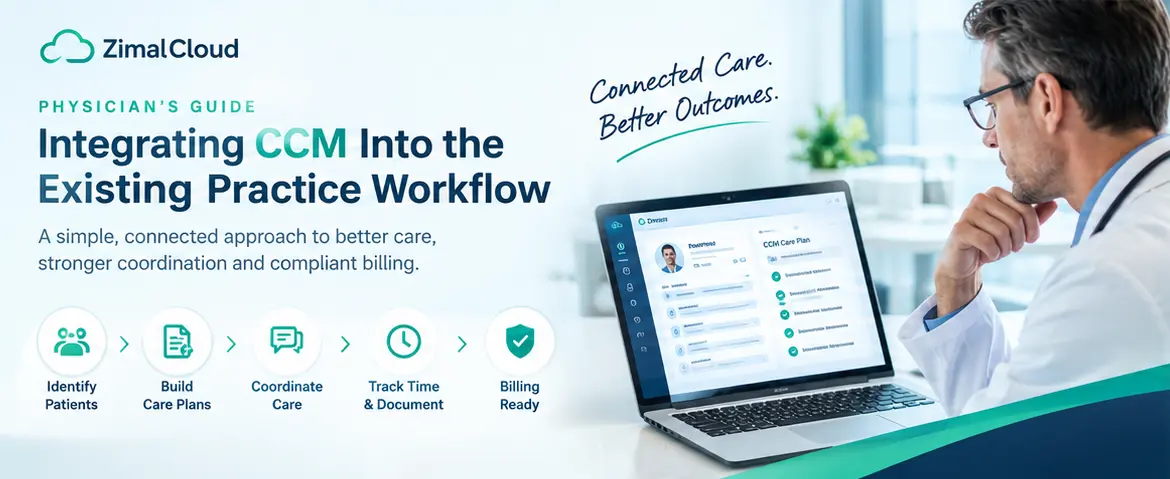
Table of contents
- A Physician’s Guide to Integrating CCM Into the Existing Practice Workflow
- What Is Chronic Care Management?
- Why CCM Integration Can Be Difficult
- 1. Identifying Eligible Patients
- 2. Separate Documentation
- 3. Manual Time Tracking
- 4. Communication Gaps
- 5. Billing Workflow Issues
- Step 1: Identify Patients Who May Benefit From CCM
- Step 2: Build CCM Into the Existing Patient Workflow
- Step 3: Establish a Consistent Enrollment Process
- Step 4: Create an Individualized Care Plan
- Step 5: Connect CCM With the Existing EHR
- One Patient Record, Multiple Care Activities
- Step 6: Assign Clear Responsibilities
- Step 7: Track Care-Management Activities
- Why Time Tracking Matters
- Step 8: Make Provider Review Part of the Workflow
- Step 9: Create a Billing-Ready Workflow
- Step 10: Monitor the Workflow
- Common CCM Workflow Mistakes
- 1. Creating CCM as a Completely Separate System
- 2. Treating Every Chronic-Care Patient the Same
- 3. Leaving Time Tracking Until the End of the Month
- 4. Making Physicians Responsible for Every CCM Task
- 5. Separating Documentation From Billing
- 6. Ignoring Patient Engagement
- How Technology Can Simplify CCM Integration
- Patient Identification
- Digital Care Plans
- Activity Documentation
- Time Tracking
- Provider Review
- Billing Preparation
- Unified Patient Record
- A Practical CCM Workflow for a Medical Practice
- Benefits of Integrating CCM Into Existing Workflows
- How ZimalCloud Can Support CCM Workflows
- Final Thoughts
A Physician’s Guide to Integrating CCM Into the Existing Practice Workflow
Chronic Care Management (CCM) can provide a structured way for medical practices to support patients with multiple chronic conditions between office visits. However, introducing CCM into a busy practice can feel challenging when physicians and staff are already managing appointments, documentation, prescriptions, referrals, billing, and follow-up care.
The key is not to create an entirely separate workflow.
Instead, CCM should fit into the practice's existing clinical and administrative processes.
With the right workflow, practices can identify eligible patients, develop individualized care plans, coordinate ongoing care, document required activities, track time, and prepare billing information without creating unnecessary administrative work.
This guide explains how physicians can integrate CCM into an existing practice workflow.
What Is Chronic Care Management?
Chronic Care Management is a structured approach to coordinating ongoing care for eligible patients with chronic conditions.
Instead of limiting chronic disease management to occasional office visits, CCM supports ongoing communication and care coordination throughout the month.
Depending on the patient's needs and applicable program requirements, CCM workflows may involve:
- Patient identification and eligibility review
- Patient consent and enrollment
- Comprehensive care-plan development
- Medication and treatment coordination
- Communication with patients and caregivers
- Coordination with other healthcare providers
- Monitoring of care needs
- Monthly documentation
- Time tracking
- Provider review and approval
- Billing preparation
The objective is to make ongoing chronic care more organized and connected.
Why CCM Integration Can Be Difficult
Many practices already use established workflows for patient care. Adding another program can create additional administrative steps if CCM operates separately.
Common challenges include:
1. Identifying Eligible Patients
Physicians may have many patients with chronic conditions, but identifying which patients may qualify for CCM can require reviewing diagnoses, clinical information, and program requirements.
2. Separate Documentation
If CCM documentation is stored separately from the primary patient record, staff may need to switch between systems.
This can make it harder to see the complete picture of a patient's care.
3. Manual Time Tracking
CCM involves tracking qualifying care-management activities and applicable time requirements. Manual tracking can increase administrative workload and create documentation gaps.
4. Communication Gaps
CCM often involves multiple people, including physicians, care managers, specialists, and patients.
Without a coordinated workflow, important follow-ups can be missed.
5. Billing Workflow Issues
Even when care is properly documented, billing can become difficult if the practice does not have a consistent process for reviewing completed CCM work and preparing claims.
Step 1: Identify Patients Who May Benefit From CCM
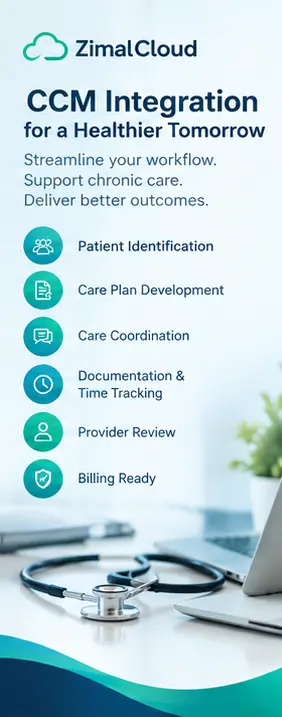
The first step is creating a systematic patient-identification process.
Rather than relying entirely on manual chart reviews, practices can use their existing patient data and clinical workflows to identify patients who may meet applicable CCM criteria.
Potential indicators may include:
- Multiple chronic conditions
- Frequent healthcare utilization
- Complex medication regimens
- Multiple specialists
- Recurrent care coordination needs
- Difficulty managing chronic conditions
- Frequent communication or follow-up requirements
Importantly, clinical eligibility and program requirements should be verified before enrollment or billing.
The physician and practice should establish clear criteria for identifying appropriate patients.
Step 2: Build CCM Into the Existing Patient Workflow
CCM works best when it becomes part of the normal patient journey rather than a completely separate process.
A simplified workflow might look like:
Patient Visit → Identify Potential CCM Patient → Eligibility Review → Patient Enrollment → Care Plan → Monthly Care Management → Documentation → Provider Review → Billing
This approach allows CCM activities to connect with existing clinical workflows.
For example, during a routine office visit, the practice may identify a patient who has multiple chronic conditions and ongoing coordination needs.
Instead of handling CCM later through a disconnected process, the patient can move directly into an established CCM workflow.
Step 3: Establish a Consistent Enrollment Process
Once a patient is identified, the practice should have a standardized enrollment process.
The workflow can include:
- Confirm applicable eligibility requirements.
- Explain the CCM program to the patient.
- Obtain required consent.
- Document enrollment.
- Establish the patient's care-management needs.
- Create the initial care plan.
- Assign appropriate staff responsibilities.
Standardization helps reduce variation between patients and ensures that important steps are not overlooked.
Step 4: Create an Individualized Care Plan
A care plan should reflect the patient's actual healthcare needs.
A useful CCM care plan may address areas such as:
- Chronic conditions
- Treatment goals
- Medications
- Symptoms
- Risk factors
- Preventive care
- Patient preferences
- Care-team responsibilities
- Follow-up requirements
- Referrals
- Self-management activities
The care plan should not simply be a generic template.
It should provide the care team with a practical roadmap for managing the patient's ongoing needs.
Step 5: Connect CCM With the Existing EHR
One of the biggest workflow improvements can come from connecting CCM activities with the patient's existing electronic health record.
When relevant information is available within the same patient record, staff can more easily access:
- Patient demographics
- Diagnoses
- Medications
- Appointments
- Clinical documentation
- Care plans
- Communication history
- CCM activity
- Related care programs
This reduces the need to repeatedly search through disconnected systems.
One Patient Record, Multiple Care Activities
For practices offering several services, a connected record can also help coordinate CCM with other workflows such as:
- Primary care
- Behavioral health integration
- Remote patient monitoring
- Preventive care
- Specialty care
- Practice management
The goal is to make the patient record the central source of information.
Step 6: Assign Clear Responsibilities
CCM should not become an undefined responsibility for the physician.
A successful workflow clearly establishes who handles each activity.
For example:
| CCM Activity | Potential Responsibility |
|---|---|
| Patient identification | Clinical/administrative staff |
| Eligibility review | Qualified practice staff |
| Patient enrollment | Designated CCM staff |
| Care-plan development | Care team |
| Routine follow-up | Care-management staff |
| Care coordination | Care team |
| Documentation | Staff performing the activity |
| Clinical oversight | Physician/qualified practitioner |
| Final review | Appropriate clinical professional |
| Billing preparation | Billing team |
The exact structure will vary by practice.
The important point is to define responsibilities before launching the program.
Step 7: Track Care-Management Activities
CCM involves ongoing work throughout the month.
That work may include activities such as:
- Patient calls
- Care coordination
- Medication-related communication
- Reviewing relevant information
- Communicating with other providers
- Updating care plans
- Follow-up activities
Practices should document the work performed according to applicable requirements.
Why Time Tracking Matters
Manual time tracking can become difficult when staff are managing multiple patients.
A structured digital workflow can make it easier to associate activities with the correct patient and maintain appropriate records.
Practices should also ensure that their tracking and documentation processes align with current Medicare and payer requirements.
Step 8: Make Provider Review Part of the Workflow
Physicians should be able to review relevant CCM information without having to reconstruct the patient's monthly activity manually.
A streamlined workflow can present:
- Current care plan
- Recent patient interactions
- Care-management activities
- Time information
- Outstanding issues
- Escalations
- Follow-up needs
This gives physicians a clearer view of what happened during the month.
The physician can then address clinical issues requiring attention and complete applicable review or approval steps.
Step 9: Create a Billing-Ready Workflow
CCM documentation and billing should be connected.
A common workflow is:
Care Activity → Documentation → Time Tracking → Review → Approval → Billing Preparation
This reduces the possibility of completing care-management work without a clear path toward billing review.
However, practices should not assume that documentation alone makes a service billable.
CCM billing depends on applicable requirements, patient eligibility, consent, documentation, time, and other Medicare or payer rules.
Because billing requirements can change, practices should verify current requirements before submitting claims.
Step 10: Monitor the Workflow
After CCM is implemented, physicians and practice managers should regularly review how the process is working.
Useful operational metrics may include:
- Number of patients identified
- Number of eligible patients
- Enrollment rate
- Completed care plans
- Monthly follow-up activity
- Documentation completion
- Time-tracking completion
- Provider review status
- Billing-ready cases
- Rejected or returned claims
- Patient engagement
Monitoring these areas can help identify workflow bottlenecks.
For example, if many patients are identified but few complete enrollment, the enrollment process may need improvement.
If care activities are completed but documentation frequently remains unfinished, the documentation workflow may need attention.
Common CCM Workflow Mistakes
1. Creating CCM as a Completely Separate System
A disconnected CCM process can create duplicate documentation and additional administrative work.
Better approach: Integrate CCM with the existing patient record and practice workflow whenever possible.
2. Treating Every Chronic-Care Patient the Same
Patients have different conditions, goals, medications, and care needs.
Better approach: Create individualized care plans.
3. Leaving Time Tracking Until the End of the Month
Trying to reconstruct activities later can create documentation challenges.
Better approach: Capture qualifying activities as they occur.
4. Making Physicians Responsible for Every CCM Task
Physicians already manage substantial clinical responsibilities.
Better approach: Establish a team-based workflow with clearly assigned responsibilities.
5. Separating Documentation From Billing
If billing teams have to manually reconstruct completed CCM activities, the process can become inefficient.
Better approach: Connect documentation, time tracking, review, and billing preparation.
6. Ignoring Patient Engagement
CCM is not simply an administrative billing program.
Patients need meaningful ongoing care coordination.
Better approach: Build regular communication, follow-up, education, and care coordination into the workflow.
How Technology Can Simplify CCM Integration
Technology can help practices turn CCM from a collection of manual tasks into a structured workflow.
A connected CCM platform can potentially provide:
Patient Identification
Help staff identify patients who may require chronic care management.
Digital Care Plans
Create and maintain structured care plans within the patient record.
Activity Documentation
Capture care-management activities as they occur.
Time Tracking
Track applicable care-management time within the appropriate workflow.
Provider Review
Give physicians a centralized view of CCM activity requiring clinical attention.
Billing Preparation
Connect completed documentation and workflow steps to billing operations.
Unified Patient Record
Keep CCM information alongside other patient-care and practice-management information.
The technology should support the practice workflow—not force physicians and staff to redesign everything around the software.
A Practical CCM Workflow for a Medical Practice
A practice can structure its workflow around the following sequence:
1. Identify
Find patients who may meet applicable CCM criteria.
↓
2. Verify
Review eligibility and applicable program requirements.
↓
3. Enroll
Explain CCM and complete required enrollment and consent processes.
↓
4. Plan
Create an individualized care plan.
↓
5. Coordinate
Perform appropriate monthly care-management activities.
↓
6. Document
Record activities and relevant patient interactions.
↓
7. Track
Track applicable time and workflow requirements.
↓
8. Review
Provide appropriate physician or qualified practitioner oversight.
↓
9. Prepare
Move completed, documented services into the practice's billing workflow.
↓
10. Improve
Monitor operational performance and refine the process.
Benefits of Integrating CCM Into Existing Workflows
When CCM is designed around existing practice operations, it can help practices create a more consistent approach to chronic care.
Potential operational benefits include:
- Better care coordination
- More organized patient follow-up
- Centralized documentation
- Reduced duplicate data entry
- Clearer staff responsibilities
- More consistent time tracking
- Easier provider oversight
- Better visibility into ongoing care
- More connected billing workflows
The specific results will depend on the practice's patient population, staffing model, technology, and implementation process.
How ZimalCloud Can Support CCM Workflows
ZimalCloud is designed to connect CCM with broader medical-practice workflows rather than treating chronic care management as an isolated application.
With a connected patient record, practices can manage CCM-related activities such as:
- Patient care plans
- Monthly care-management reviews
- Time tracking
- Provider review
- Documentation
- Care coordination
- Billing-ready workflow
CCM can also exist alongside other practice workflows, including practice management, EHR, RPM, BHI, PCM, MH, and GI services.
This approach helps practices work from one patient record instead of managing disconnected systems for each service.
Final Thoughts
Integrating Chronic Care Management into a medical practice does not have to mean creating an entirely new operational system.
The most practical approach is to connect CCM with workflows the practice already uses.
Start with patient identification, establish clear enrollment procedures, create individualized care plans, assign responsibilities, document activities consistently, track applicable time, incorporate provider oversight, and connect completed work with the billing process.
Most importantly, CCM should support clinical care rather than add unnecessary administrative complexity.
With a well-designed workflow and appropriate technology, physicians and their teams can make chronic care management a more organized part of everyday practice operations.