How to Manage Patients, Encounters, Claims, and Payments in One System
Manage patients, encounters, claims, and payments from one connected practice management system. From patient registration and eligibility verification to coding, claim submission, ERA processing, payment posting, and patient balances, an integrated workflow helps medical practices reduce manual work, improve billing visibility, organize staff tasks, and manage the revenue cycle more efficiently.
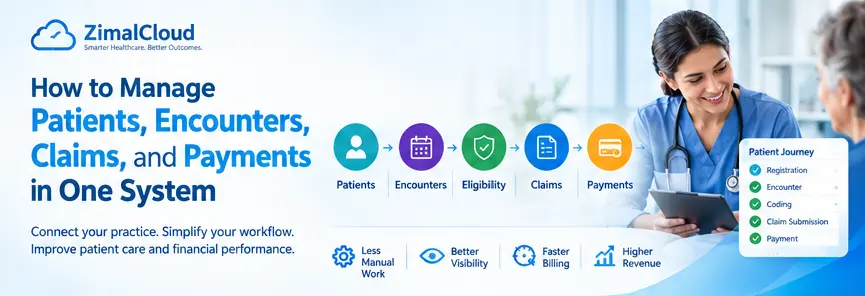
Table of contents
- How to Manage Patients, Encounters, Claims, and Payments in One System
- What Is an Integrated Practice Management System?
- 1. Manage Patients in a Centralized Record
- Why Centralized Patient Management Matters
- 2. Manage Encounters From the Same Patient Record
- Example Encounter Workflow
- 3. Verify Eligibility Before Billing
- Why Eligibility Verification Is Important
- 4. Review and Code the Encounter
- Coding and Billing Should Work Together
- 5. Automatically Move Billing-Ready Encounters to Claims
- Example Biller Workflow
- 6. Create and Submit Claims
- 7. Track Claim Status
- 8. Manage ERA and EOB Information
- Example
- 9. Post Insurance and Patient Payments
- Why Accurate Payment Posting Matters
- 10. Manage Patient Balances and Statements
- 11. Use Work Queues to Organize Billing Tasks
- Biller Work Queue
- Coder Work Queue
- Eligibility Work Queue
- 12. Connect the Complete Revenue Cycle
- Patient Registration
- Appointment & Encounter
- Coding & Billing
- Claims
- Adjudication
- Payment
- Patient Account
- Benefits of Managing Everything in One System
- 1. Less Duplicate Data Entry
- 2. Better Visibility
- 3. Faster Billing
- 4. Easier Claim Follow-Up
- 5. More Accurate Financial Records
- 6. Improved Staff Productivity
- 7. Better Reporting
- What Should a Modern Practice Management System Include?
- Final Thoughts
How to Manage Patients, Encounters, Claims, and Payments in One System
Managing a medical practice involves much more than scheduling appointments. Staff must maintain patient records, document encounters, verify eligibility, create claims, submit them to payers, track payments, and follow up on unpaid or denied claims.
When these activities are handled across disconnected systems, information can become difficult to track and administrative work increases. A modern practice management system (PMS) can bring patients, encounters, claims, billing, and payments together in one connected workflow.
What Is an Integrated Practice Management System?
An integrated practice management system connects the major administrative and billing activities of a medical practice in one platform.
Instead of maintaining separate information for patient registration, encounters, claims, and payments, the system creates a connected workflow:
Patient → Appointment → Encounter → Coding → Eligibility → Claim → Submission → ERA/EOB → Payment → Patient Balance
This helps practices maintain consistent information throughout the revenue cycle and gives authorized staff a clearer view of each patient's financial and clinical workflow.
1. Manage Patients in a Centralized Record
The patient record is the foundation of the practice management workflow.
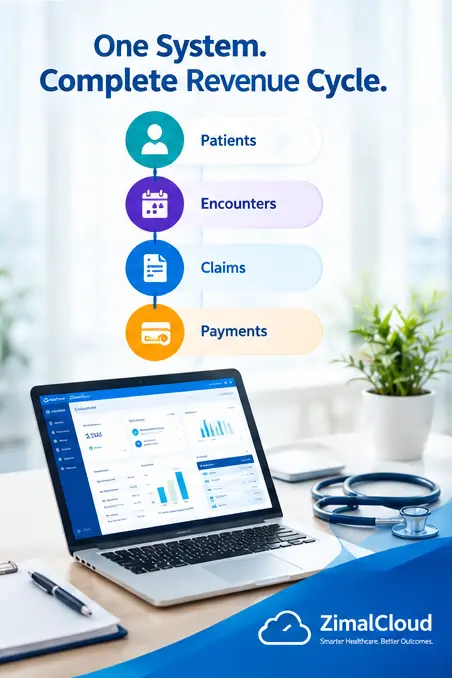
A centralized patient profile can contain information such as:
- Patient demographics
- Contact information
- Insurance details
- Subscriber information
- Primary care provider
- Assigned provider or clinician
- Appointments
- Encounters
- Diagnoses and procedures
- Claims
- Payments
- Outstanding balances
- Statements
- Documents and notes
When staff open a patient record, they should be able to quickly understand the patient's current status without searching through multiple applications.
Why Centralized Patient Management Matters
A single patient record can reduce duplicate data entry and help staff identify missing information before billing.
For example, if a patient's insurance information changes, authorized staff can update the patient profile and use the updated information when preparing future claims.
2. Manage Encounters From the Same Patient Record
An encounter represents a patient's interaction with the healthcare practice.
Depending on the practice and service, an encounter may include:
- Date of service
- Provider or clinician
- Reason for visit
- Diagnoses
- Procedures
- CPT/HCPCS codes
- ICD-10-CM codes
- Clinical documentation
- Service-specific information
- Time documentation when applicable
- Billing status
After the provider completes and signs the encounter, the system can move it into the appropriate billing workflow.
Example Encounter Workflow
A simple workflow could be:
Appointment → Check-In → Encounter → Documentation → Provider Sign → Coding Review → Billing Ready
This creates a clear separation between clinical documentation and billing activities while allowing authorized staff to work from the same patient record.
3. Verify Eligibility Before Billing
Insurance eligibility verification is an important step in the revenue cycle.
Before submitting a claim, staff may need to confirm information such as:
- Whether the patient's coverage is active
- Member and subscriber information
- Insurance plan
- Effective dates
- Copay or deductible information
- Coverage details
- Payer information
An integrated system can connect eligibility information with the patient and encounter so staff do not have to repeatedly enter the same information.
Why Eligibility Verification Is Important
Submitting a claim with incorrect or inactive insurance information can result in rejection, denial, or delayed payment.
Therefore, eligibility verification should happen at an appropriate point in the workflow, often before the service or billing process according to the practice's procedures and payer requirements.
4. Review and Code the Encounter
Once an encounter is completed, the billing workflow may require coding and documentation review.
A coder or qualified billing professional can review:
- ICD-10-CM diagnosis codes
- CPT procedure codes
- HCPCS codes when applicable
- Modifiers
- Units
- Place of service
- Provider information
- Medical necessity and documentation support
- Payer-specific requirements
Technology can help identify missing information or potential coding issues, but coding decisions should remain subject to applicable coding guidelines, payer rules, and qualified professional review.
Coding and Billing Should Work Together
The goal is not simply to create a claim quickly. The goal is to create a claim supported by the encounter documentation and appropriate coding.
A connected system can help the biller identify encounters that are:
Completed → Signed → Coded → Reviewed → Billing Ready
This is much easier than searching manually through multiple systems.
5. Automatically Move Billing-Ready Encounters to Claims
After an encounter meets the practice's billing requirements, it can become available for claim creation.
For example, the system can apply configurable rules such as:
- Encounter is completed
- Provider has signed documentation
- Required diagnosis is present
- Required procedure code is present
- Required patient information is available
- Insurance information is available
- Required billing fields are complete
The encounter can then appear in a Billing Ready or Claims work queue.
Example Biller Workflow
A biller could open:
Claims → Billing Ready → Select Encounters → Review → Create Claim
This provides a controlled workflow instead of allowing incomplete encounters to move directly into claim submission.
6. Create and Submit Claims
A practice management system can generate electronic claims from billing-ready encounter information.
The claim may contain information such as:
- Patient details
- Subscriber information
- Payer information
- Billing provider
- Rendering provider
- Date of service
- Diagnosis codes
- Procedure codes
- Modifiers
- Units
- Charges
- Place of service
Claims can then be submitted electronically through the practice's clearinghouse or other supported payer connection.
A typical workflow is:
Encounter → Claim Creation → Claim Validation → Clearinghouse → Payer
The system should also maintain the claim's status so billing staff can identify what happened after submission.
7. Track Claim Status
Claim management should not stop after submission.
A useful practice management system can provide statuses such as:
- Draft
- Ready for Review
- Submitted
- Accepted
- Rejected
- Pending
- Paid
- Partially Paid
- Denied
- Appealed
- Corrected
- Closed
These statuses help billers determine which claims require action.
For example:
Rejected Claim → Correct Information → Resubmit
or:
Denied Claim → Review Denial Reason → Correct/Appeal → Resubmit
Instead of searching through payer websites or spreadsheets, staff can use a centralized claim work queue.
8. Manage ERA and EOB Information
After a payer processes a claim, the practice may receive payment and remittance information.
An Electronic Remittance Advice (ERA), commonly associated with the 835 transaction, can contain information about:
- Payment amount
- Allowed amount
- Contractual adjustments
- Patient responsibility
- Denials
- Claim-level adjustments
- Service-line payment information
The practice management system can use this information to help staff post payments against the appropriate claims.
Example
Suppose a claim contains a $150 charge and the payer processes it with:
- Allowed amount: $100
- Insurance payment: $80
- Patient responsibility: $20
- Adjustment: $50
The system can record these amounts against the claim and patient account according to the remittance information.
9. Post Insurance and Patient Payments
Payment posting connects the claim with the patient's financial account.
Payments may come from:
- Insurance companies
- Patients
- Other responsible parties
The system can maintain:
Charge → Insurance Payment → Adjustment → Patient Responsibility → Remaining Balance
This allows billing staff to understand exactly what remains unpaid.
Why Accurate Payment Posting Matters
Incorrect payment posting can make accounts appear unpaid when they have already been paid or can create inaccurate patient balances.
An integrated system helps connect payment transactions directly to claims and patient accounts.
10. Manage Patient Balances and Statements
After insurance processing, some amounts may become the patient's responsibility.
Depending on the practice's workflow, this can include:
- Copay
- Coinsurance
- Deductible
- Non-covered amounts
- Other valid patient responsibility amounts
The system can calculate and display the outstanding balance and support patient statements.
A patient account might show:
Total Charges → Insurance Payments → Adjustments → Patient Payments → Remaining Balance
This gives billing staff a clearer financial picture.
11. Use Work Queues to Organize Billing Tasks
One of the biggest advantages of an integrated system is the ability to organize work by status.
For example:
Biller Work Queue
- Encounters ready for billing
- Claims requiring review
- Rejected claims
- Denied claims
- Claims awaiting payment
- Patient balances
- Unposted ERAs
Coder Work Queue
- Encounters awaiting coding
- Missing diagnosis codes
- Missing procedure codes
- Documentation requiring review
Eligibility Work Queue
- Insurance verification pending
- Inactive coverage
- Missing subscriber information
- Insurance information requiring correction
This allows each team member to focus on the tasks assigned to their role.
12. Connect the Complete Revenue Cycle
The real benefit comes when all these processes are connected.
A modern practice management system can provide a complete revenue-cycle workflow:
Patient Registration
Patient → Demographics → Insurance
↓
Appointment & Encounter
Appointment → Check-In → Encounter → Documentation
↓
Coding & Billing
Coding → Billing Review → Billing Ready
↓
Claims
Claim → Validation → Submission → Clearinghouse → Payer
↓
Adjudication
Accepted → Processed → ERA/EOB
↓
Payment
Insurance Payment → Adjustment → Patient Responsibility
↓
Patient Account
Patient Payment → Balance → Statement → Account Resolution
This connected workflow gives practices greater visibility from the first patient interaction through final payment.
Benefits of Managing Everything in One System
1. Less Duplicate Data Entry
Patient and insurance information can flow through the workflow rather than being entered repeatedly.
2. Better Visibility
Staff can see the relationship between patients, encounters, claims, payments, and balances.
3. Faster Billing
Billing teams can quickly identify completed and billing-ready encounters.
4. Easier Claim Follow-Up
Claim statuses and work queues help staff identify rejected, denied, pending, and unpaid claims.
5. More Accurate Financial Records
Payments, adjustments, and patient responsibility can be connected directly to claims and accounts.
6. Improved Staff Productivity
Different teams can work from dedicated queues instead of maintaining separate spreadsheets and systems.
7. Better Reporting
Practice administrators can monitor metrics such as:
- Total charges
- Claims submitted
- Claims paid
- Denial rates
- Outstanding balances
- Accounts receivable
- Payment collections
- Payer performance
What Should a Modern Practice Management System Include?
When evaluating practice management software, practices should consider whether the platform supports:
- Patient management
- Appointment management
- Encounter management
- Insurance eligibility
- Coding workflows
- Claim creation
- Electronic claim submission
- Claim status tracking
- ERA/EOB processing
- Payment posting
- Patient billing
- Statements
- Denial management
- Accounts receivable
- Reporting and dashboards
- Role-based access
- Audit trails
- Integration with EHR and other healthcare systems
The exact workflow should be configurable according to the practice's specialty, payer requirements, and operational processes.
Final Thoughts
Managing patients, encounters, claims, and payments in separate systems can create unnecessary administrative work and make it difficult to understand the complete revenue cycle.
An integrated practice management system connects these processes into one workflow—from patient registration and encounter documentation to claim submission, payment posting, and patient balances.
For medical practices, the goal is not simply to automate individual tasks. It is to create a connected workflow where clinical, administrative, and billing information moves efficiently between the people responsible for each step.
A well-designed system can help practices improve visibility, reduce manual work, organize billing operations, and manage the revenue cycle more effectively.
FAQ
Frequently asked questions
What is an integrated practice management system?
An integrated practice management system connects patient management, encounters, eligibility verification, coding, claims, payment posting, patient balances, and reporting in one platform.
How does one system manage patient information?
A centralized patient record can contain demographics, contact information, insurance details, appointments, encounters, claims, payments, balances, statements, and related documents.
How are encounters connected to medical billing?
Once an encounter is completed and required documentation and coding are reviewed, it can move into a billing-ready workflow where authorized billing staff can create and submit a claim.
Why is insurance eligibility verification important?
Eligibility verification helps practices confirm coverage and insurance information before billing, reducing the risk of claim rejections, denials, and payment delays caused by incorrect or inactive coverage information.
How does a practice management system handle claims?
A practice management system can create claims from billing-ready encounters, validate required information, support electronic submission through a clearinghouse, and track claim statuses such as submitted, accepted, rejected, denied, paid, or pending.
What is ERA or EOB in medical billing?
An ERA, or Electronic Remittance Advice, provides electronic information about how a payer processed a claim, including payments, adjustments, denials, and patient responsibility. An EOB, or Explanation of Benefits, communicates similar payment and responsibility information to the patient.
How does payment posting work in a practice management system?
Payment posting records insurance and patient payments against claims and accounts. The system can also record applicable adjustments and patient responsibility to help maintain accurate account balances.
Can one system manage patient balances and statements?
Yes. An integrated system can calculate and display outstanding patient responsibility, track patient payments, maintain account balances, and support patient statements.
What are the benefits of managing patients, encounters, claims, and payments in one system?
Using one connected system can reduce duplicate data entry, improve workflow visibility, organize billing tasks, simplify claim follow-up, improve payment tracking, and provide better revenue-cycle reporting.
What should a modern practice management system include?
A modern practice management system should ideally support patient management, appointments, encounters, eligibility, coding workflows, claims, electronic submissions, claim tracking, ERA/EOB processing, payment posting, patient billing, statements, denial management, accounts receivable, reporting, role-based access, and audit trails.