How to Protect Patient Data in Cloud-Based Healthcare Systems
Protecting patient data in cloud-based healthcare systems requires strong security at every level. Learn how encryption, multi-factor authentication, access controls, employee training, secure APIs, backups, monitoring, and incident response can help healthcare organizations reduce cybersecurity risks, protect sensitive health information, support compliance, and maintain patient trust.
Table of contents
- Introduction
- What Is Patient Data in Cloud-Based Healthcare Systems?
- Why Is Patient Data Security Important?
- 10 Ways to Protect Patient Data in Cloud-Based Healthcare Systems
- 1. Choose a Secure and Healthcare-Ready Cloud Provider
- 2. Encrypt Patient Data
- Data at Rest
- Data in Transit
- 3. Implement Strong Access Controls
- 4. Use Multi-Factor Authentication
- 5. Monitor User Activity and Maintain Audit Logs
- 6. Keep Software and Systems Updated
- 7. Train Employees on Healthcare Cybersecurity
- 8. Create Secure Backup and Disaster Recovery Plans
- 9. Secure APIs and Third-Party Integrations
- 10. Develop an Incident Response Plan
- HIPAA and Cloud-Based Patient Data
- Shared Responsibility in Cloud Security
- Common Mistakes That Put Patient Data at Risk
- A Practical Patient Data Security Checklist
- Benefits of Strong Cloud Patient Data Security
- Better Patient Trust
- Reduced Cybersecurity Risk
- Improved Operational Resilience
- Better Data Governance
- Easier Security Management
- Final Thoughts
Introduction
Cloud-based healthcare systems have transformed how medical practices, hospitals, clinics, and healthcare organizations store, manage, and access patient information. From electronic health records (EHRs) and medical billing platforms to telehealth and remote patient monitoring, cloud technology makes healthcare data more accessible and easier to manage.
However, storing patient data in the cloud also introduces important security and privacy responsibilities. Healthcare organizations must protect sensitive information from unauthorized access, data breaches, ransomware, accidental disclosure, and other cybersecurity threats.
A strong cloud security strategy combines encryption, access controls, authentication, monitoring, employee training, backups, and regulatory compliance. This guide explains practical ways healthcare organizations can protect patient data in cloud-based systems.
What Is Patient Data in Cloud-Based Healthcare Systems?
Patient data includes any information that can identify a patient or reveal details about their health and treatment.
Examples include:
- Patient names and contact information
- Medical histories and diagnoses
- Laboratory and imaging results
- Prescription and medication information
- Insurance and billing records
- Treatment plans
- Appointment information
- Clinical notes
- Patient communications
- Health information collected through connected devices
Much of this information may qualify as Protected Health Information (PHI) under HIPAA in the United States.
When healthcare data is stored or processed through cloud platforms, organizations need appropriate safeguards to protect it throughout its lifecycle.
Why Is Patient Data Security Important?
Healthcare data is highly sensitive and valuable. A security incident can affect both patients and healthcare organizations.
A data breach may result in:
- Exposure of confidential patient information
- Identity theft or fraud
- Financial losses
- Disruption of clinical operations
- Regulatory penalties
- Legal consequences
- Loss of patient trust
- Damage to an organization's reputation
Healthcare providers therefore need to treat cloud security as an ongoing process, rather than a one-time technology implementation.
10 Ways to Protect Patient Data in Cloud-Based Healthcare Systems
1. Choose a Secure and Healthcare-Ready Cloud Provider
The foundation of cloud security starts with selecting the right provider.
Healthcare organizations should evaluate whether a cloud provider offers appropriate security controls, privacy protections, monitoring capabilities, and contractual commitments.
When evaluating a provider, consider:
- Data encryption
- Access management
- Security monitoring
- Backup and recovery capabilities
- Audit logging
- Vulnerability management
- Incident response
- Data-center security
- Compliance support
- Business associate agreements (BAAs), where applicable
Do not select a cloud platform based only on price or storage capacity. Security should be one of the primary evaluation criteria.
2. Encrypt Patient Data
Data encryption helps prevent unauthorized individuals from reading sensitive information.
Healthcare organizations should consider encryption for both:
Data at Rest
This refers to information stored in databases, servers, cloud storage, and backups.
Data in Transit
This refers to information moving between users, applications, devices, servers, or cloud services.
Using strong encryption reduces the risk of exposing patient information if data is intercepted or improperly accessed.
3. Implement Strong Access Controls
Not every employee needs access to every patient record.
Organizations should follow the principle of least privilege, meaning users receive only the access necessary to perform their job responsibilities.
For example:
- Front-desk staff may need demographic and appointment information.
- Billing teams may need insurance and billing information.
- Clinicians may need access to clinical records.
- IT administrators may need technical system access.
Role-based access controls can help limit unnecessary exposure of sensitive information.
4. Use Multi-Factor Authentication
Passwords alone may not provide sufficient protection for healthcare systems.
Multi-factor authentication (MFA) requires users to provide additional verification, such as:
- A password
- A verification code
- An authentication application
- A security key
- Biometric verification
MFA can significantly reduce the risk associated with compromised passwords.
It should be considered especially important for administrative accounts and systems containing sensitive patient information.
5. Monitor User Activity and Maintain Audit Logs
Healthcare organizations should know who accessed patient information, when it was accessed, and what actions were performed.
Audit logs can help organizations identify:
- Unusual login activity
- Unauthorized access attempts
- Large data downloads
- Access from unexpected locations
- Repeated failed login attempts
- Changes to patient records
- Suspicious administrative activity
Continuous monitoring can help security teams detect potential incidents earlier.
6. Keep Software and Systems Updated
Outdated software may contain vulnerabilities that attackers can exploit.
Healthcare organizations should establish a process for:
- Applying security patches
- Updating operating systems
- Updating applications
- Monitoring vulnerabilities
- Removing unsupported software
- Reviewing third-party integrations
Cloud security is not automatically guaranteed simply because an application runs in the cloud. The healthcare organization still needs to manage its own security responsibilities.
7. Train Employees on Healthcare Cybersecurity
Technology alone cannot protect patient information.
Employees can unintentionally create security risks by:
- Clicking phishing links
- Sharing passwords
- Using unauthorized applications
- Sending information to the wrong recipient
- Leaving devices unattended
- Using unsecured networks
- Mishandling sensitive files
Regular security awareness training should cover topics such as phishing, password security, social engineering, safe data sharing, and incident reporting.
Employees should also know how and where to report suspicious activity.
8. Create Secure Backup and Disaster Recovery Plans
A healthcare organization should prepare for situations such as ransomware, accidental deletion, system failure, or cloud service disruption.
A strong backup strategy should include:
- Regular automated backups
- Secure backup storage
- Appropriate access controls
- Backup testing
- Disaster recovery procedures
- Defined recovery objectives
Backups should be protected from unauthorized modification or deletion. Simply having a backup does not guarantee that it can be successfully restored.
9. Secure APIs and Third-Party Integrations
Modern healthcare systems frequently exchange information through APIs and integrations.
For example, a cloud healthcare platform may connect with:
- EHR systems
- Practice management software
- Laboratory systems
- Medical billing platforms
- Patient portals
- Telehealth platforms
- Remote monitoring devices
Each integration creates another potential pathway to sensitive information.
Organizations should evaluate integrations for:
- Authentication
- Authorization
- Encryption
- API security
- Data minimization
- Logging
- Vendor security practices
Only the data necessary for the intended purpose should be shared.
10. Develop an Incident Response Plan
Even organizations with strong security controls should prepare for the possibility of a security incident.
An incident response plan should define:
- How a security incident is detected
- Who is responsible for responding
- How affected systems are isolated
- How evidence is preserved
- How systems are restored
- How affected stakeholders are notified
- How the organization prevents similar incidents in the future
A well-defined response plan can reduce confusion and help an organization respond more quickly.
HIPAA and Cloud-Based Patient Data
For organizations subject to HIPAA, cloud computing does not remove their responsibility to safeguard protected health information.
Healthcare organizations should understand their responsibilities regarding:
- Administrative safeguards
- Physical safeguards
- Technical safeguards
- Access controls
- Audit controls
- Authentication
- Transmission security
- Risk analysis
- Business associate relationships
A cloud provider may offer security and compliance capabilities, but healthcare organizations still need appropriate policies, configurations, workforce training, and risk management processes.
Shared Responsibility in Cloud Security
One important concept in cloud security is the shared responsibility model.
The cloud provider is generally responsible for securing the underlying cloud infrastructure, while the healthcare organization may remain responsible for areas such as:
- User access
- Account security
- Application configuration
- Data classification
- Permissions
- Device security
- Workforce practices
- Data governance
The exact responsibilities depend on the cloud service and provider.
Healthcare organizations should clearly document who is responsible for each security control.
Common Mistakes That Put Patient Data at Risk
Some security problems are caused by simple configuration or operational mistakes.
Common examples include:
- Using weak passwords
- Sharing user accounts
- Giving excessive permissions
- Failing to enable MFA
- Leaving unused accounts active
- Misconfiguring cloud storage
- Ignoring software updates
- Not monitoring system activity
- Failing to test backups
- Using unauthorized applications
- Providing insufficient employee training
Regular security assessments can help identify these weaknesses before they become serious problems.
A Practical Patient Data Security Checklist
Healthcare organizations can use the following checklist as a starting point:
| Security Area | Key Action |
|---|---|
| Cloud Provider | Evaluate security and compliance capabilities |
| Encryption | Protect data at rest and in transit |
| Access Control | Apply least-privilege permissions |
| Authentication | Implement MFA |
| Monitoring | Maintain audit logs and monitor activity |
| Software | Apply patches and security updates |
| Employees | Conduct regular security training |
| Backups | Maintain secure and tested backups |
| Integrations | Secure APIs and third-party connections |
| Incident Response | Maintain and test an incident response plan |
| Compliance | Regularly assess applicable privacy and security requirements |
Benefits of Strong Cloud Patient Data Security
Investing in cloud security provides benefits beyond regulatory compliance.
Better Patient Trust
Patients are more likely to trust healthcare organizations that demonstrate responsible handling of their information.
Reduced Cybersecurity Risk
Security controls can reduce the likelihood and potential impact of unauthorized access and data breaches.
Improved Operational Resilience
Backups, monitoring, and disaster recovery procedures can help organizations maintain operations during disruptions.
Better Data Governance
Clear access policies and monitoring help organizations understand how sensitive information is being used.
Easier Security Management
Centralized cloud security tools can help organizations manage access, monitoring, encryption, and other controls more efficiently.
Final Thoughts
Protecting patient data in cloud-based healthcare systems requires more than choosing a secure cloud platform. Healthcare organizations need a comprehensive approach that combines technology, policies, people, monitoring, and ongoing risk management.
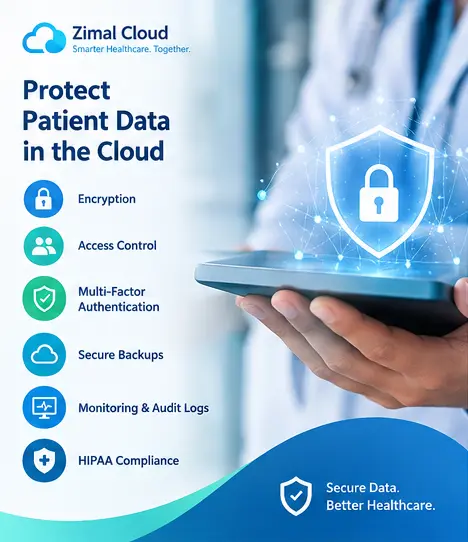
Encryption, MFA, role-based access, employee training, secure integrations, backups, audit logs, and incident response planning can create multiple layers of protection around sensitive healthcare information.
As healthcare continues moving toward cloud-based applications and connected digital services, patient data security should remain a core part of every organization's technology and operational strategy.